Answering your weekly feedback cards
Each week Engage gives you a short deck of cards on the Feedback page. Rate how often colleagues show a behavior, tell us how your workplace feels, and answer any polls or questions your organization has added.
Each week Engage puts a short deck of cards on your Feedback page. It takes about two minutes. You answer one card at a time, by swiping or by tapping a button.
Cards about a colleague
Most cards ask how often someone you work with shows a specific behavior. Pick the answer that fits what you have actually seen:
- Often (swipe right)
- Sometimes (swipe down)
- Rarely (swipe left)
- Don't Know (swipe up)
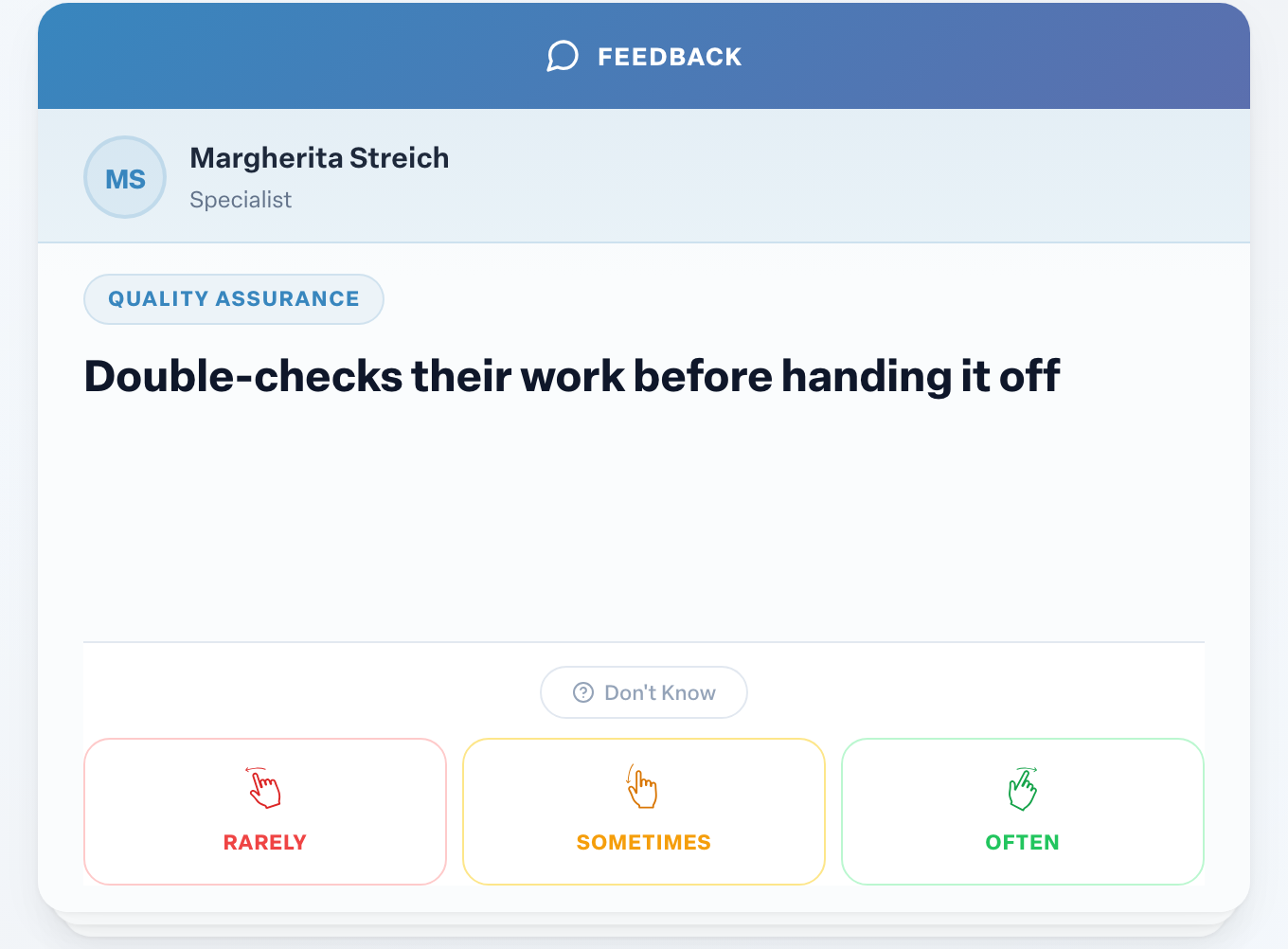
Use Don't Know whenever you have not seen enough to judge. It is not counted in anyone's score, so it is always better than a guess. If you answer Don't Know three times in a row about the same habit or person, Engage asks whether you want to keep getting those cards. See When Engage asks if you want to stop giving feedback.
Your rating is combined with everyone else's. The person sees a score for each behavior, never your individual answer.
Engagement cards about your workplace
Engagement cards ask about your organization rather than a person, for example whether you have what you need to do your job. Answer:
- Yes (swipe right)
- Somewhat (swipe down)
- No (swipe left)
- Don't Know (swipe up)
The card reminds you: Your answer is anonymous. Responses are combined with your team's, and managers see counts, not who said what.
Other cards you may see
Depending on what your organization has turned on, your deck can also include:
- an eNPS question
- Quick Pulse polls and open-ended questions
- an MVP card to recognize a teammate
- a suggestion card
- follow-up requests, where a colleague asks for written suggestions on one behavior
When you finish
When the deck is empty you see You're all caught up! See Why you have no feedback cards right now. Answered a card by mistake? See I made a mistake. How can I change my feedback?
Related
More in Feedback
- Why you have no feedback cards right nowBeginner
- Who should give me feedback?Beginner
- Sending a suggestion from your feedback cardsBeginner
- Finding feedback circles that need attentionBeginner
- Checking and changing someone's feedback circleBeginner
- Answering the eNPS question in your feedback cardsBeginner