Engage release notes: August 2026
Feedback Circles rebuilt, named Survey Campaigns, a clear AI transparency page with an opt-out, rebuilt Analytics, a status-first Scheduled 1:1s view and full coverage in seven languages.
August was about trust in your data. Circles got smarter, survey runs got names, AI got a plain-language page and an off switch, and every analytics number now says exactly what it means.
New features
Feedback Circles rebuilt
Major update
Feature. We rebuilt feedback circles from the ground up. Each circle now has a health tier (Forming, Established, Strong or Overloaded) and a circle ring that shows who is Giving feedback, which slots are open, and any Critical gap. Engage now spots members who are in a circle but rate none of the person's habits, keeps a person's history when someone leaves their circle, and takes people out of circles automatically when they leave the company. The full Circles workspace, with suggestions and a triage queue, followed in September.
Benefit. Healthy circles mean feedback that actually flows, and you can see at a glance which ones do not.
Opportunity. Open Circles and look for any ring with a critical gap.
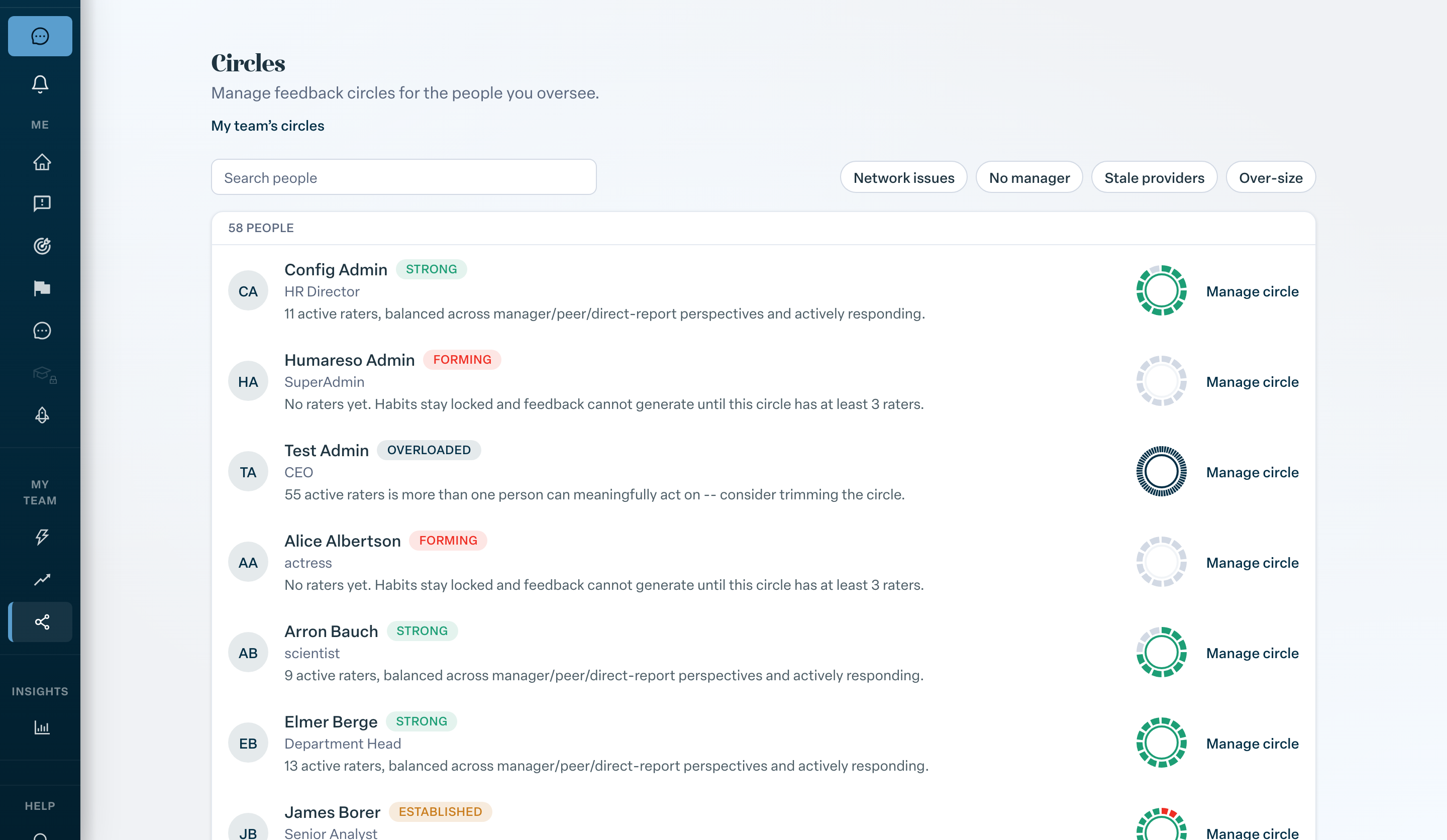
Survey Campaigns
Major update
Feature. Under Pulse, then Custom Pulse, Campaigns let you send a named, dated set of questions once (your own questions, your managed themes, or both) and report the responses together. Use New campaign to build one. You can break results down by location and filter managed theme results to a single campaign.
Benefit. Your annual survey finally reads as its own thing, separate from your everyday pulse, so year-over-year comparisons are clean.
Opportunity. Set up your next annual or onboarding survey as a campaign so you can compare it to last year's.
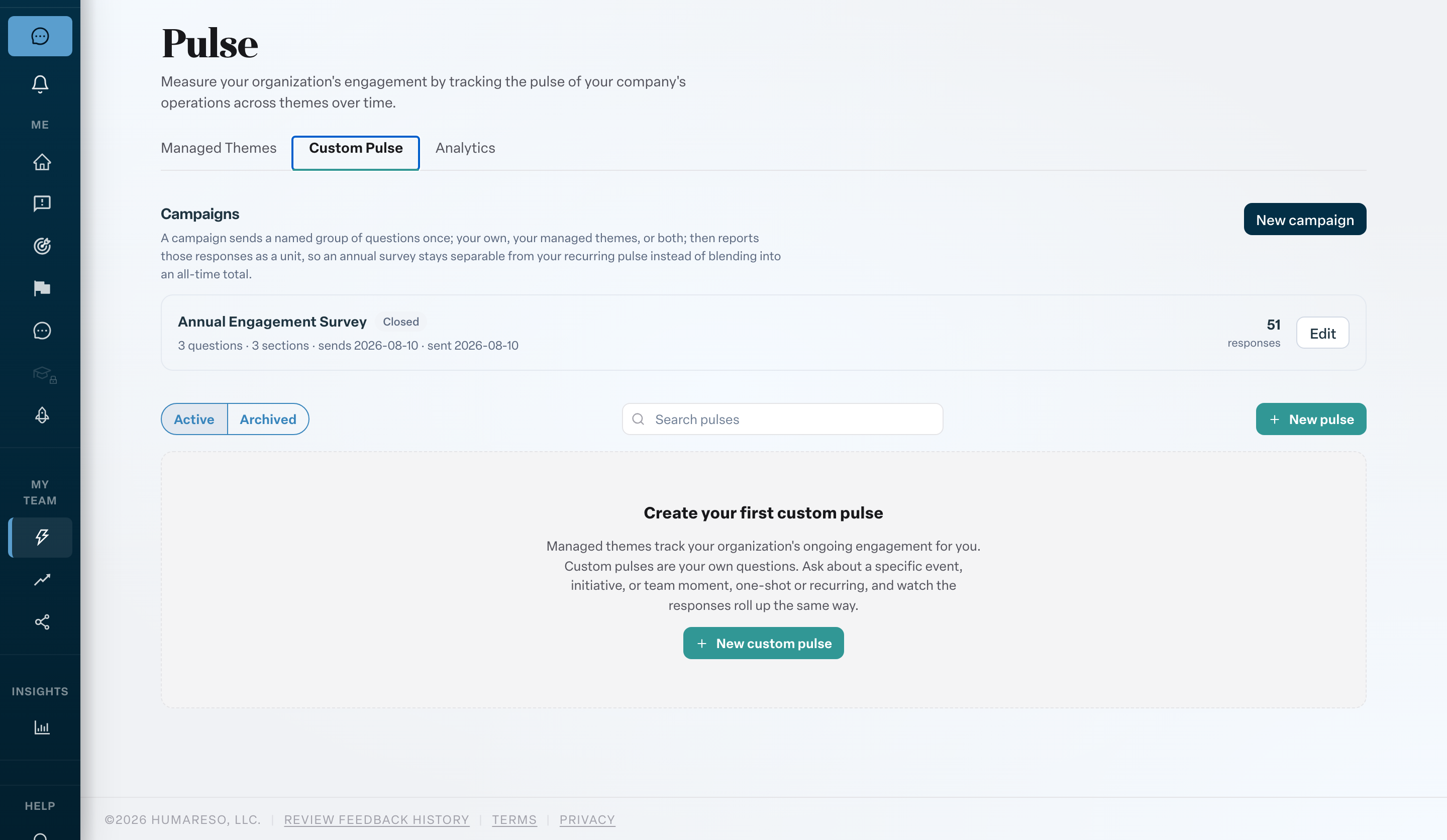
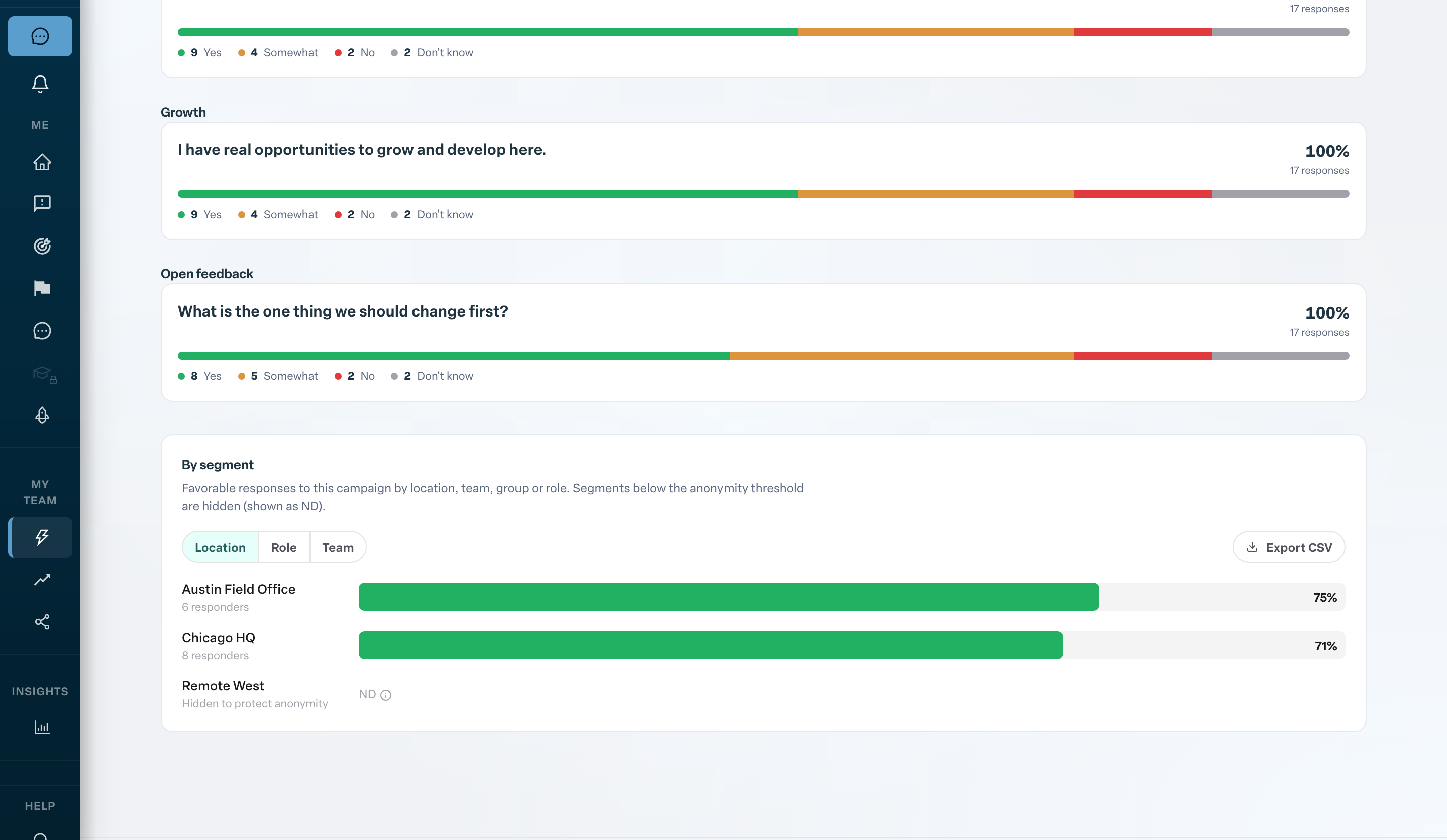
AI transparency and opt-out
Major update
Feature. Admin, then Organization, then AI explains in plain language what each AI feature in Engage does and what it sends, what we will not do, and how Engage protects small groups. One switch, AI features for this organization, turns every AI feature off for your organization; Engage keeps working without it. Admin, then Audit & Reporting, then AI Activity shows a log of AI use in your organization that you can export.
Benefit. You can answer your leadership's and your employees' questions about AI with confidence, and make the call that is right for your organization.
Opportunity. Read the AI page with your HR or IT lead and decide together whether AI features stay on.
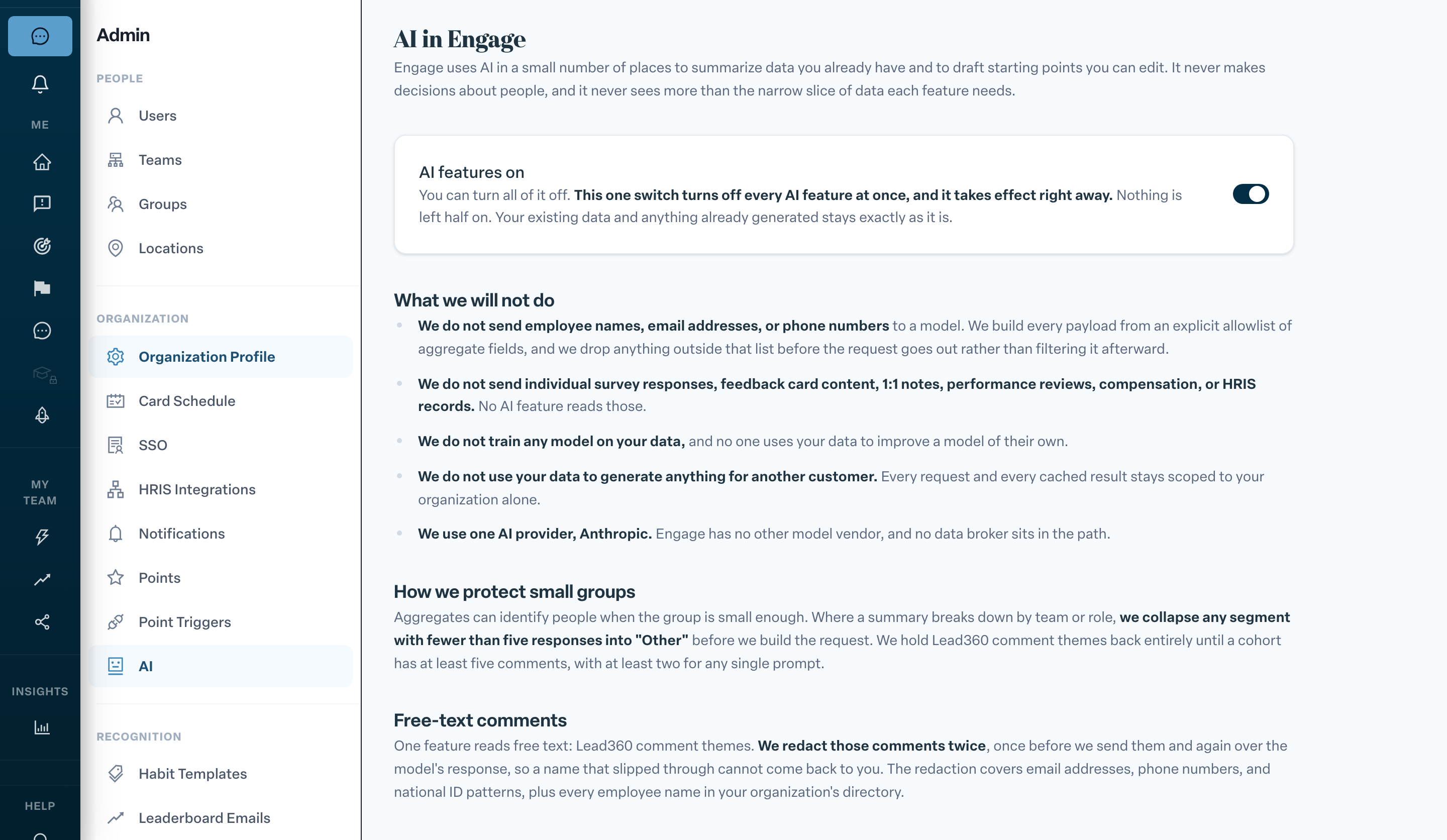
Analytics rebuilt, with clearer numbers
Major update
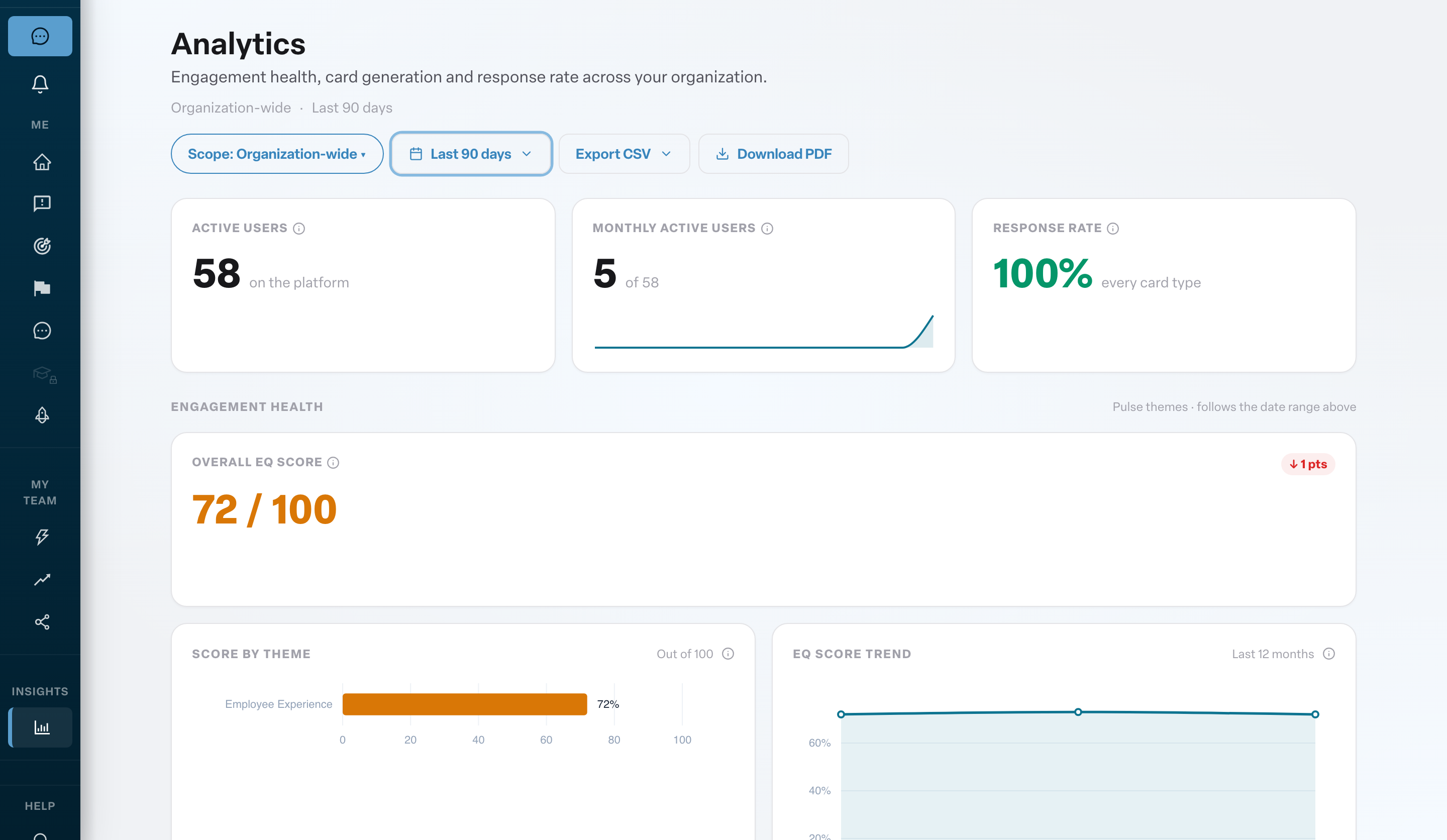
Feature. We rebuilt Analytics on one consistent chart system with a working Custom range date picker. Engagement Health is back, and every number now uses one clear definition and says what it measures, so a score and a response rate are never confused. Analytics also summarizes results from manager review questions.
Benefit. The numbers you present to leadership match from page to page, and you can explain each one.
Opportunity. Compare this quarter to last with a custom range and share the Engagement Health trend with your leaders.
Scheduled 1:1s, organized by status
Major update
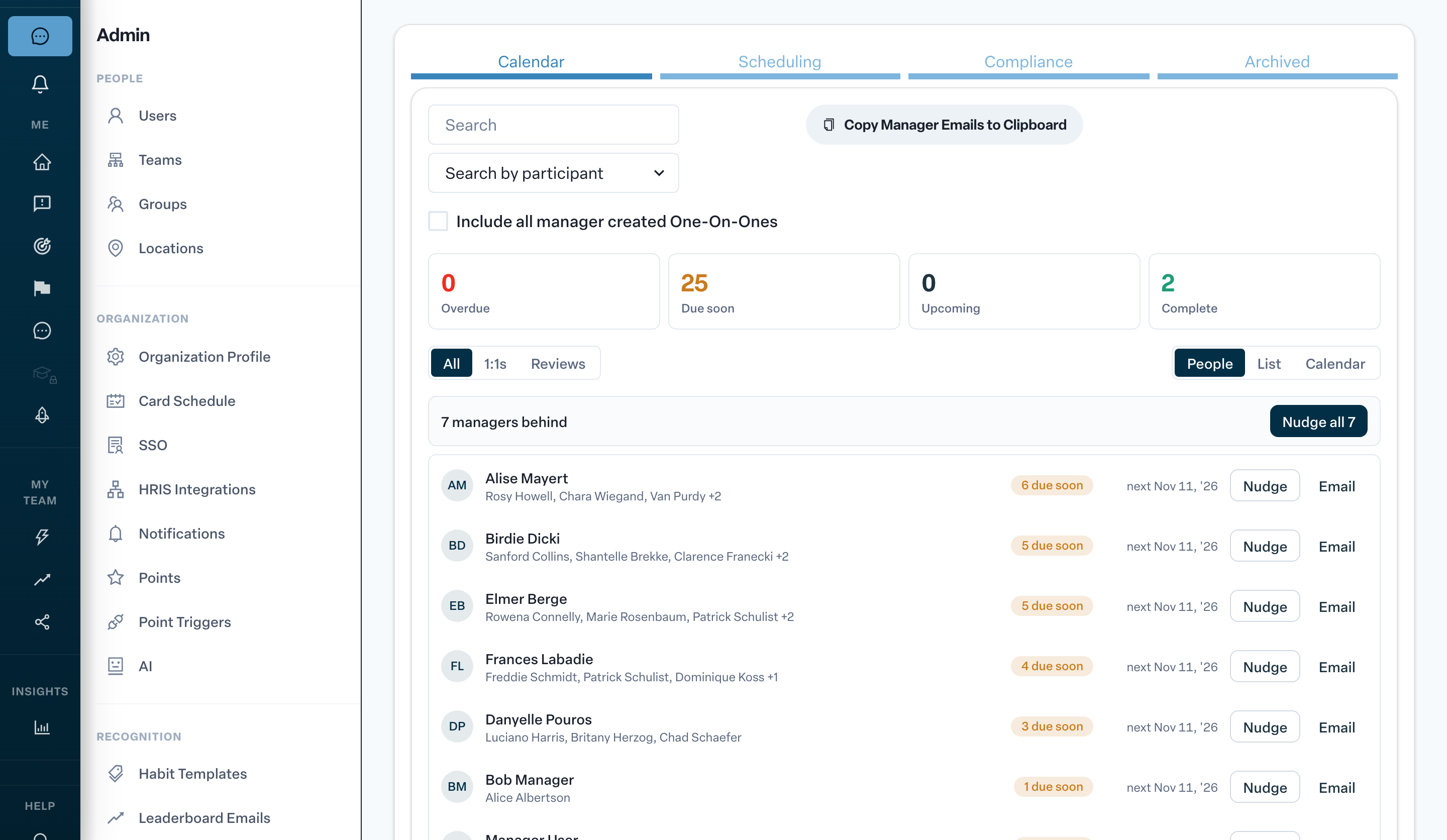
Feature. Admin, then Perform, then Scheduled 1:1s now leads with status: how many are done, upcoming and overdue. People is the default view, long review cycles show as periods with progress instead of piling onto their last day, and the calendar remains as a second view. A Nudge action reminds managers about overdue 1:1s, or you can email them yourself. Admins also have a Scheduled 1:1s shortcut in the main navigation.
Benefit. You can see what is due and what is late without wading through finished work.
Opportunity. Filter to overdue and nudge those managers today.
Seven languages at full coverage
Major update
Feature. Every screen in Engage now appears in all seven supported languages: English, Español, Français, Français (Canada), Deutsch, Português (BR) and 中文. Choose yours under Settings.
Benefit. Everyone can give and receive feedback in the language they think in, which means more honest and more useful answers.
Opportunity. Let your non-English-speaking teams know they can switch Engage to their language today.
Improvements
Objectives PDF with comments
Feature. A new Objectives & Comments PDF sits beside the existing CSV export, on the Objectives page, the admin objectives view and each objective's detail page. It includes every comment thread.
Benefit. End-of-period reviews and audits get the full conversation, not just the status.
Opportunity. Export your team's objectives with comments before quarterly reviews.
Suggestion Box management
Feature. Suggestions now live under Admin, then Listening, then Suggestions, where you can also Manage recipients: the people Engage notifies when a suggestion arrives.
Benefit. Every suggestion reaches someone who can act on it.
Opportunity. Check that your recipient list is up to date.
Fixes
- Profiles now have a start date, and Engage times new-hire programs from it.
- 1:1 due badges read correctly ("due today", "1 day overdue").
- Dates and times display consistently across Engage, no matter where you are.
- Microsoft Teams notifications include a link and arrive at your chosen time.
- Creating a Pulse works for managers and every admin role, with a clear message if something goes wrong.
- Open-Ended Questions results load even when some responses are blank.
- Reopening a person in the admin user editor always shows their latest details.
- Engage keeps Lead360° scores with the cohort that earned them.
- Accepted Lead360° providers no longer receive another invitation.
- Habits that are unlocked but not yet scored show as pending instead of empty.
- Pages throughout Engage resize correctly on tablets and phones.