Engage release notes: October 2026
A new Home dashboard built around your week, Manager Questions for every organization, a simpler notification settings grid that admins can manage, and anonymous eNPS for everyone.
October brought everything together on one page. The new Home dashboard is now the default, Manager Questions and anonymous eNPS are available to every organization, and notification settings got simpler for employees and admins alike.
New features
A new Home dashboard
Major update
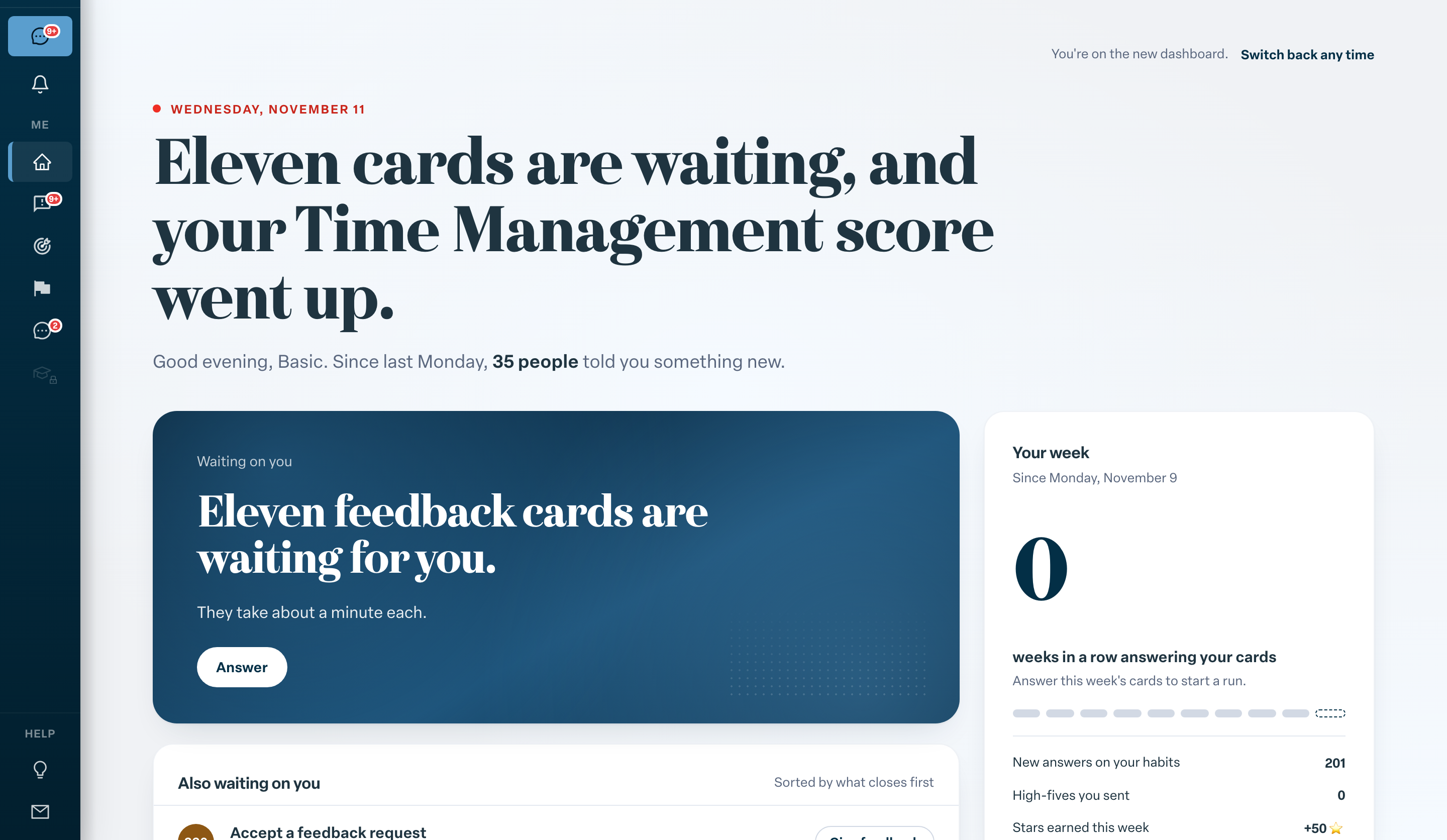
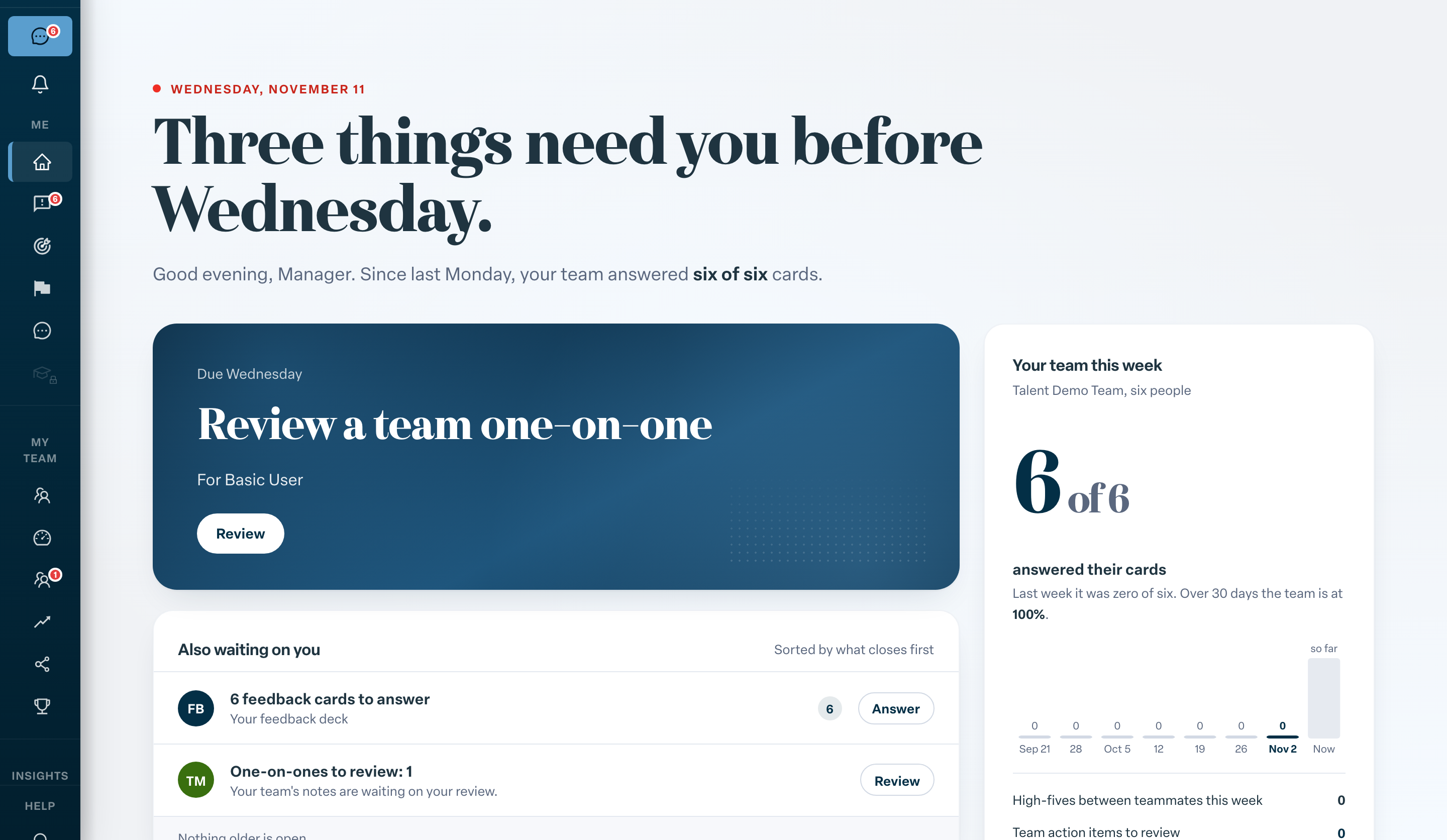
Feature. Home now opens on a new dashboard built around your week. Employees see This week's cards, Your habits (scores out of 100), High-fives, Objectives, Badges, the Suggestion box and your streak, under a headline that tells you what matters today. Managers also see Your team this week, showing who has answered and who has not, plus Also waiting on you, one to-do list sorted by what closes first. Admins see a scorecard of last week's participation against the week before, and Lead360° and review cycles show their progress right on the page. Prefer the old layout? Use Back to the classic dashboard at the top of the page, and Use the new dashboard to return.
Benefit. Everyone lands on what needs them this week, with nothing to hunt for.
Opportunity. Ask your managers to start each week on Home and clear Also waiting on you.
Manager Questions for every organization
Major update
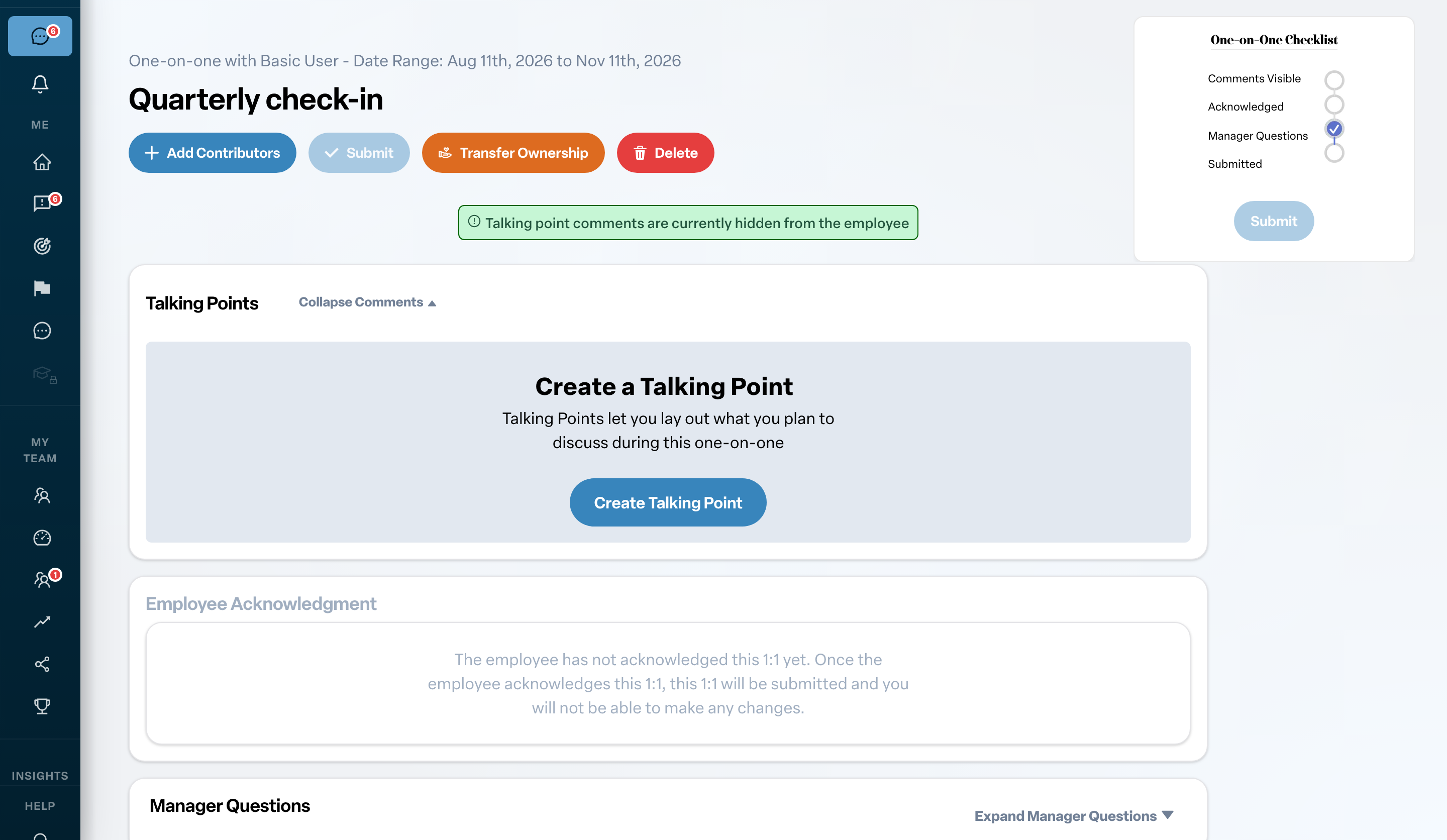
Feature. Manager Questions, a bank of questions managers answer about each report during a 1:1, is now available to every organization. When you create or edit a scheduled 1:1 under Admin, then Perform, then Scheduled 1:1s, or set up an ad hoc 1:1, tick Include Manager Questions and choose the questions. The 1:1 page shows them in their own Manager Questions section, and Analytics summarizes the answers.
Benefit. Every manager answers the same structured questions, so reviews are consistent and comparable across the organization.
Opportunity. Add two or three Manager Questions to your next quarterly 1:1 cycle.
A simpler notification settings grid, with admin management
Major update
Feature. Settings, then Notifications, is now a single grid: rows are notifications, columns are channels, and each switch does exactly one thing. It fits on a phone without scrolling sideways. Admins can now manage a person's notification preferences for them from that person's page under Admin, then People, then Users, using the same grid.
Benefit. Employees get exactly the reminders they want, and admins can help someone who is getting too many or too few without a support ticket.
Opportunity. If someone tells you they are not getting their cards, open their profile in Admin and check their notifications together.
Anonymous eNPS, on for everyone
Major update
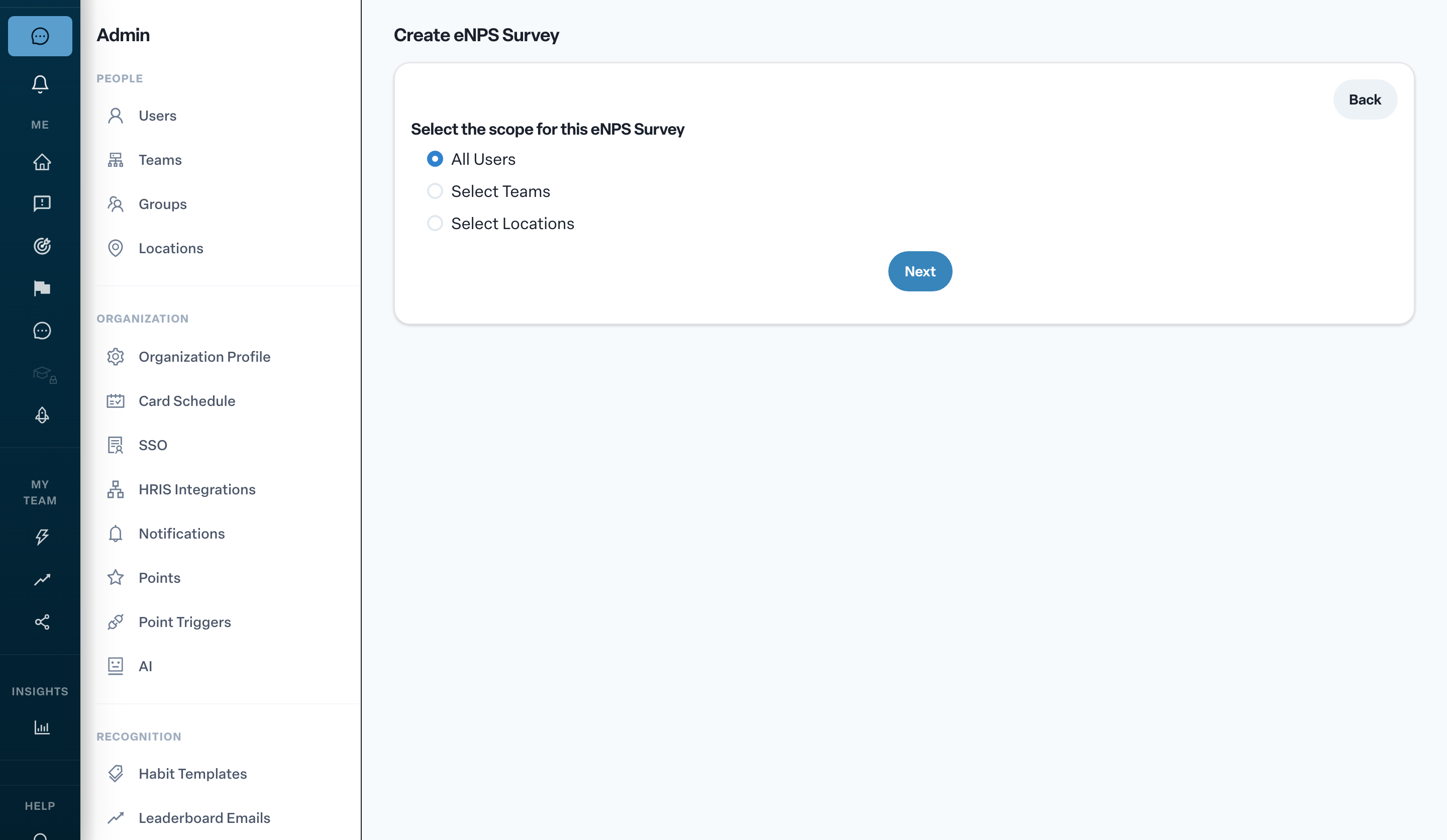
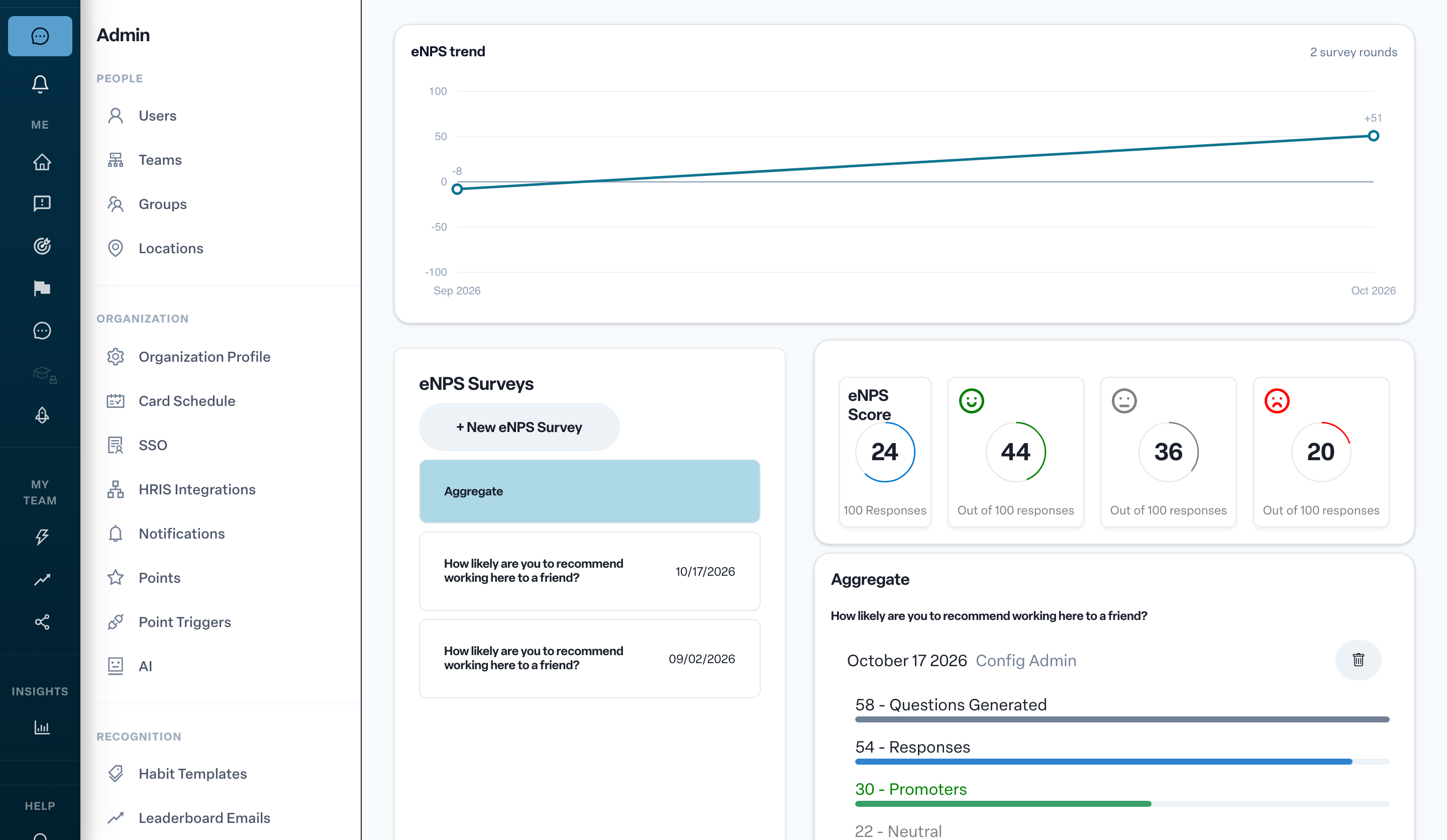
Feature. eNPS is now available to every organization, and eNPS surveys are anonymous by default. When you create a survey under Admin, then Listening, you can choose Identified survey if you need names; the card tells respondents, and you can later switch an identified survey to anonymous with Make anonymous, but never the other way. Anyone giving a low score can opt in to a follow-up for that one answer. eNPS Results has its own entry under Listening, with your score, the promoter, neutral and detractor split, trend over time and a team breakdown, and Engage hides small groups to protect anonymity.
Benefit. People answer honestly when they know their answer is anonymous, and you get a loyalty measure you can trust.
Opportunity. Send an anonymous eNPS survey this quarter and compare it to your last one.
The Team page for managers
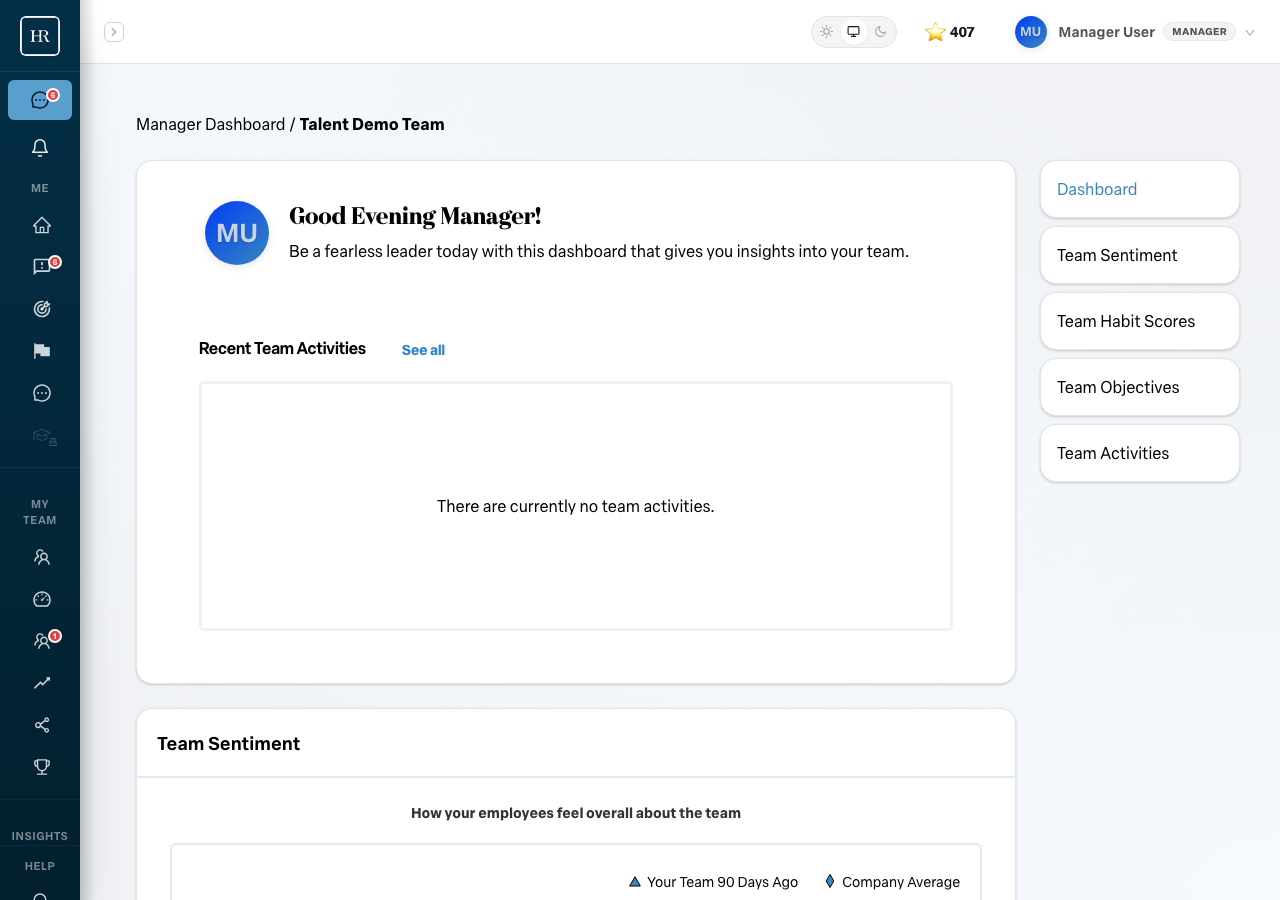
Feature. Managers' team dashboard now lives at one address, Team Dashboard in the navigation. Old links still work. Whenever Engage moves you to a new place, the page now tells you what moved, so you are never left wondering.
Benefit. Managers always know where their team view is, and nobody gets lost after a change.
Opportunity. Managers: update your bookmark to the new Team Dashboard.
Add Engage to your home screen
Feature. On a phone, Engage now offers to install itself: Keep Engage one tap away. On Android, tap Install; on iPhone, Engage shows you how to use Add to Home Screen in Safari. It opens like any other app.
Benefit. Answering cards and sending High Fives is one tap away, which means more people do it.
Opportunity. Ask your frontline teams to add Engage to their phones this week.
Improvements
Editable answers and streak fixes
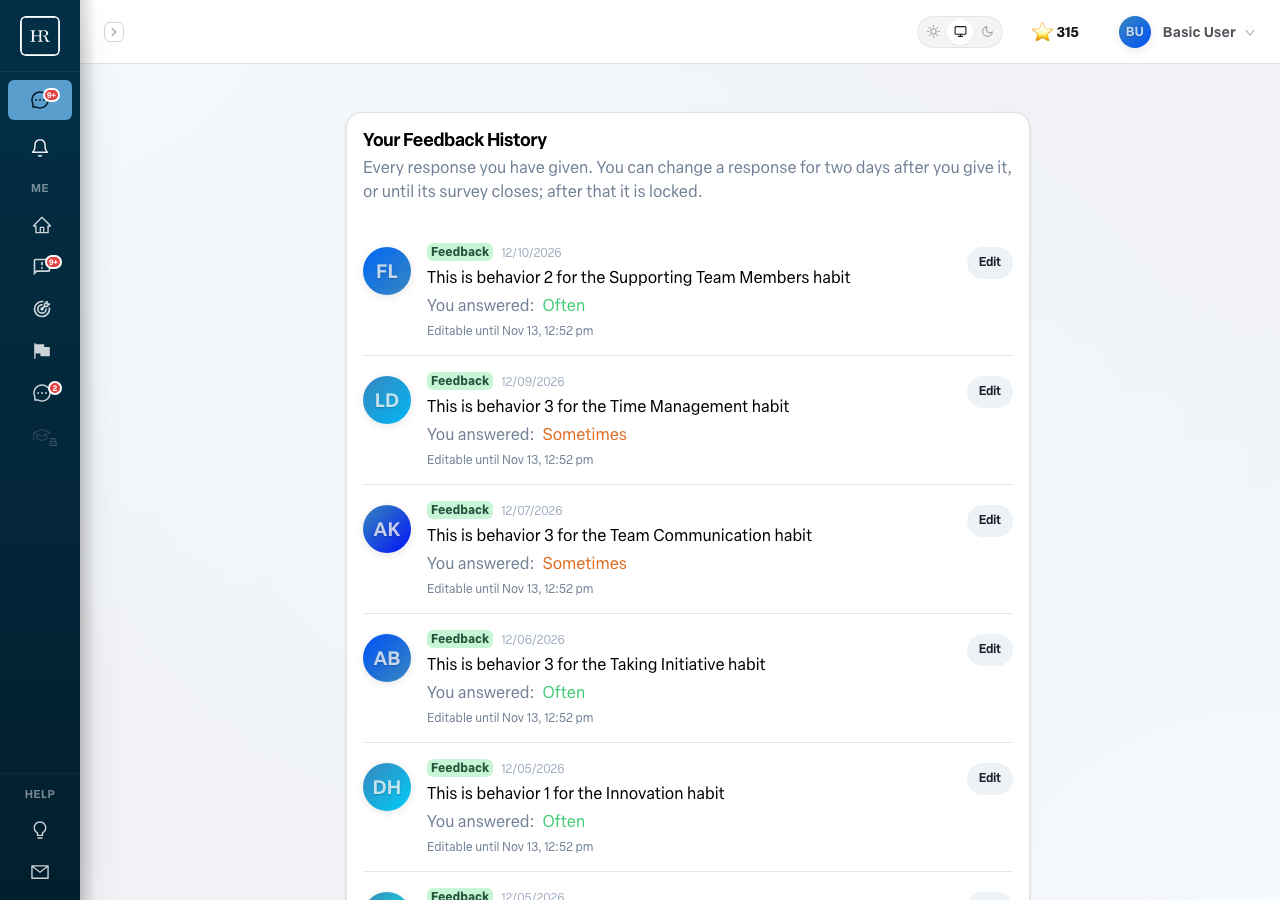
Feature. You can change a response for two days after you give it, or until its survey closes, so answers in a running campaign stay editable until the campaign ends. Your Feedback History shows Editable until on each response. Engage now counts feedback streaks from your actual card history every night and awards the Current Streak badge at most once a week.
Benefit. People can correct an answer while it still matters, and streaks reflect what really happened.
Opportunity. Remind people they can fix a rushed survey answer while the survey is still open.
Survey launches in your daily email
Feature. When a new survey or campaign starts, your regular Cards ready email now calls it out instead of Engage sending a separate message.
Benefit. People get fewer emails, and surveys still get noticed.
Opportunity. You do not need to change anything; just tell your team to look for the survey callout in their usual email.
One sign-up path
Feature. Everyone who signs up for Engage now goes through the same sign-up page, and older trial links take you there.
Benefit. New organizations get a simpler, more reliable start.
Opportunity. If you share a sign-up link with a partner, use the one on our website.
Lead360° improvements
Feature. Lead360° setup now requires the minimum number of feedback providers before you can finish, shows "N of M" saved as you go, and requires an answer for every self-review behavior. Participants get their role's habits when they enroll, enrolled admins have a direct route to the Lead360° admin view, and the Lead360° settings button opens it.
Benefit. Every participant starts with a complete setup, so results unlock on time.
Opportunity. Ask new participants to finish setup in one sitting; Engage now tells them exactly what is left.
Available on plans that include Lead360°.
Fixes
- The One-on-Ones Completed tab works in German.
- Creating a team saves the location you picked.
- The High Five GIF picker scrolls inside its window.
- Searching for a High Five recipient no longer drops letters as you type.
- Accepted objectives no longer leave a stale card in Action Items.
- The Pulse participation meter counts people, not cards.
- Long cards scroll with a visible cue.
- Engage treats a key result target of 0 as no target.
- Managers can request objective suggestions.
- Anniversary messages that span the new year arrive on time.
- Engage no longer flags new feedback circles as having stale providers.
- When a habit moves to team or organization level, its behaviors get engagement questions.
- If an admin action is not allowed, Engage shows a short message instead of an error page.
- The Leaderboard always shows, whatever your points settings.
- Engage shows your points balance consistently on the classic dashboard and in the Feedback caught-up pill.