Engage release notes: June 2026
A new Card Schedule hub, built-in Analytics, unified Pulse, Lead360° admin tools with AI summaries, Talent with the 9-box, a reorganized Admin and the Objective Marketplace.
June was the biggest month of the year for admins. Card delivery, analytics, Pulse, Lead360° and talent reviews all got purpose-built homes inside Engage, and we reorganized Admin around the jobs you actually do.
New features
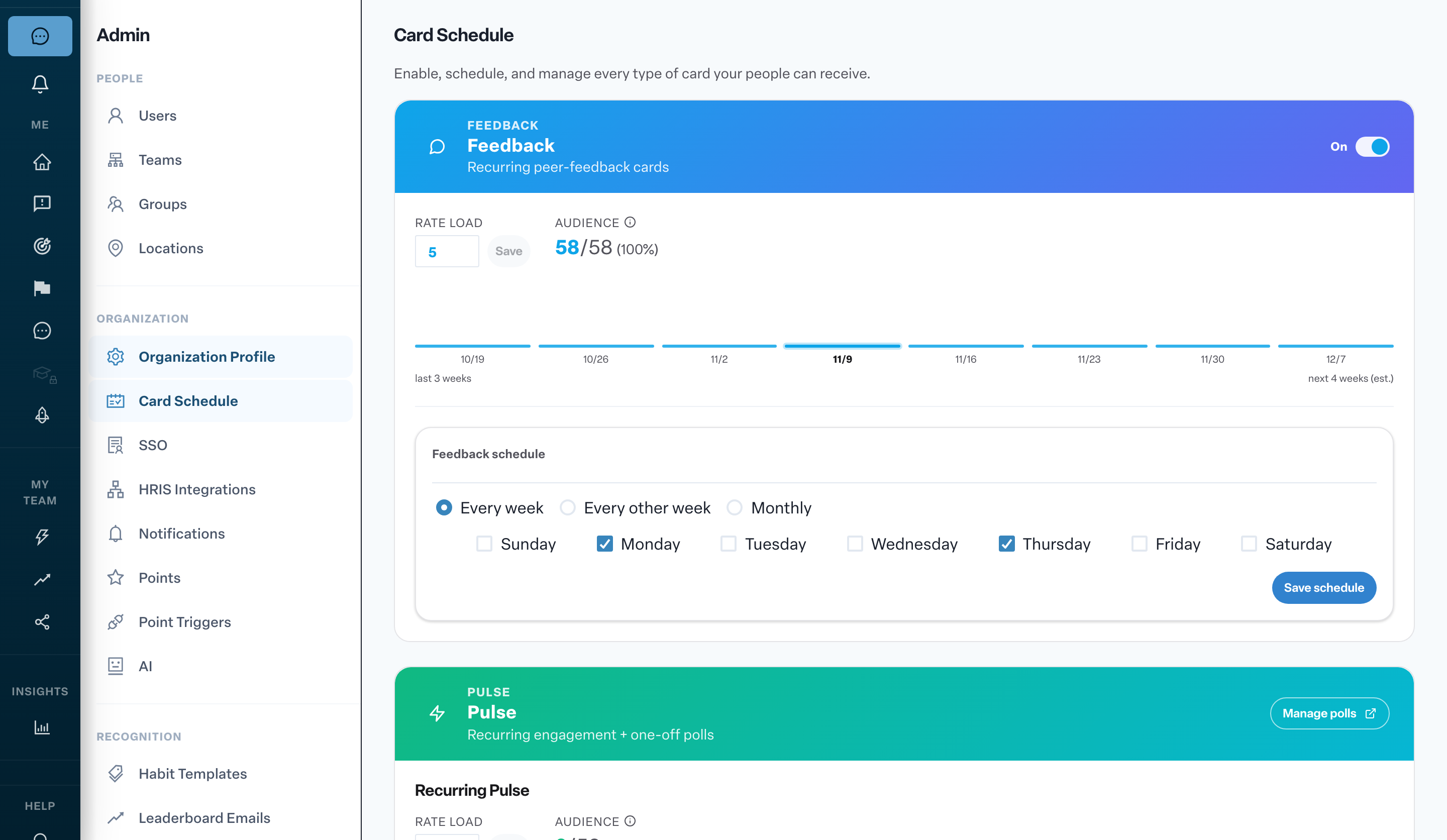
Card Schedule: turn card types on and plan delivery in one place
Major update
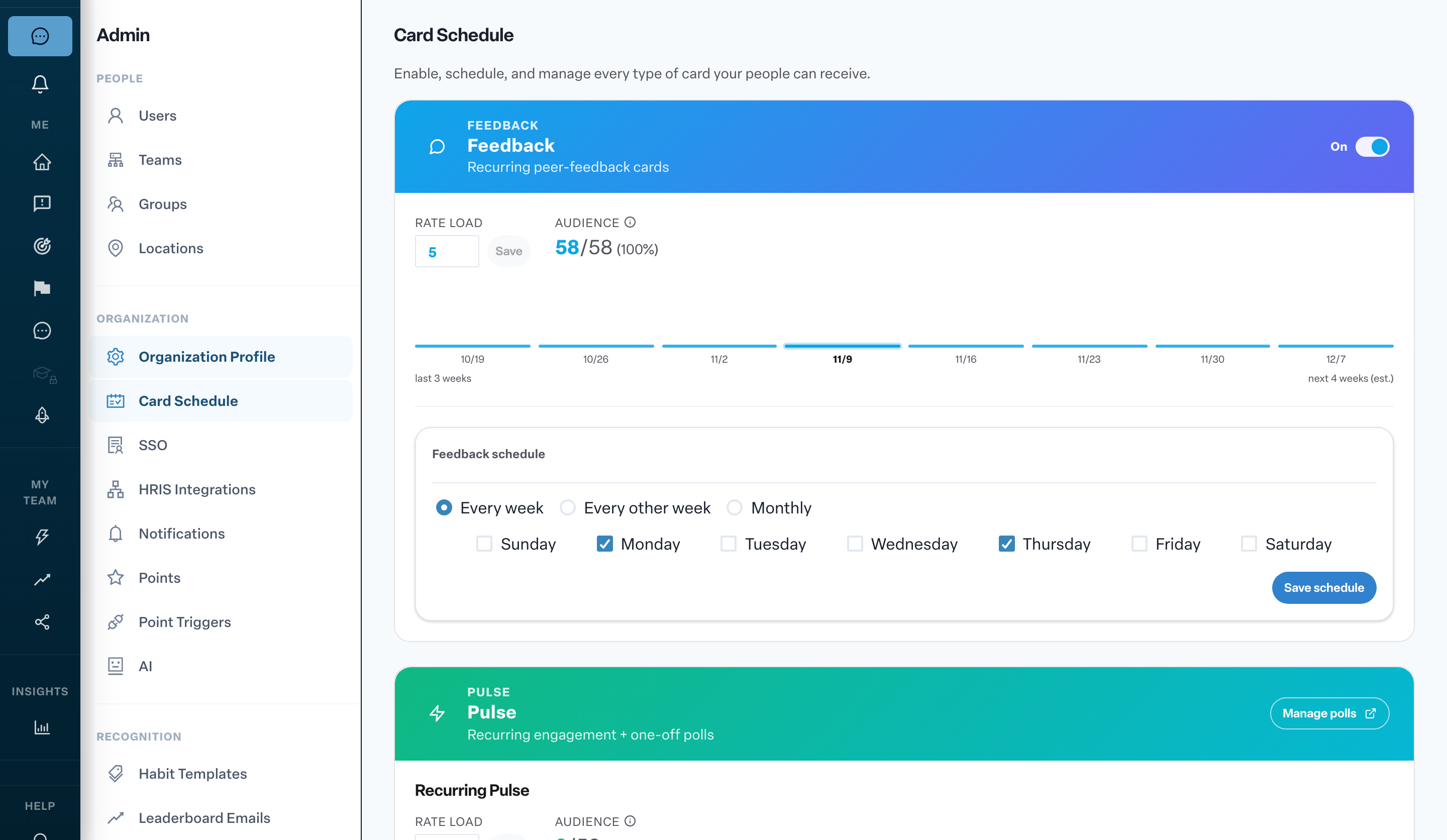
Feature. Admin, then Organization, then Card Schedule is now a single hub for every card type Engage delivers: Feedback, Engagement, Pulse, Objectives, eNPS and MVP. Turn each one on or off, open its schedule, see how many people are Eligible recipients, and read a forecast of how many cards will go out in the days ahead. You can also adjust how many cards people receive each round from the same page.
Benefit. You can see and control the whole employee experience from one screen, instead of hunting across settings pages to work out what people will receive and when.
Opportunity. Open Card Schedule and check the forecast against your calendar. If a holiday week is coming, adjust before it arrives.
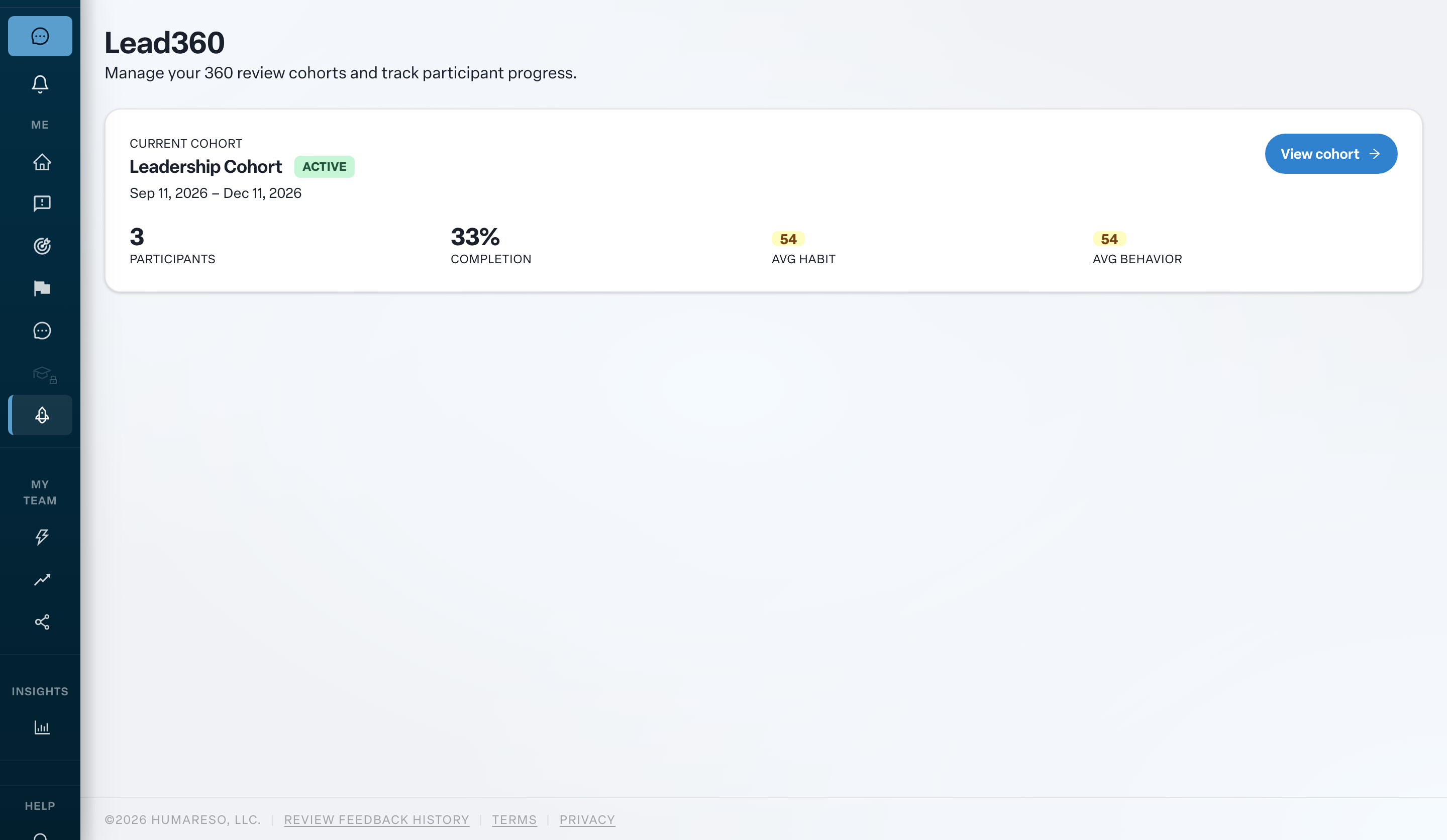
Lead360° admin: cohorts, roster and progress funnel
Major update
Feature. Lead360° now has its own admin home at Lead360 in the navigation (the admin view). See every cohort with its Participants, Completion, Avg habit and Avg behavior. Open a cohort to see a progress funnel (Enrolled, Self-review, Collecting feedback, Ongoing feedback, Final review, Complete), a roster you can sort by score, and a detail page for each participant with every competency and behavior score. Admins can also extend a cohort's end date.
Benefit. HR leaders can run a 360 program without spreadsheets, and spot who is stuck long before the cohort closes.
Opportunity. Open your current cohort and follow up with anyone still in Self-review.
Available on plans that include Lead360°.
Lead360° AI summaries and final report
Major update
Feature. Each Lead360° cohort now has an AI-written cohort summary. While a cohort is running, it reads progress and where to focus; once a cohort closes, it reads the results: what the 360 revealed, blind spots and where to focus next. A Self vs Others competency breakdown shows the perception gap for every competency. At the end of a cohort, your Humareso team prepares a final report, drafted with AI and reviewed by a person, and your admins see it once we publish it.
Benefit. A cohort of results becomes a story leaders can act on, without anyone reading every score by hand.
Opportunity. After your next cohort closes, use the summary as the agenda for your leadership debrief.
Available on plans that include Lead360°. If your organization has AI features turned off, the summaries do not appear.
Unified Pulse
Major update
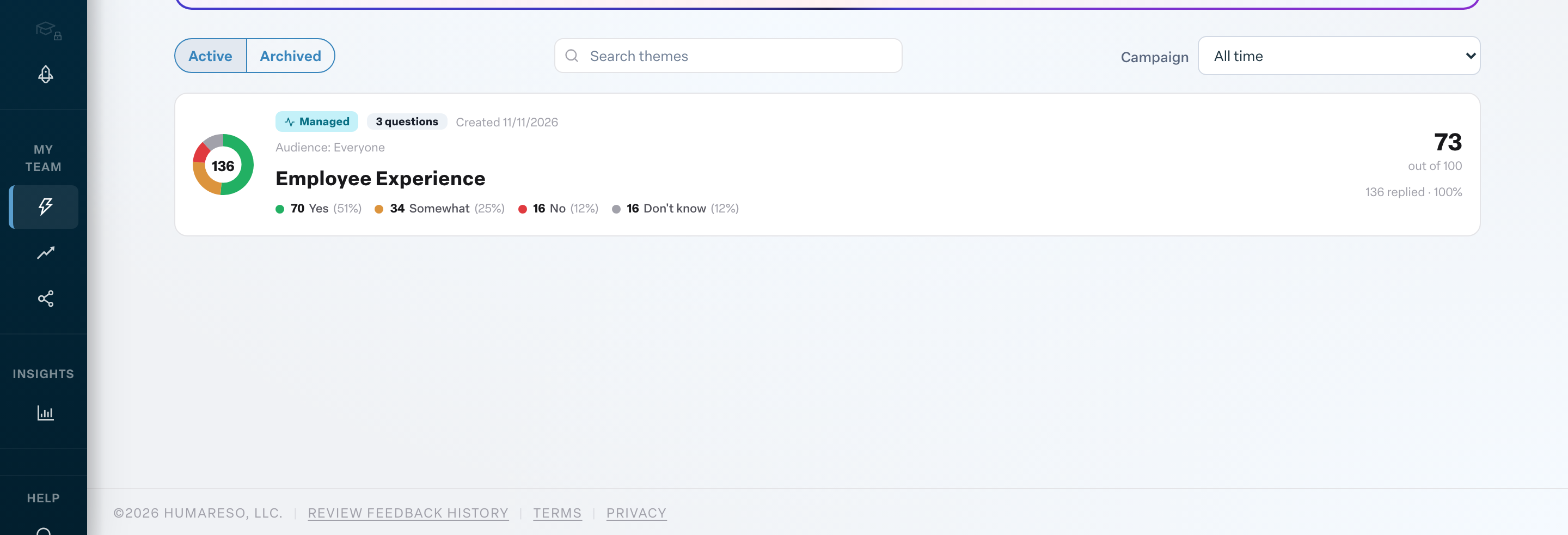
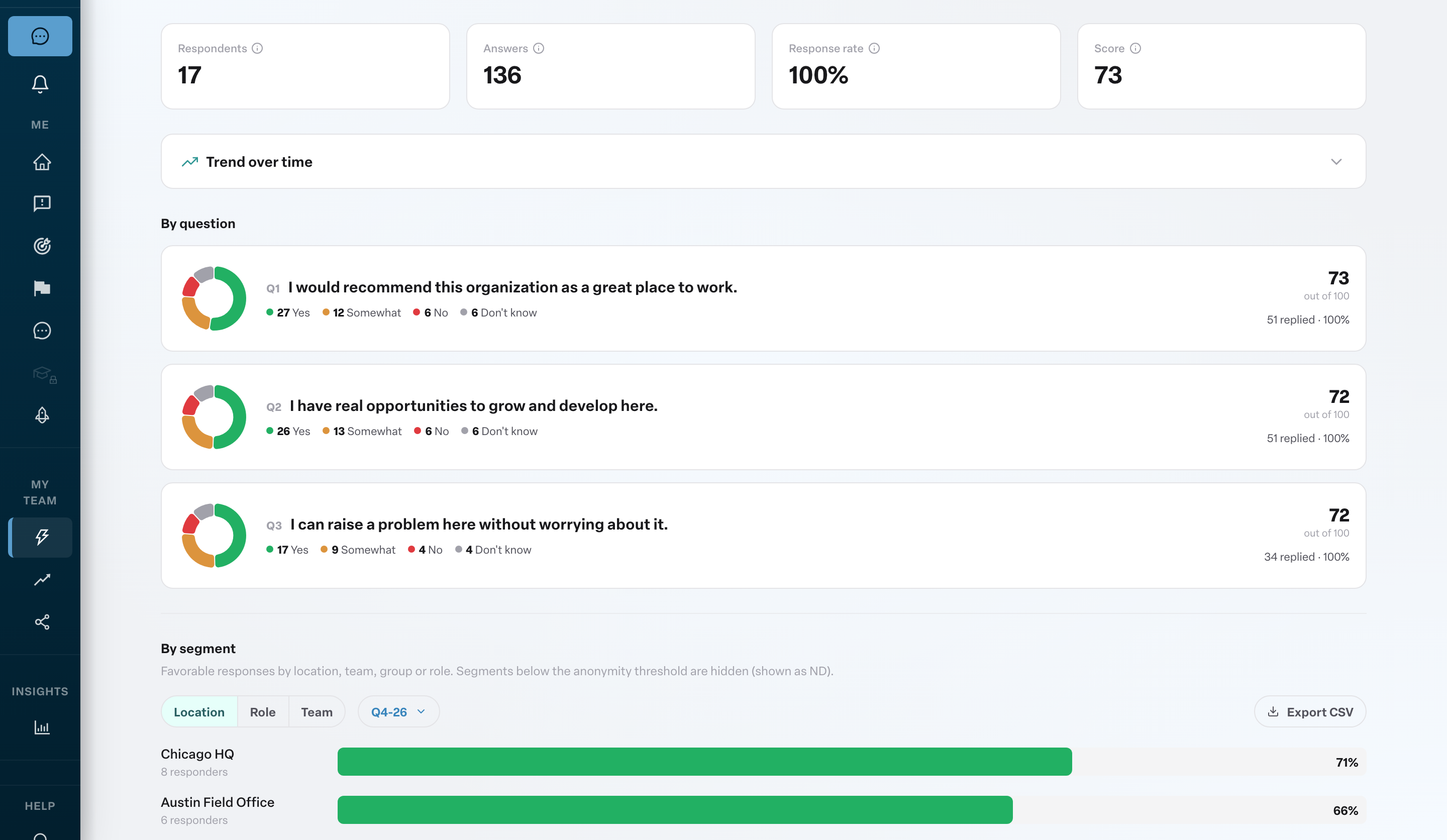
Feature. Pulse in the navigation is the new home for engagement surveys. The library lists your organization's engagement themes and custom pulses, and each one opens to results: response breakdown, a trend over time, Engagement by segment (location, team, group or role, with small groups hidden to protect anonymity), CSV export and a short AI summary. You can also send a new pulse from here.
Benefit. Everything you ask employees, and everything they told you, lives in one place you can open in a meeting.
Opportunity. Open your lowest-scoring theme and look at it by location to see where to start.
Analytics, built into Engage
Major update
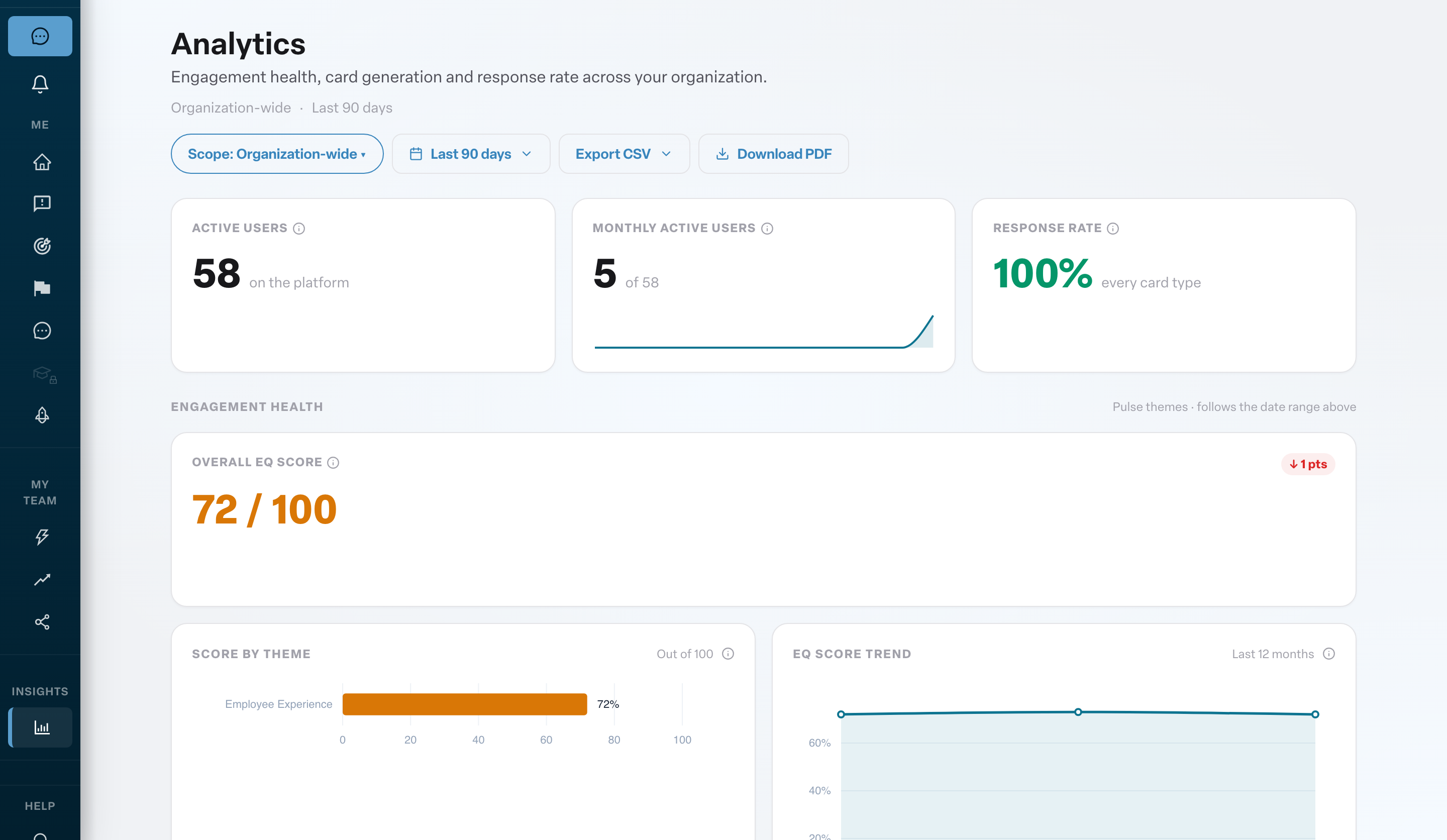
Feature. Analytics in the navigation now shows your numbers natively inside Engage and replaces the previous reports. It covers engagement health, cards generated and answered day by day, and your response rate trend, with the current week shown as still in progress. We rebuilt Analytics again in August with clearer numbers.
Benefit. You get faster pages, numbers that match what people see elsewhere in Engage, and one less login to manage.
Opportunity. Check your four-week response rate and share it with your managers as this month's baseline.
Talent and the 9-box
Major update
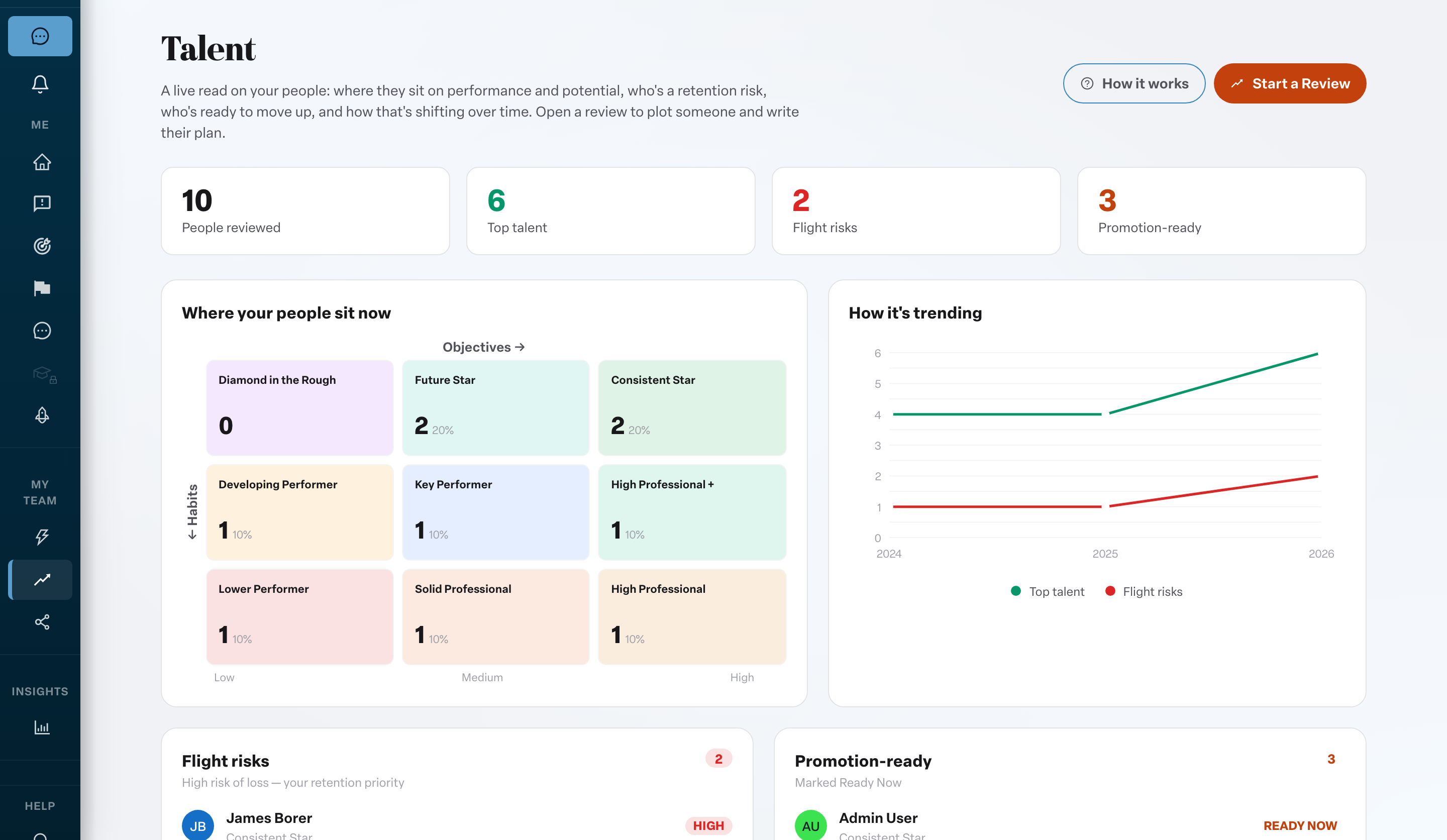
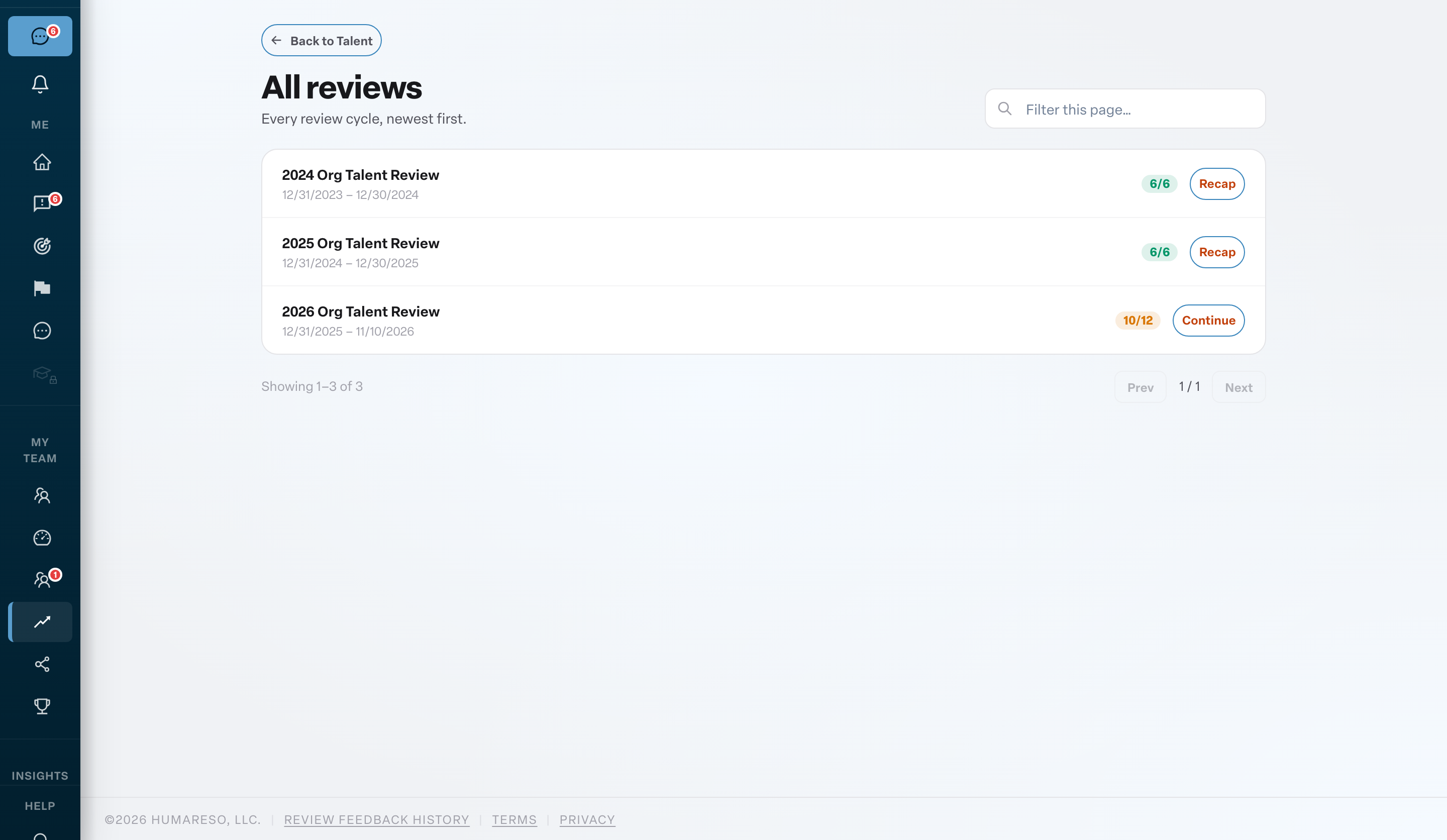
Feature. Talent is a new item in the navigation. Admins see the whole organization; managers see their own reports. Use Start a new review to run a talent review, place each person on the 9-box (objectives against habits), and read Top talent, Flight risks and trends across review periods. A first-run introduction walks you through it.
Benefit. Talent conversations move from gut feel to a shared picture grounded in real objective and habit data.
Opportunity. Ask each manager to place their direct reports before your next talent calibration.
A new Admin, organized by task
Major update
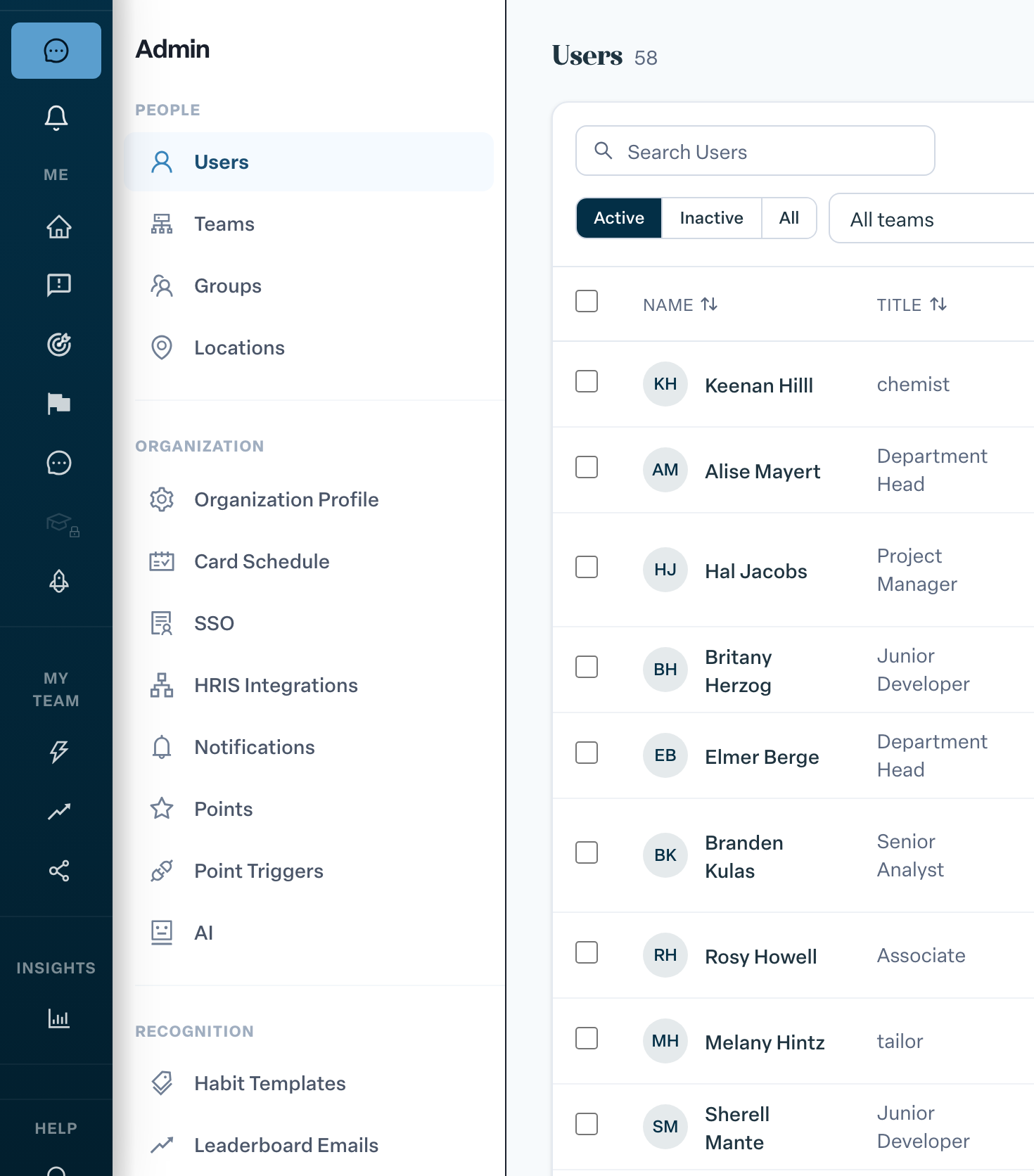
Feature. Admin settings moved into a single Admin area with a sidebar organized by job: People, Organization, Recognition, Listening, Perform and Audit & Reporting. Old links take you to the new home and tell you the page moved. A Circles page also lets admins manage any person's feedback circle; Circles grew into a full workspace in September.
Benefit. Admins find settings by what they are trying to do, not by remembering where a page used to live.
Opportunity. Take five minutes to click through each Admin section so you know where everything lives now.
Objective Marketplace
Major update
Feature. Admin, then Organization, then Objective Marketplace connects Engage objectives to the goal platforms your company already uses: BambooHR (two-way sync), Atlassian Goals (two-way sync with Jira and Atlassian Home) and HubSpot (goal progress flows into Engage key results). Use Save & verify and Test connection to set each one up.
Benefit. Engage becomes the single place goals live, without asking anyone to type progress twice.
Opportunity. If your team already tracks goals in one of these tools, connect it and sync your current quarter.
This is available if your organization has the Objective Marketplace turned on.
Single sign-on and automatic user provisioning in Admin
Feature. Admins can now set up single sign-on and automatic user provisioning themselves under Admin, then Organization, then SSO.
Benefit. New hires get access on day one and leavers lose it on their last day, without a ticket.
Opportunity. If your identity provider supports it, turn on automatic provisioning so your Engage roster stays in sync.
Improvements
Feedback History and inactive 1:1s
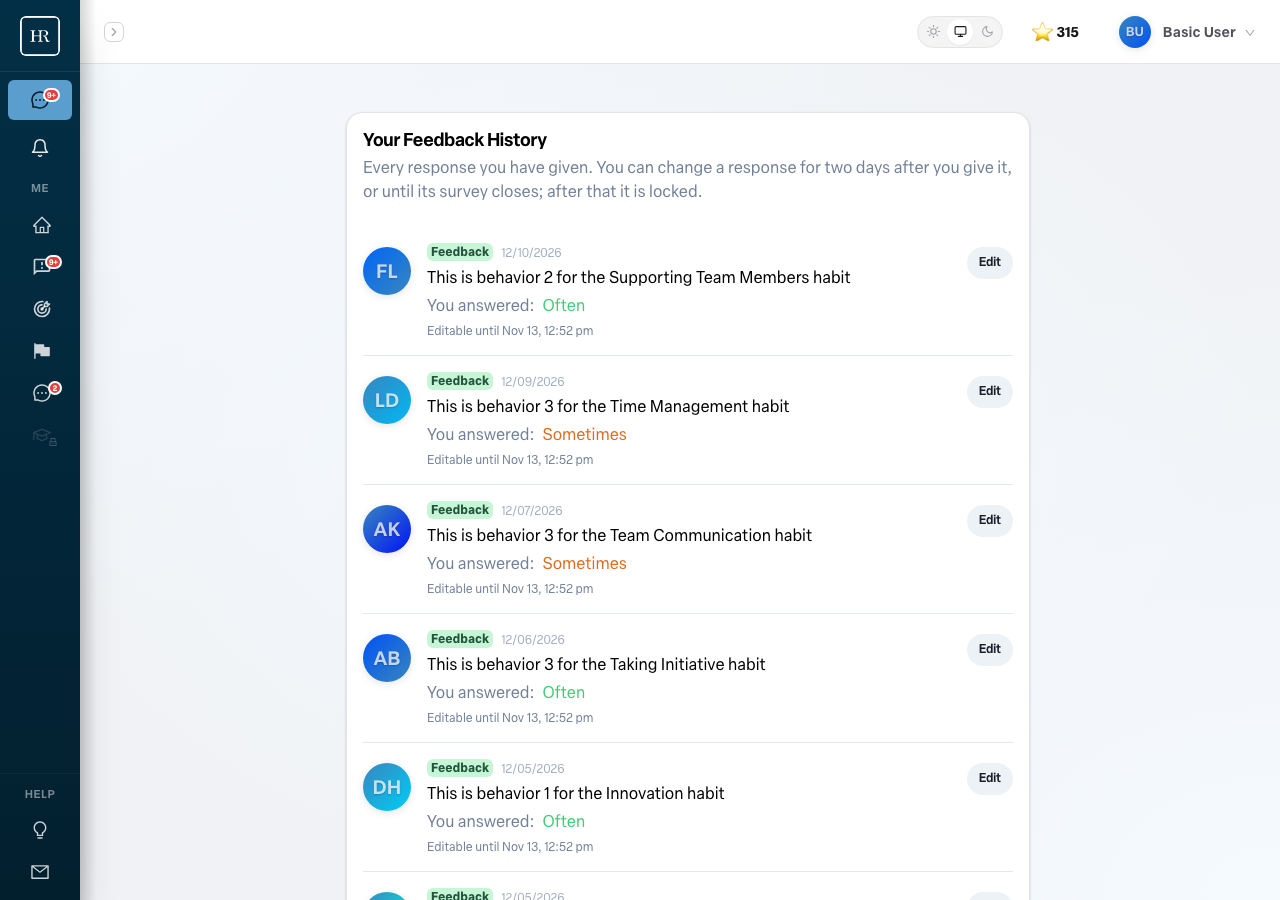
Feature. Edit Recent Feedback is now Your Feedback History: every answer you have given, tagged by type (Feedback, Pulse, Written Feedback, Suggestion, MVP, High Five and more), with paging. On the 1:1s table, a new Include inactive employees toggle shows the reviews of people who have left.
Benefit. Employees can find and fix their recent answers, and managers keep the full record of past reviews.
Opportunity. Managers: turn on Include inactive employees before year-end reviews so nothing is missing.
Dark mode for Objectives, and hidden badges
Feature. Objectives now look right in dark mode, including status colors, cards and the board. We also hid a couple of secret badges around Engage for curious people to discover.
Benefit. Dark mode users get a comfortable experience, and everyone gets a little fun.
Opportunity. We will not spoil it. Tell your team there is something to find.
Fixes
- The Feedback page scrolls properly on small windows.
- Habits that are still collecting data no longer show "0 of N responses".
- When you have reached the limit of open follow-up feedback requests, Engage explains why instead of hiding the button.
- The Pulse trend legend no longer overlaps the chart.
- The Pulse library Active and Archived filters show only what you picked.
- Removing a habit from someone's feedback providers saves correctly.
- Engage trims long objective tags neatly instead of letting them overflow.
- Engage combines daily card notifications into one message, and no reminders go out when you have no cards waiting.
- Engage selects MVP winners on schedule and follows your settings for announcing the winner and awarding points.
- Signing out no longer leaves you on a "Redirecting to sign-in" screen.
- You can restart the product tour again, and it has refreshed content.
- Admins can edit gender and pronouns for people whose accounts are managed by automatic provisioning.