Engage release notes: September 2026
Measurable key results and objective seasons, a full Circles workspace with suggestions and a triage queue, and clearer habit scores with one response rate across Analytics.
September made goals measurable and feedback networks visible. Objectives now track real numbers across seasons, Circles became a full workspace, and habit scores tell you exactly how much evidence stands behind them.
New features
Measurable key results and objective seasons
Major update
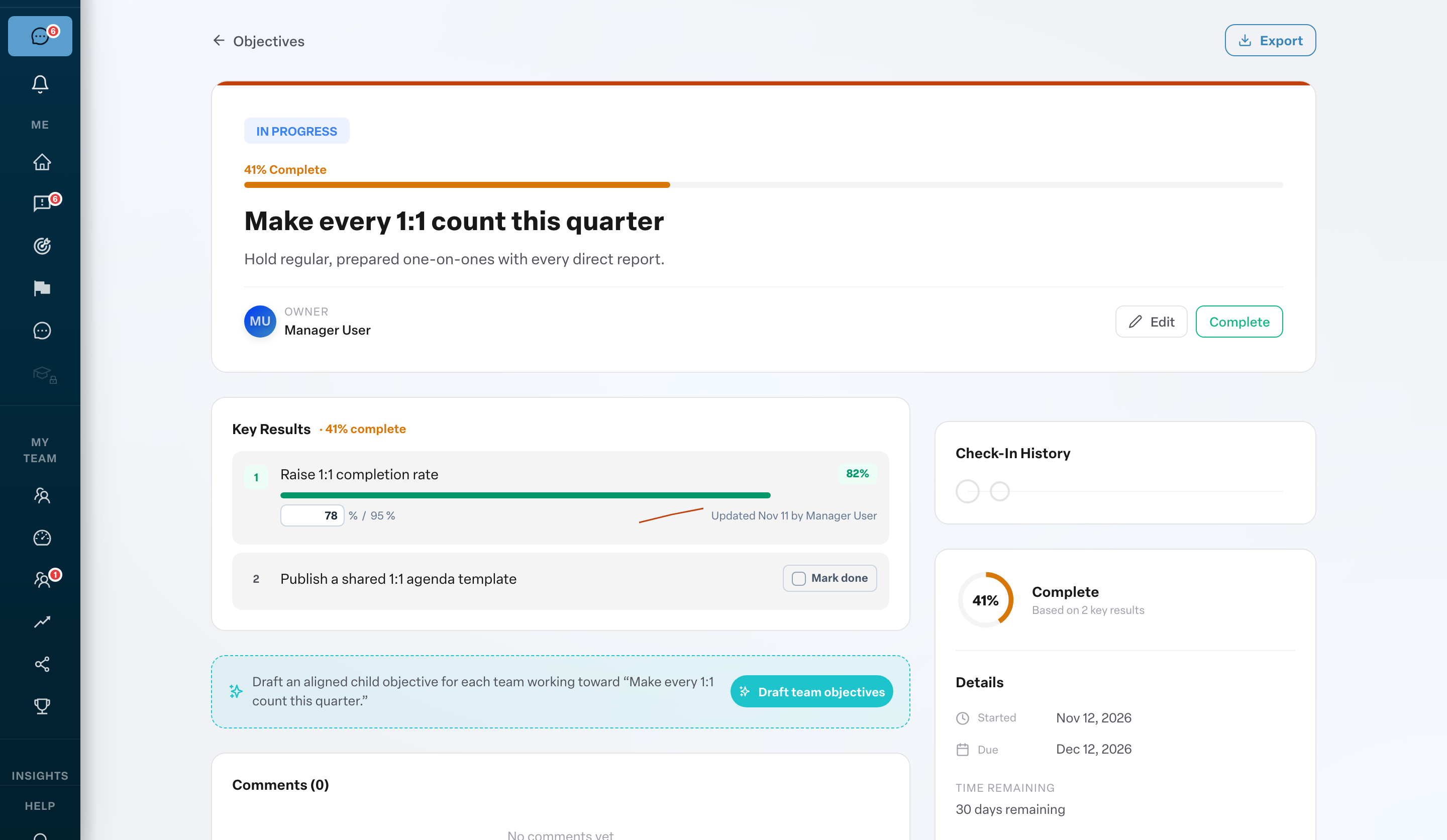
Feature. Key results are now real measures. In Create Objective and Edit Objective, each key result is a Metric or a Milestone; a metric has a direction (Increase to or Decrease to), a Starting at value, a Target, a Unit and its own Owner. Engage measures progress from where you started toward the target and records who made each update, and you can Link to a goal in a connected goal platform so the value syncs on its own. Objectives now run in seasons: when a season ends, owners choose Carry forward, Complete now or Abandon for anything still in progress, and a season summary shows how it went. Admins set season length, names and what happens At season end, and get a health view (Measurable, Updated in 14 days, Aligned, Owners over limit) plus a list of Stale objectives. Choosing a parent objective is easier too, with a searchable picker grouped into Company objectives, Your teams, Your manager and more.
Benefit. "Reduce churn to 2.8%" now shows real progress, goals stop drifting from season to season, and leaders can see at a glance whether objectives are measurable and moving.
Opportunity. Ask every manager to give each objective at least one metric key result with a starting value before the next season begins.
Circles: roster, triage, suggestions and team roll-up
Major update
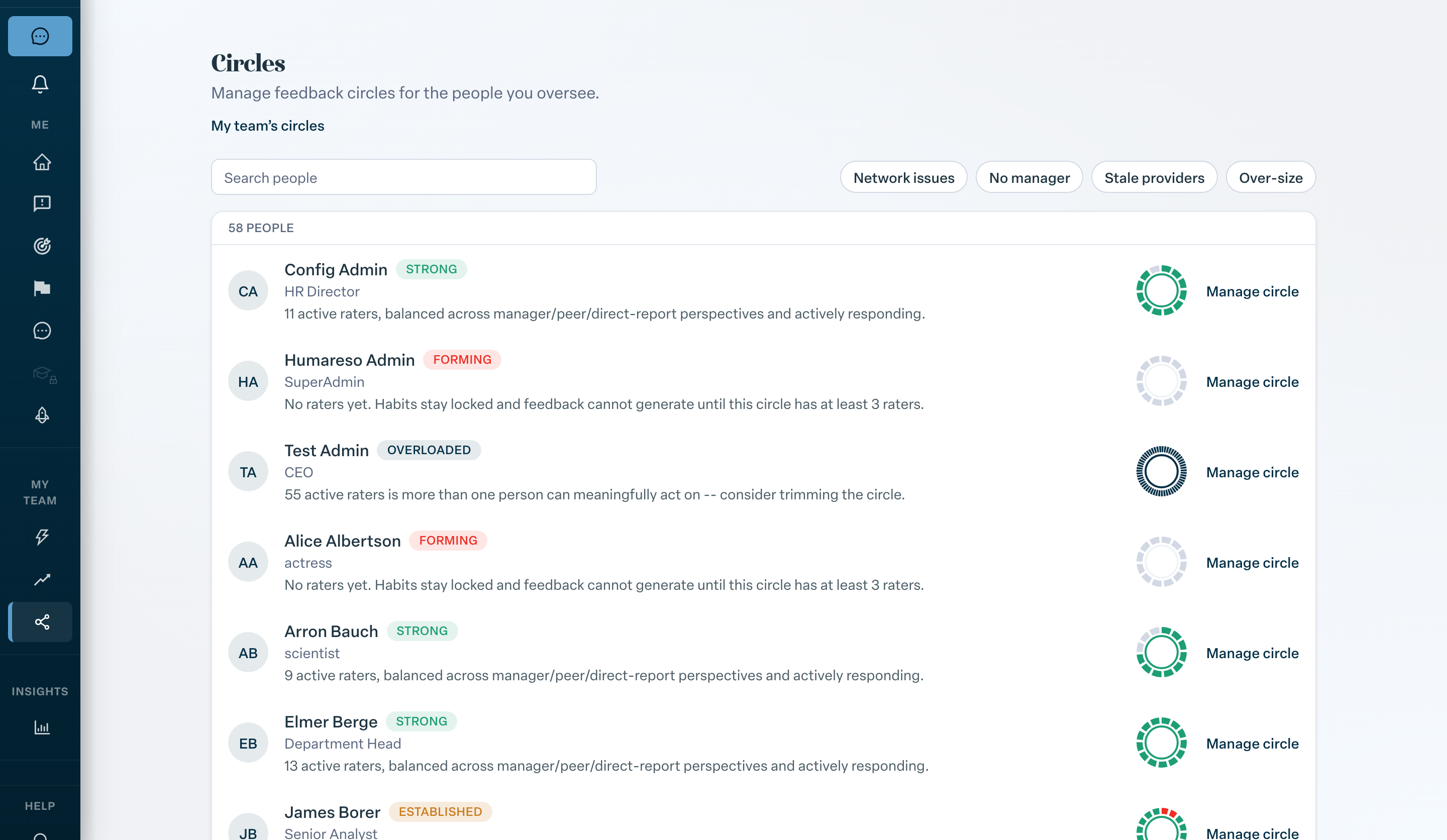
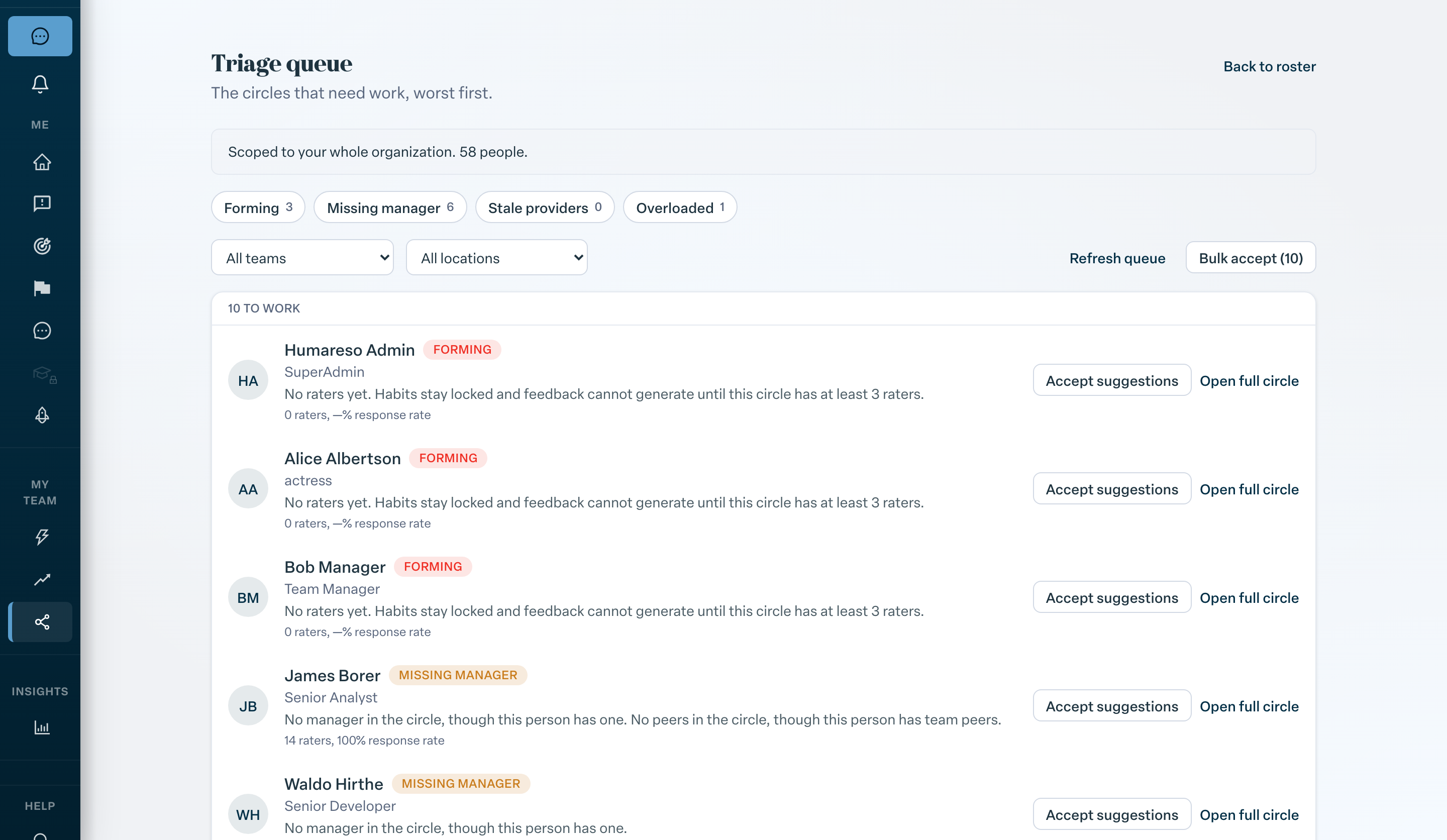
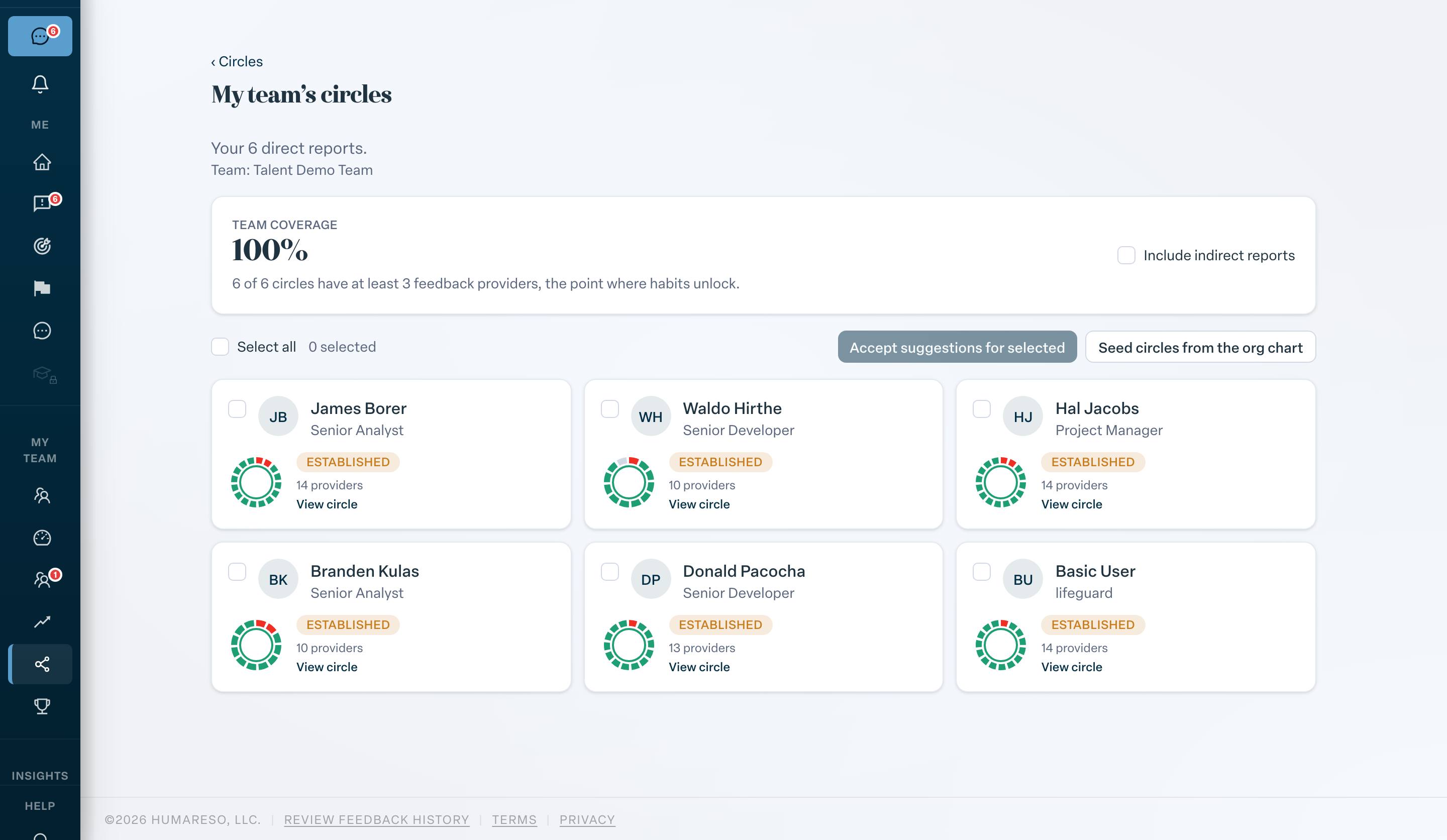
Feature. Circles is now a full workspace. Admins get a roster of every circle with its health and filter chips for Network issues, No manager, Stale providers and Over-size, and a Triage queue that lists the circles needing work, worst first, with one-click Accept suggestions and Bulk accept. Engage suggests who should be in each circle and why (for example "Manager isn't in the circle" or "Gives feedback but is not rated back"), with Add to circle, Rate them back or Dismiss. Managers get My team's circles, showing Team coverage across their reports and a way to Seed circles from the org chart. Each circle opens to a visual map of its members, and the Feedback Circle tab under Habits and the Lead360° provider list use the same tools.
Benefit. Healthy circles are what make feedback flow. Now you can find and fix the weak ones in minutes, at scale.
Opportunity. Open the Triage queue and work the top ten circles this week.
Clearer habit scores and one response rate
Major update
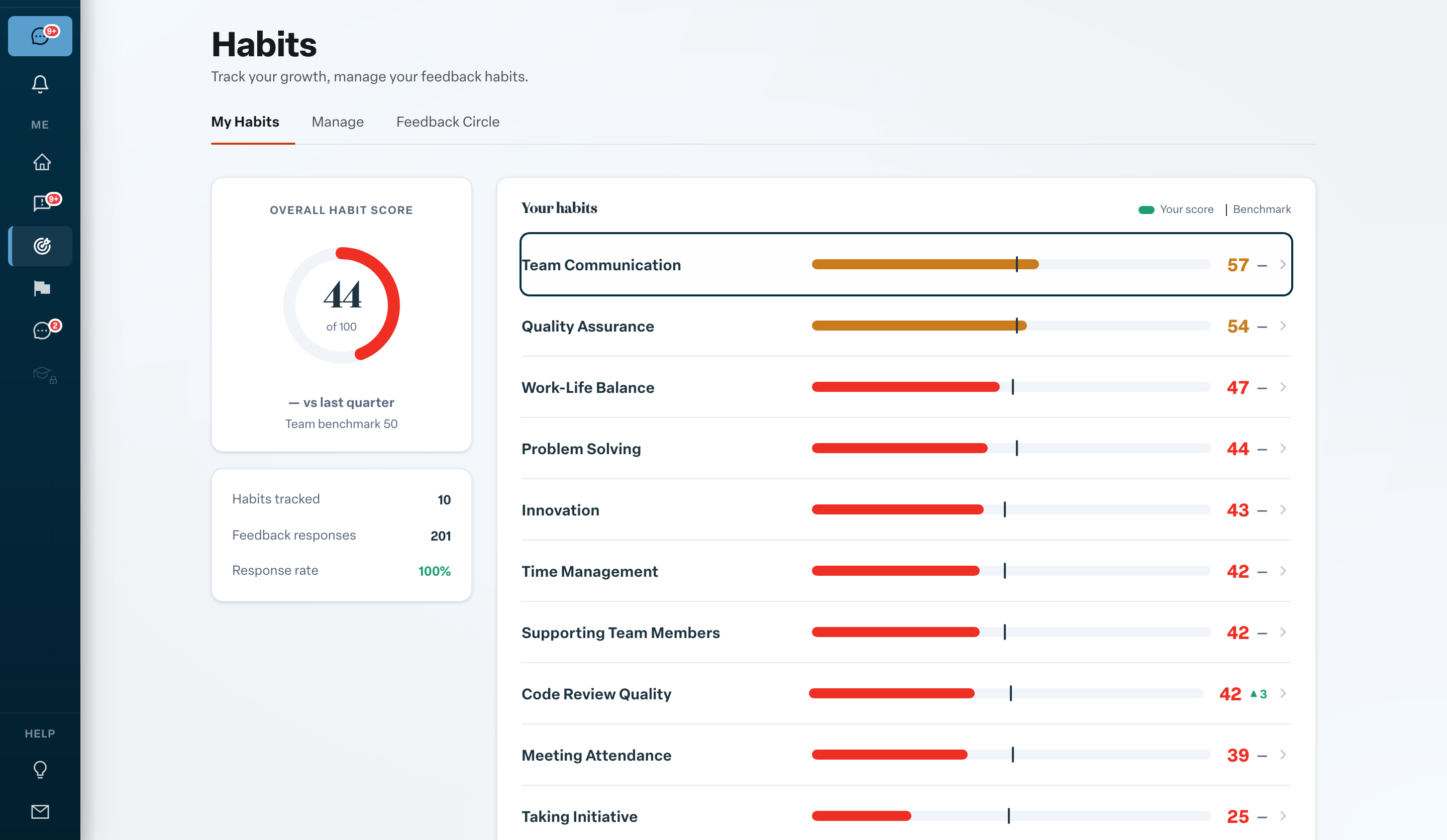
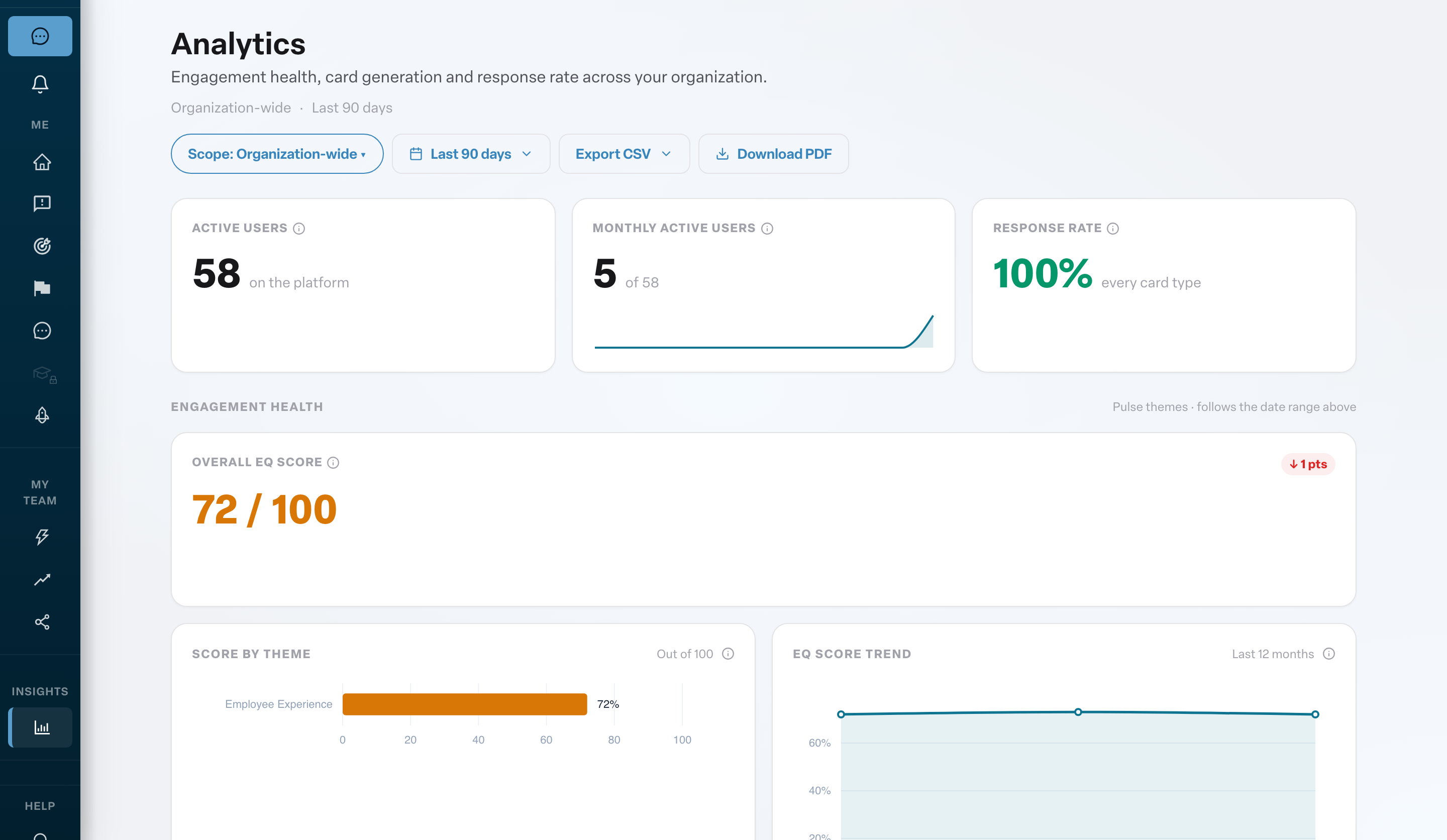
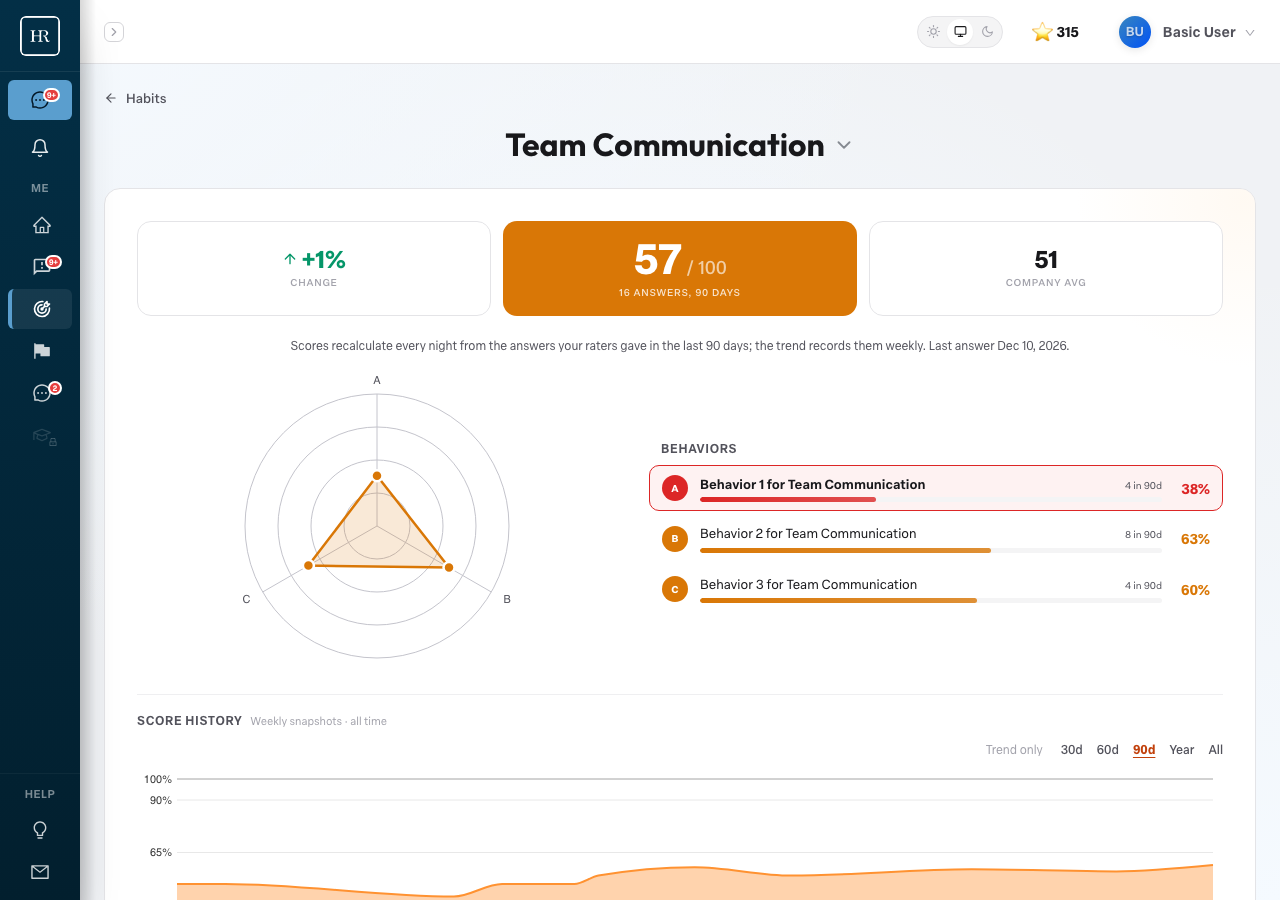
Feature. Each habit's score now tells you how much evidence supports it. With enough recent answers, the habit page shows the score and how many answers it is based on; with only a few, it shows Collecting Data and how many more it needs; with none recently, it keeps your last score and shows the date it is from. The page now reads in order: score, behaviours, score history, people and learning, with tips that open in full and a clear button to request feedback. Analytics now uses one response rate for every card type, with a full year of cards by type and response rate shown alongside active users.
Benefit. You no longer see scores that look precise but rest on one or two answers, or two different rates that mean the same thing.
Opportunity. Look for habits showing Collecting Data and ask your circle for feedback on them.
Improvements
Evidence floor on the habit radar
Feature. A habit's radar chart now draws behaviours with only a little recent evidence as hollow points, so you can tell a firm result from an early read. Your Humareso team can tune the amount of evidence needed for your organization.
Benefit. People focus on the behaviours where the feedback is solid.
Opportunity. Ask your Humareso team if your organization would benefit from a higher evidence floor.
Admins add Lead360° participants
Feature. On a Lead360° cohort, admins can now use Add participants to search for people and enroll them, without contacting support.
Benefit. Late additions join the cohort the same day.
Opportunity. Check your current cohort roster against your intended list and add anyone missing.
Available on plans that include Lead360°.
Fixes
- Editing a habit saves its category and settings correctly.
- Changing an objective's color saves, and editing an objective no longer fails.
- Circle counts only include current, active members.
- Radar chart letters match the behaviour list.
- The Habits page guided tour matches the current page.
- The Pulse library leads with each theme's score and shows whether it moved.
- Phone verification only asks for a code once one has been sent.
- Engage shows the new Humareso favicon.