Engage release notes: May 2026
A redesigned dashboard, High Fives with images and GIFs, and a clearer points system with lifetime totals, a quarterly leaderboard and Badges.
May was about making Engage feel more personal and more rewarding. The dashboard got a new layout, High Fives can now carry images and GIFs, and points finally tell one clear story.
New features
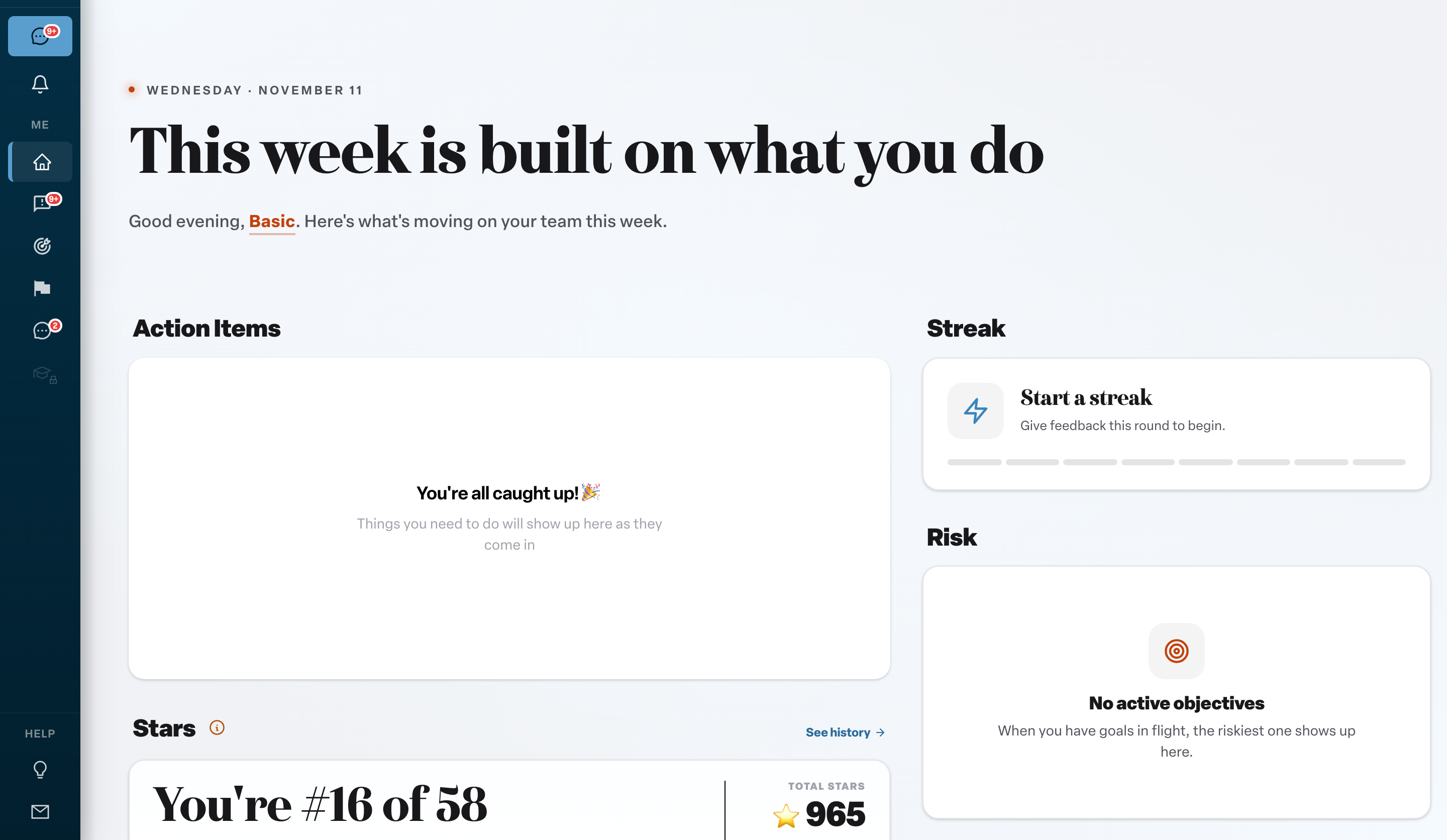
A redesigned dashboard with a custom headline
Major update
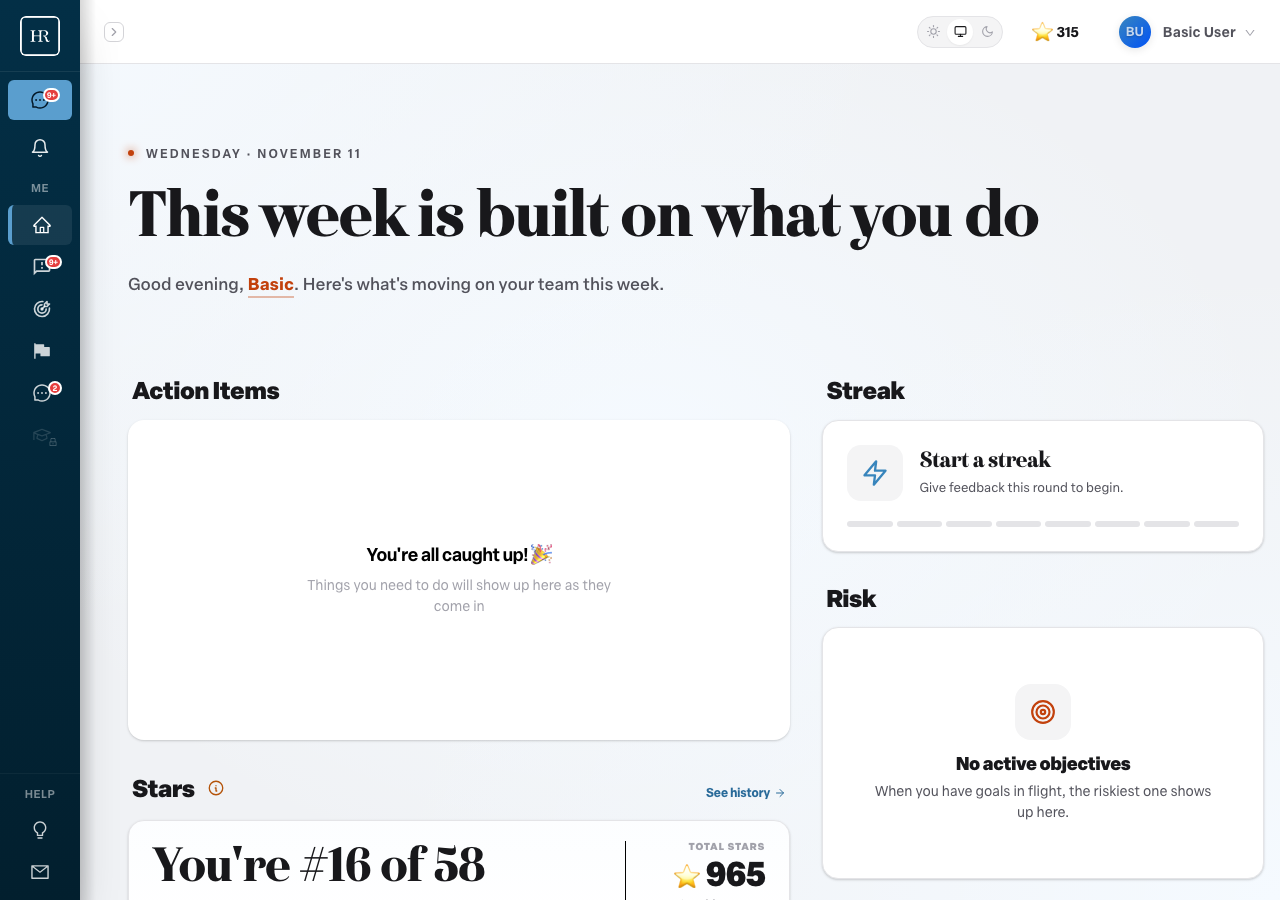
Feature. We rebuilt the Home dashboard with cleaner proportions: Action Items sit in the left column, recognition and High Fives sit together on the right, and every card links straight to the page behind it. The greeting at the top can now carry headlines written for your organization, in any of the languages Engage supports. This is the layout now called the classic dashboard; a new default dashboard arrived in October, and you can switch back to the classic one at any time.
Benefit. Employees see what needs them first, and the headline lets your culture show up in the first thing people read each day.
Opportunity. Send your Humareso team two or three headlines that sound like your company, such as a value or a seasonal message, and we will add them for you.
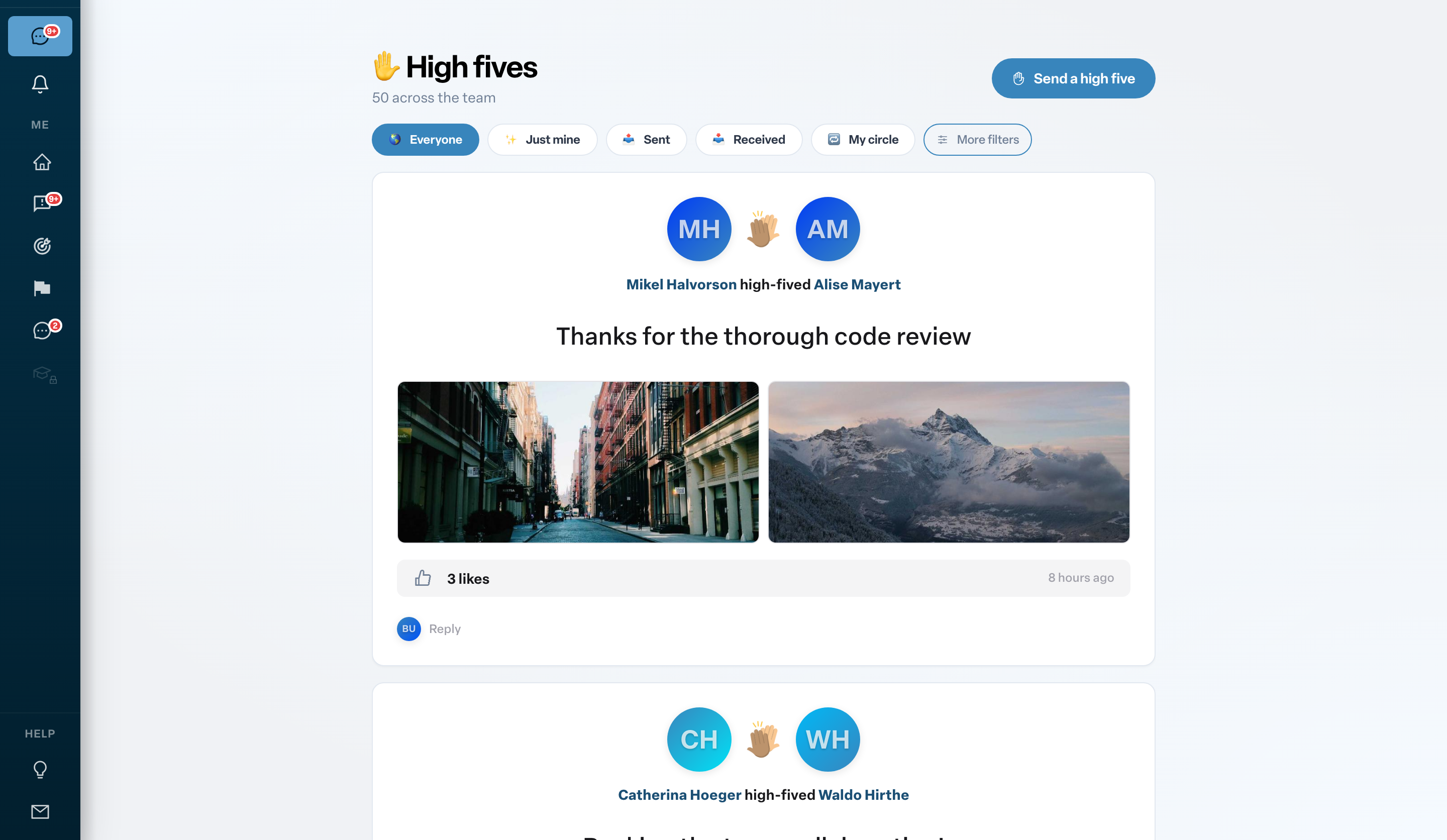
High Fives with images and GIFs
Major update
Feature. High Fives now have their own page, High fives, reachable from the dashboard. You can attach an image or pick a GIF with Pick a GIF when you Send a high five, then browse everything your team has shared and filter it by From, To, After and Before.
Benefit. People notice, remember and repeat recognition that looks and feels like a celebration.
Opportunity. Ask your managers to send one High Five with a photo or GIF this week to model the habit for their teams.
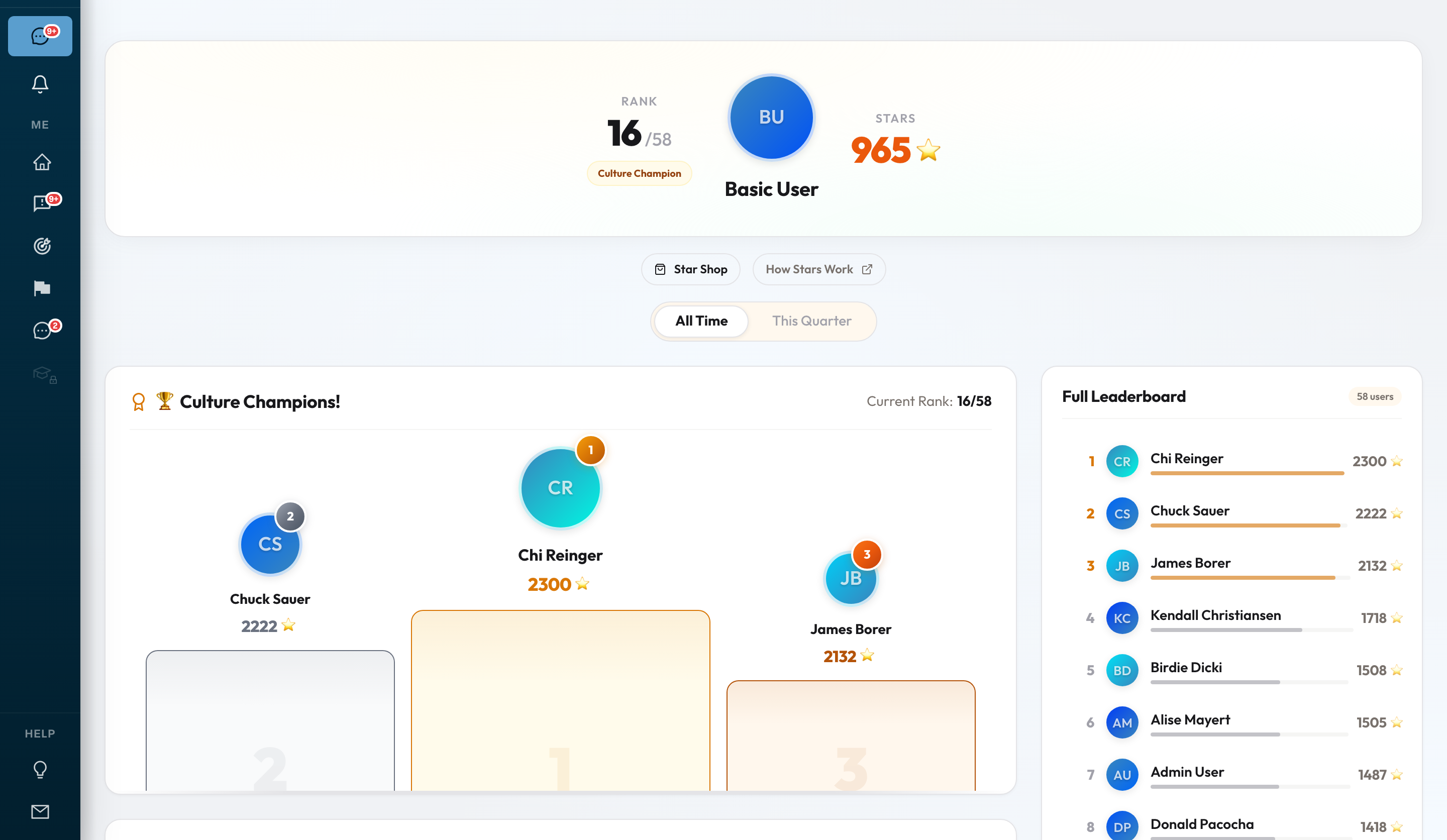
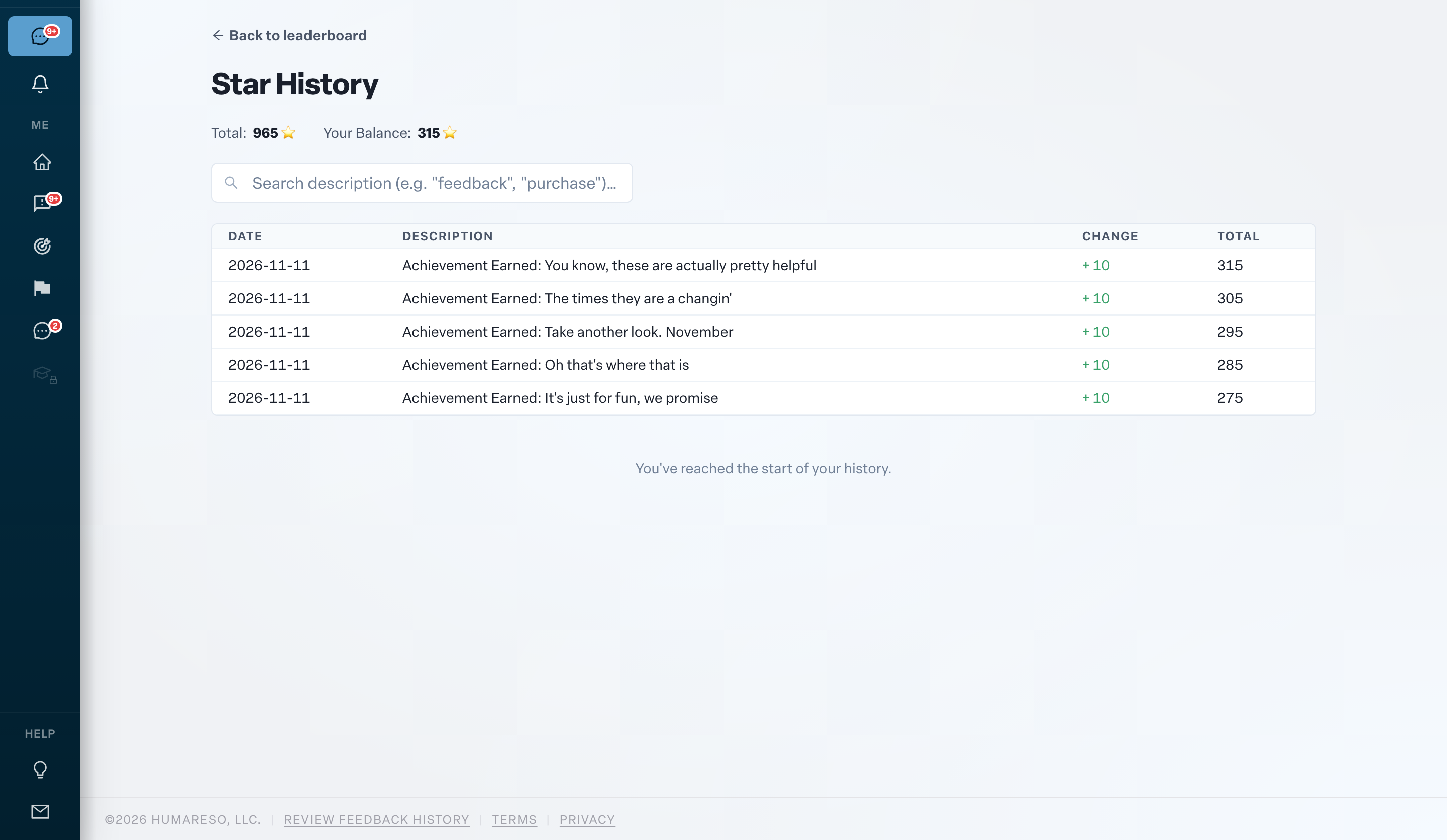
Points balance, lifetime points, a quarterly leaderboard and Badges
Major update
Feature. Points now separate what you have earned in total from what you can spend. The points history page shows a running Total and Balance, and the Points Shop spends from your balance, which is also the number shown next to your points in the navigation. The Leaderboard has an All Time and This Quarter toggle and ranks by lifetime points earned, so a big purchase never drops you down the board. We renamed Achievements to Badges, and custom point names display properly capitalized in headers.
Benefit. People trust a rewards program they can understand. Spending rewards no longer feels like losing ground.
Opportunity. Open the Leaderboard on This Quarter in your next team meeting and recognize the people at the top.
Suggestion Box on the dashboard
Feature. The Suggestion Box is now its own dashboard card, nested under Recognition. Employees choose Send anonymously or Sending as you before they submit. Suggestion management moved into Admin in August.
Benefit. A visible, low-friction place to speak up brings ideas to you that would otherwise stay in the break room.
Opportunity. Mention the Suggestion Box in your next all-hands and tell people it can be anonymous.
Batch PDF of 1:1 reviews
Feature. Admins can export many 1:1 reviews at once as PDFs. Go to Admin, then Perform, then Scheduled 1:1s, and use Export PDFs, with options to Include Habits, Include Objectives and Include Manager Questions.
Benefit. Year-end files, audits and calibration packets take minutes instead of an afternoon of one-by-one downloads.
Opportunity. Export last quarter's completed reviews to check your filing is complete before the next cycle starts.
Improvements
Real feedback streaks
Feature. Your Feedback Streak now counts the feedback periods in a row you have answered, using your organization's own card cadence instead of a simple daily count.
Benefit. The streak reflects real consistency, so it rewards the people who show up for their colleagues every cycle.
Opportunity. Encourage your team to keep their streak alive through the end of the quarter.
A better "all caught up" screen
Feature. When you finish your feedback cards, the Feedback page now celebrates with confetti and a short summary of what you just contributed, with buttons to keep going elsewhere in Engage.
Benefit. Finishing feels good, which makes people more likely to come back next time.
Opportunity. Answer your own cards today and see it for yourself.
Objective editing polish
Feature. The Edit Objective window has a cleaner look and a Members provide feedback toggle, and you can now add yourself as an owner or stakeholder when creating an objective.
Benefit. Setting up objectives takes less effort, and you have more control over who gets feedback cards about them.
Opportunity. Review your open objectives and turn on Members provide feedback where peer input would help.
Teams without a manager
Feature. Admins can now create a team without assigning a manager first.
Benefit. You can mirror your org structure as it really is, including teams in transition.
Opportunity. Set up any teams you have been holding back until a manager is named.
Fixes
- The Points Shop now spends from your points balance.
- Owner and stakeholder names no longer disappear while creating an objective.
- Long season, team and parent objective names no longer get cut off in lists.
- The Leaderboard displays correctly in dark mode.
- Quarterly point resets now happen on schedule and start the new quarter at zero.
- Sending an anonymous suggestion works reliably.
- Collector badges for High Fives and frames count correctly.
- Signing in and signing out are smoother, with fewer unexpected trips back to the sign-in page.
- New users get their email and feedback settings set up correctly from day one.