Engage release notes: April 2026
A free plan with a guided setup wizard, PDF export for one-on-one evaluations, a rebuilt Points Shop, and staying signed in for 30 days.
April opened Engage to more teams and made the everyday experience smoother. Smaller teams can now start free with a guided setup, managers can save one-on-one evaluations as PDFs, and the Points Shop got a full rebuild.
New features
Free plan and guided setup
Major update
Feature. Organizations can now start Engage on a free plan. A setup wizard welcomes the first admin and walks through Welcome, Company, Profile, Points, Team, Habits, Goals and Ready: add your company details, invite teammates by email, choose habits and set a first objective. You can skip any step and finish it later in Settings. Some features, such as Lead360°, show a Premium badge on the free plan.
Benefit. A small team can go from sign-up to real feedback in one sitting, with no implementation project.
Opportunity. Know a team or partner who would benefit from Engage? Point them to the free plan so they can try it with their own people.
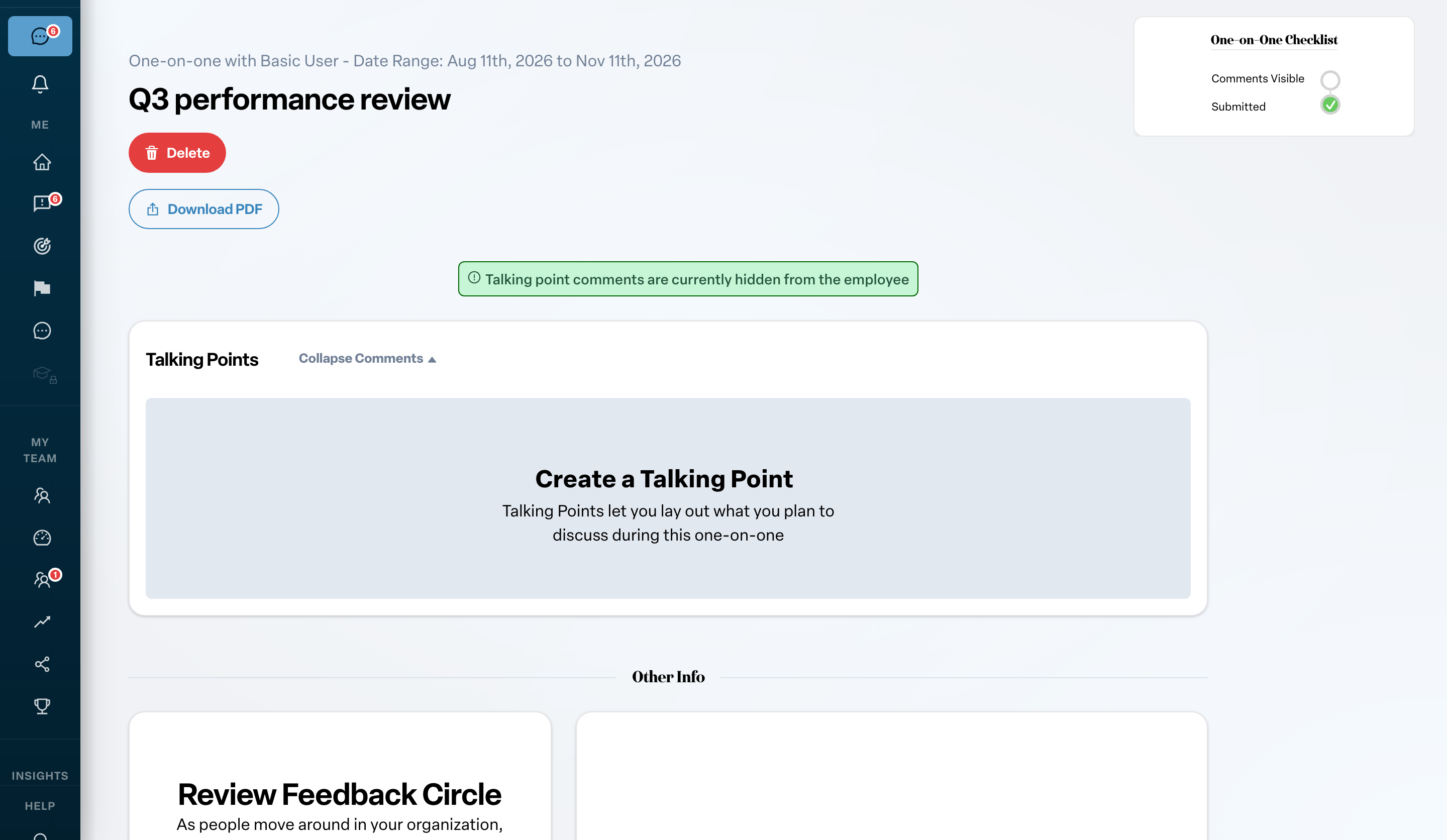
Export one-on-one evaluations as PDF
Major update
Feature. Once you submit a 1:1, everyone in it can select Download PDF to save a Performance Evaluation document with ratings, talking points and comments. Each person's PDF only includes the comments they are allowed to see. Admins can select several 1:1s in Admin > Perform > Scheduled 1:1s and choose Export PDFs to download them together.
Benefit. Reviews are ready for personnel files, calibration meetings and records without copying and pasting.
Opportunity. At the end of your next review cycle, export every completed evaluation in one go for your records.
A rebuilt Points Shop
Major update
Feature. We rebuilt the Points Shop. Your Balance sits at the top, and tabs for Frames, High Fives, Company Store and Purchase History make it easy to decorate your avatar, unlock new high-five styles, buy company merchandise and see everything you have bought. The shop uses your organization's own name for points.
Benefit. Points feel worth earning when people can see exactly what they can do with them.
Opportunity. Add a few items to your Company Store (in Admin > Recognition > Merchandise Store) and announce them to your team.
Stay signed in for 30 days, and email links sign you in
Major update
Feature. Engage now keeps you signed in for up to 30 days on a device you use regularly. Buttons in Engage emails, such as feedback reminders, now sign you in automatically and take you straight to the right page.
Benefit. People who visit Engage once a week are no longer stopped by a login screen, which means more feedback and faster replies.
Opportunity. Tell your team they can go straight from an Engage email to their cards with one click.
Improvements
Badges for work that is waiting
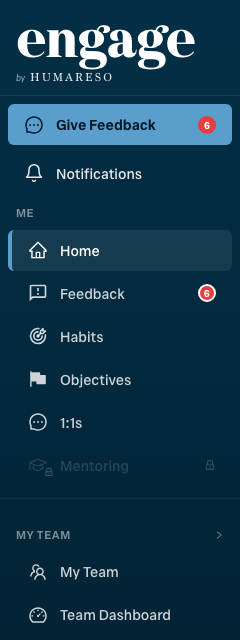
Feature. The side menu now shows badges on Home, Feedback, Team Dashboard and Team 1:1s when something needs your attention, such as unanswered feedback cards, manager action items or team 1:1s awaiting review.
Benefit. Everyone knows what is waiting for them the moment they open Engage.
Opportunity. Ask managers to clear their badges at the start of each week.
Objectives improvements
Feature. When choosing a parent objective, the picker now lists every objective you can align to, stakeholders display correctly, and Engage protects archived objectives from accidental edits.
Benefit. Aligning team goals to company goals is simpler and more accurate.
Opportunity. Ask each team to align at least one objective to a company objective this quarter.
Humareso branding throughout
Feature. Engage now shows the Humareso logo and name everywhere, including links you share.
Benefit. Your people see a consistent, professional look on every link and screen.
Opportunity. Update any internal guides that still show the old name or logo.
Better on phones
Feature. Scrolling works smoothly on mobile across Engage, and the dashboard and leaderboard fit phone screens without spilling off the side.
Benefit. Employees can do everything they need from their phone.
Opportunity. Encourage your frontline teams to bookmark Engage on their phones.
Fixes
- Feedback reminders now arrive at the scheduled time, and Engage no longer sends "New Feedback has Arrived" emails when there is nothing new.
- Feedback schedules save reliably, and their status label is accurate.
- Opening a 1:1 no longer shows a spinner that never stops.
- The Points Shop shows your correct balance.
- The Home badge matches the action items on your Home page.
- Signing out returns you cleanly to the sign-in page, and sessions no longer expire without notice.