Engage release notes: March 2026
A rebuilt Objectives page with Kanban and List views, Lead360° everywhere, Points and a refreshed leaderboard, redesigned feedback cards and one sign-in across Humareso.
March was our biggest month yet. We rebuilt Objectives from the ground up, feedback cards got a fresh design, and recognition now runs on Points with a refreshed leaderboard.
New features
A rebuilt Objectives page
Major update
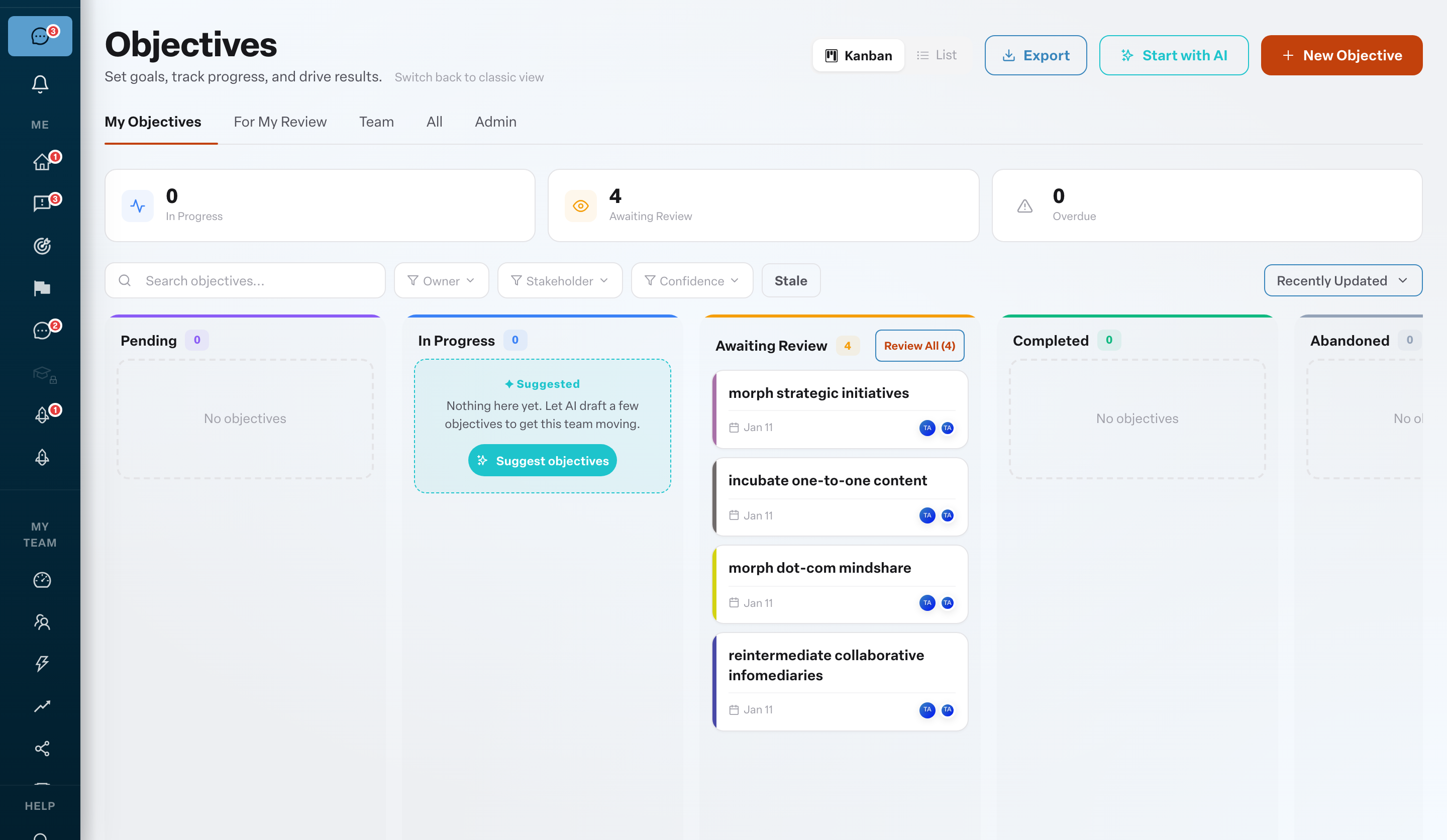
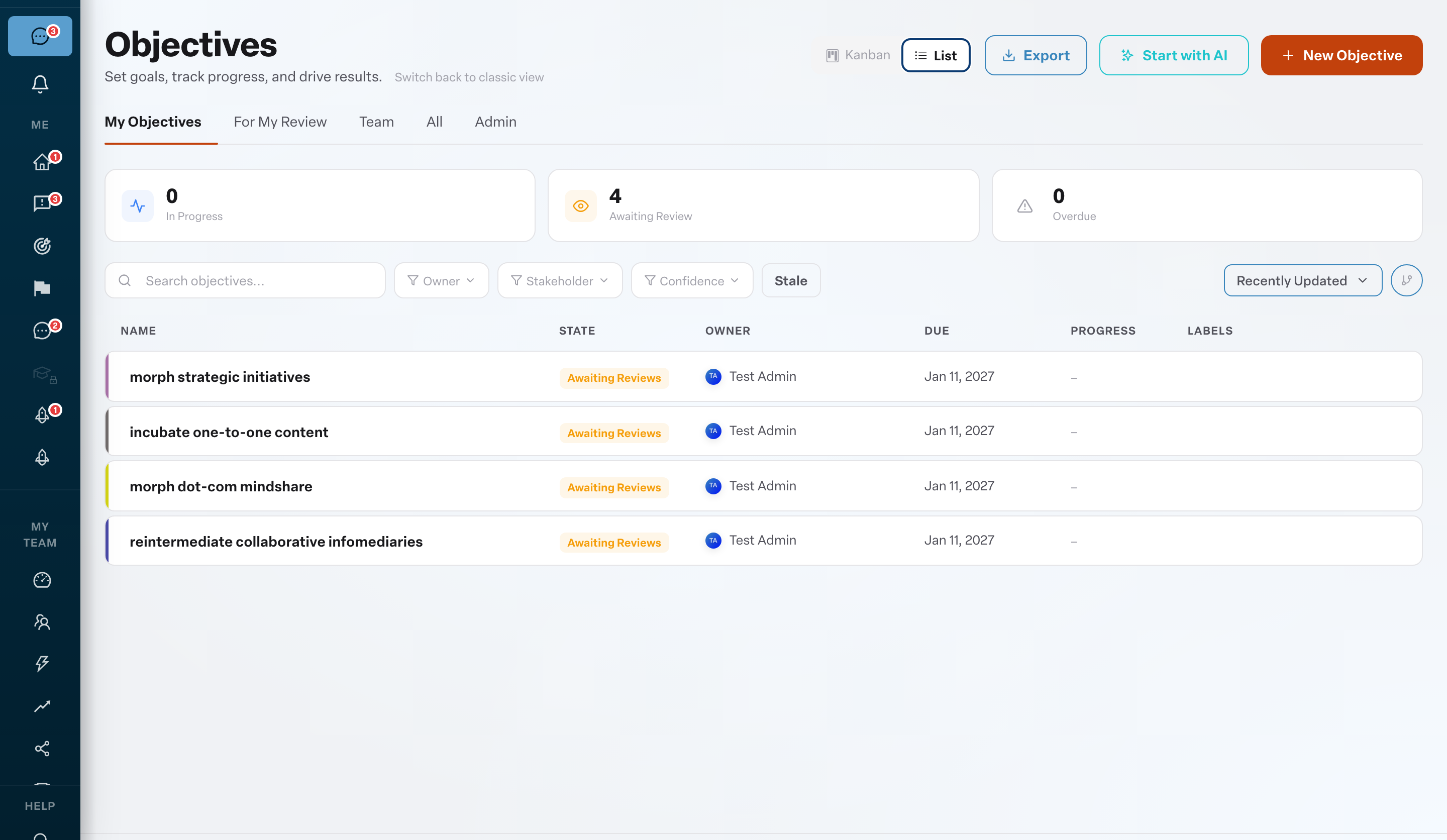
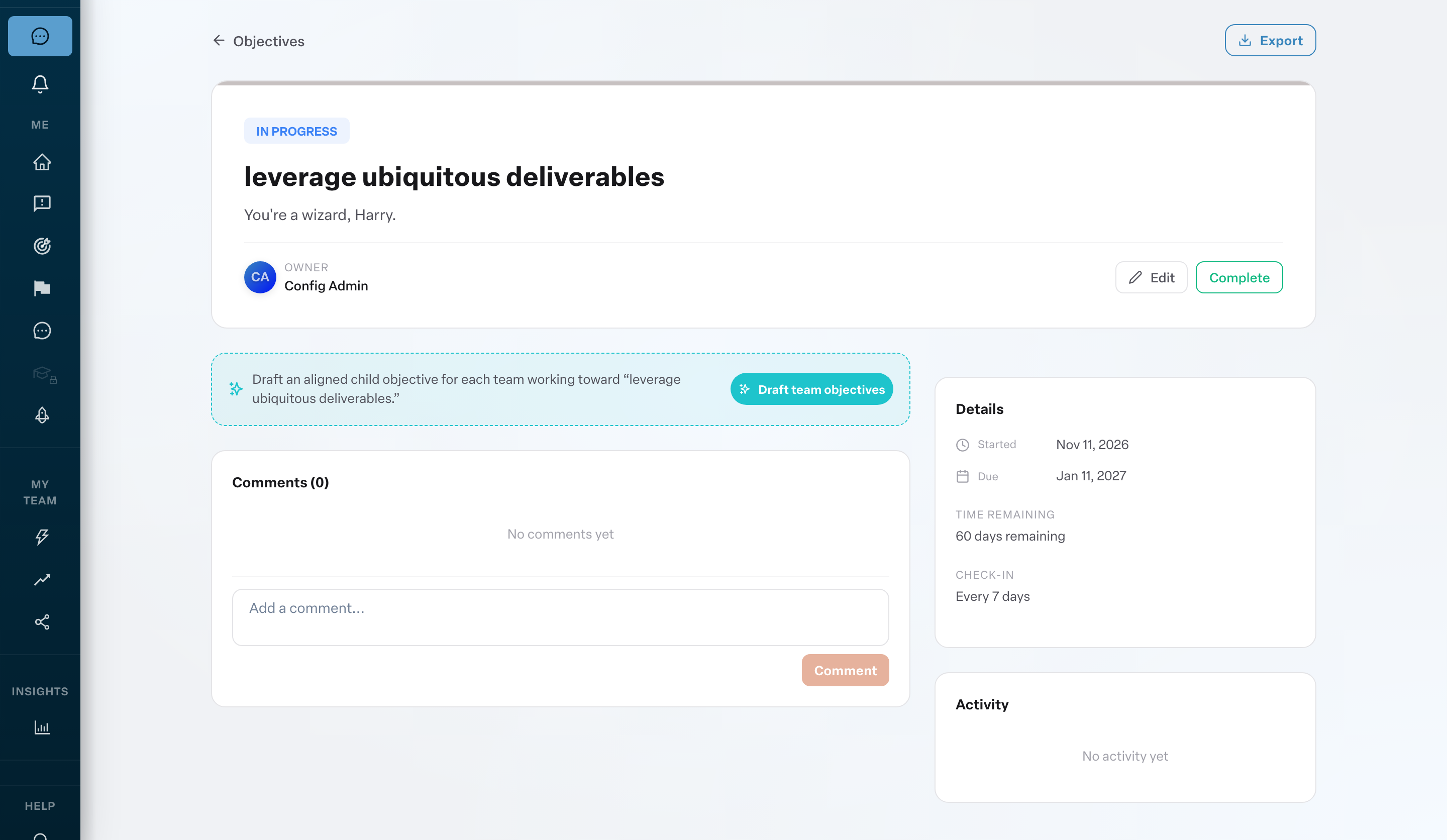
Feature. Objectives has a new home. Switch between a Kanban board, with columns for Pending, In Progress, Awaiting Review, Completed and Abandoned, and a List view. Tabs for My Objectives, For My Review and Team keep the right goals in front of the right people. Cards flag Due soon and Overdue work, search finds any objective quickly, and every objective has its own detail page. We have kept building on this page since, including a full goal-setting season in September.
Benefit. Employees see where every goal stands at a glance, and managers can find what needs their review without digging.
Opportunity. Ask managers to open For My Review each Friday and clear anything waiting on them.
Points and a refreshed leaderboard
Major update
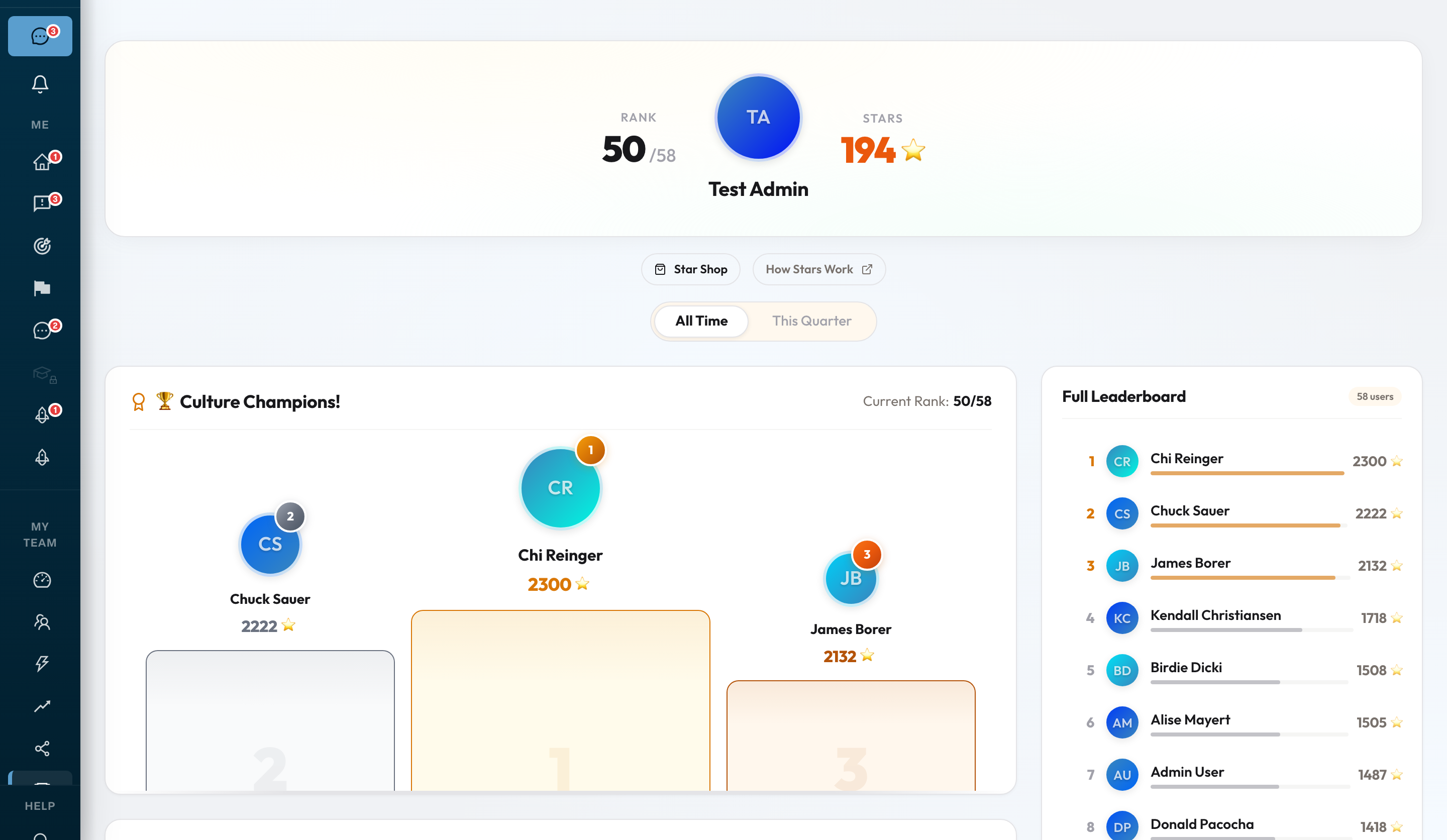
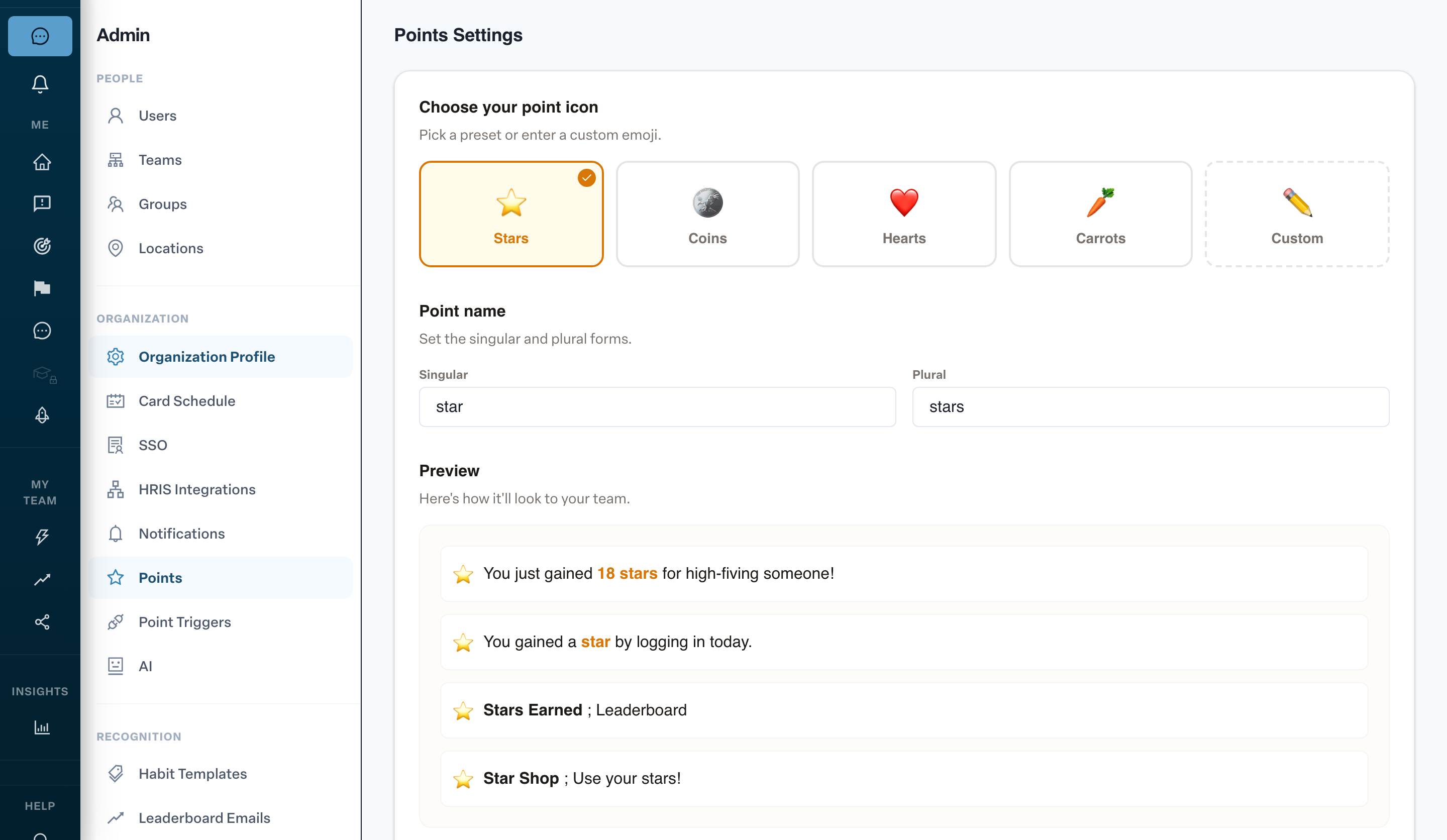
Feature. Recognition now runs on Points. Employees earn points by earning badges, giving feedback and building great habits, then spend them in the Points Shop. The Leaderboard has a new podium for the top three, a clear ranked list and a welcoming empty state for teams just getting started. Admins can name your points and pick their icon in Admin > Organization > Points.
Benefit. A recognition currency that fits your culture keeps people engaged and makes everyday contributions visible.
Opportunity. Give your points a name that feels like your company, then share the leaderboard at your next all-hands.
Redesigned feedback cards
Major update
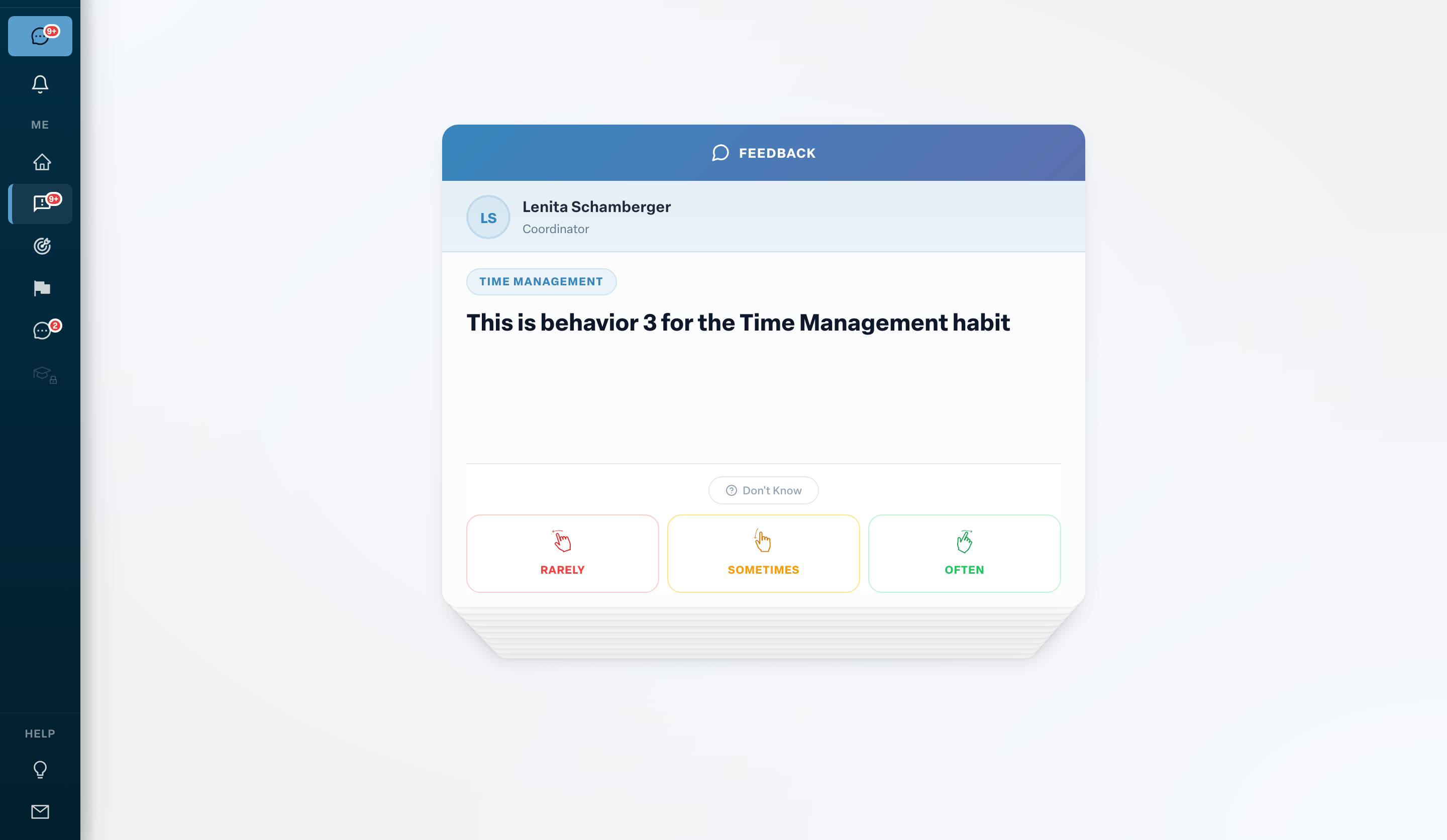
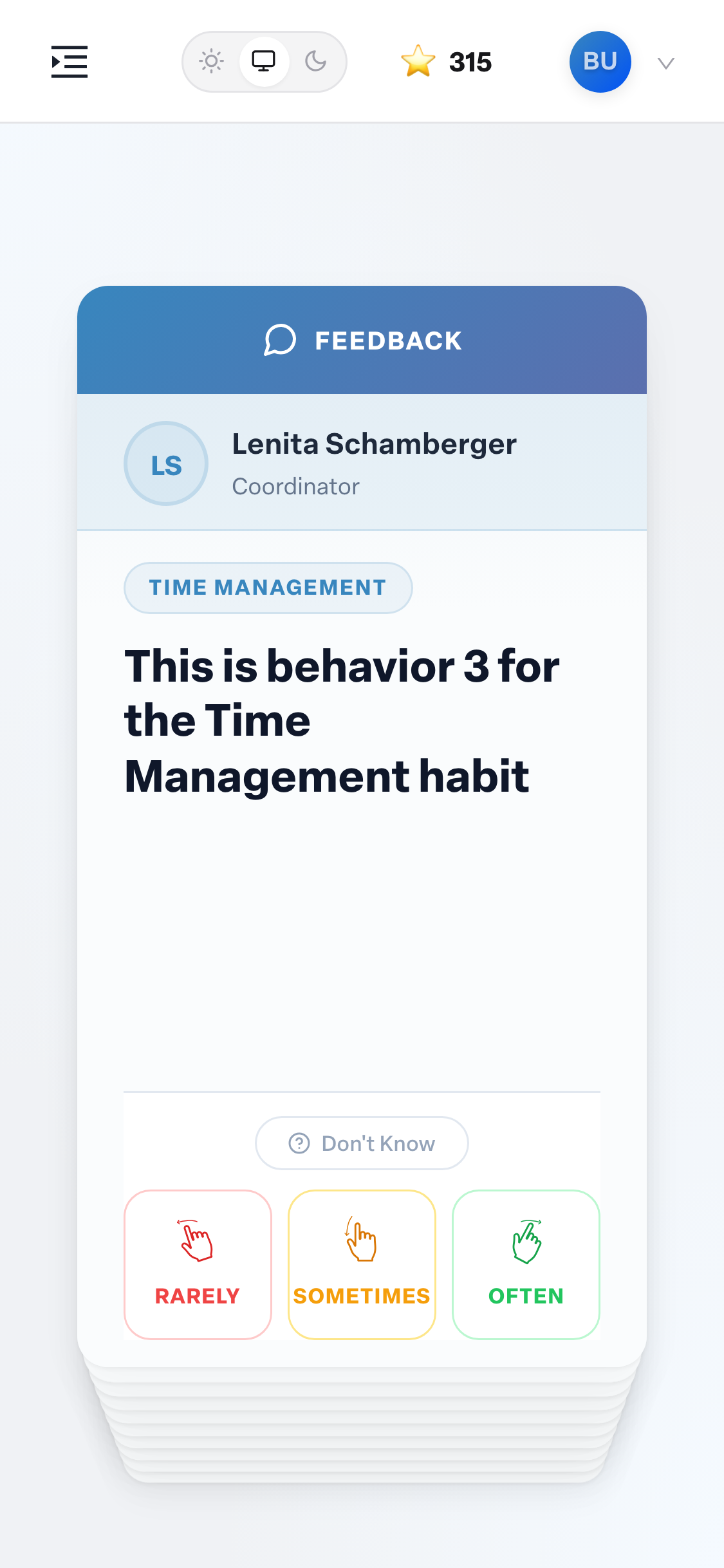
Feature. Every card in the Feedback deck has a new look: a wide, easy-to-read layout with a color-coded label for each card type, the person you are rating front and center, and clear answer buttons. Cards adapt to a stacked layout on phones.
Benefit. Giving feedback feels quick and modern, which means more answers and better data for everyone.
Opportunity. Ask your team to answer this week's cards on their phone and tell you what they think of the new look.
One sign-in across Humareso
Major update
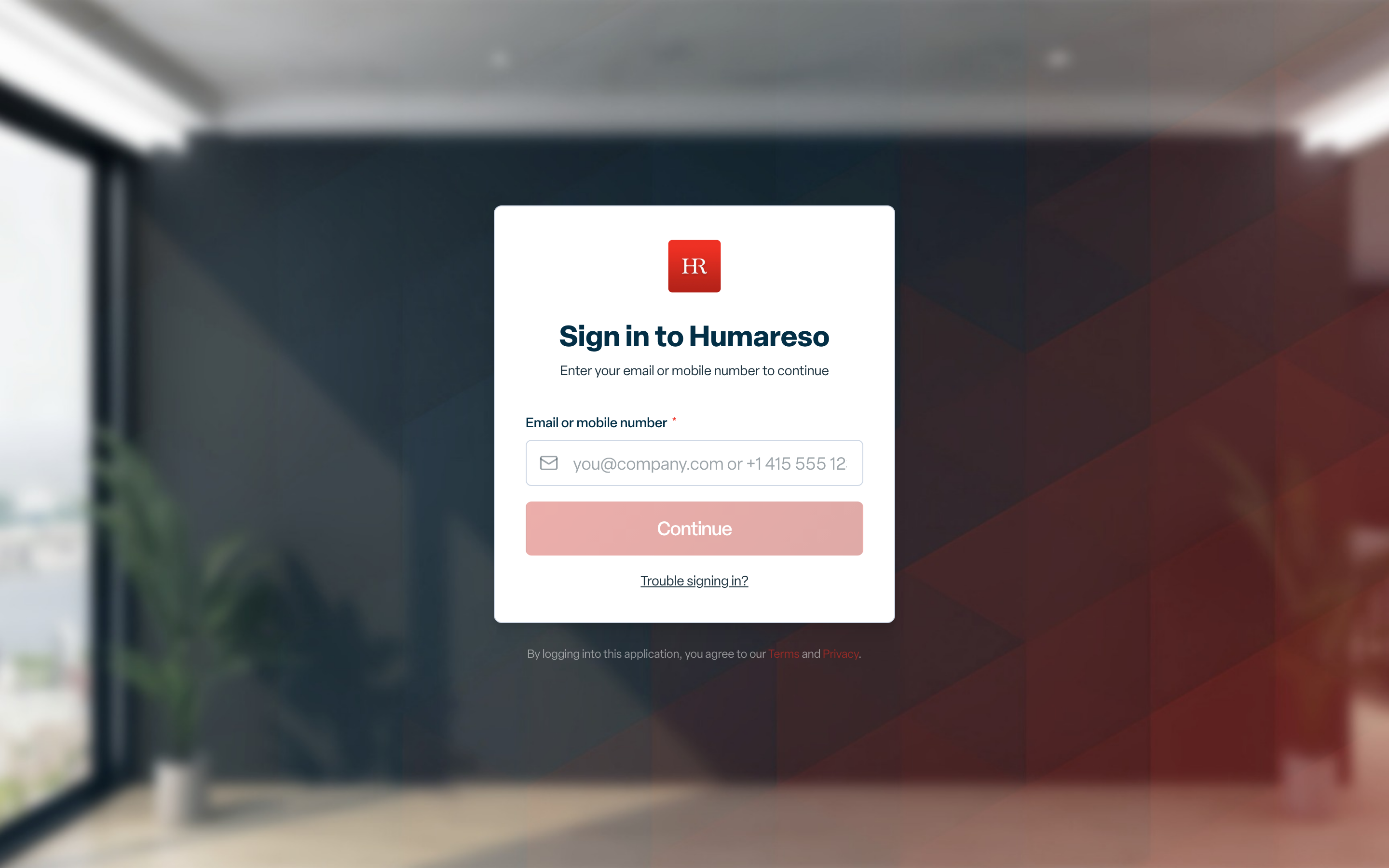
Feature. Engage now accepts your Humareso account sign-in. Sign in once and move between Engage and the other Humareso apps your organization uses without signing in again. Your organization's single sign-on and automatic user provisioning continue to work.
Benefit. You have one less password to think about, and people who use more than one Humareso app get faster access.
Opportunity. Let your people know they can use the same Humareso sign-in for every Humareso app they use.
Improvements
Lead360° everywhere
Major update
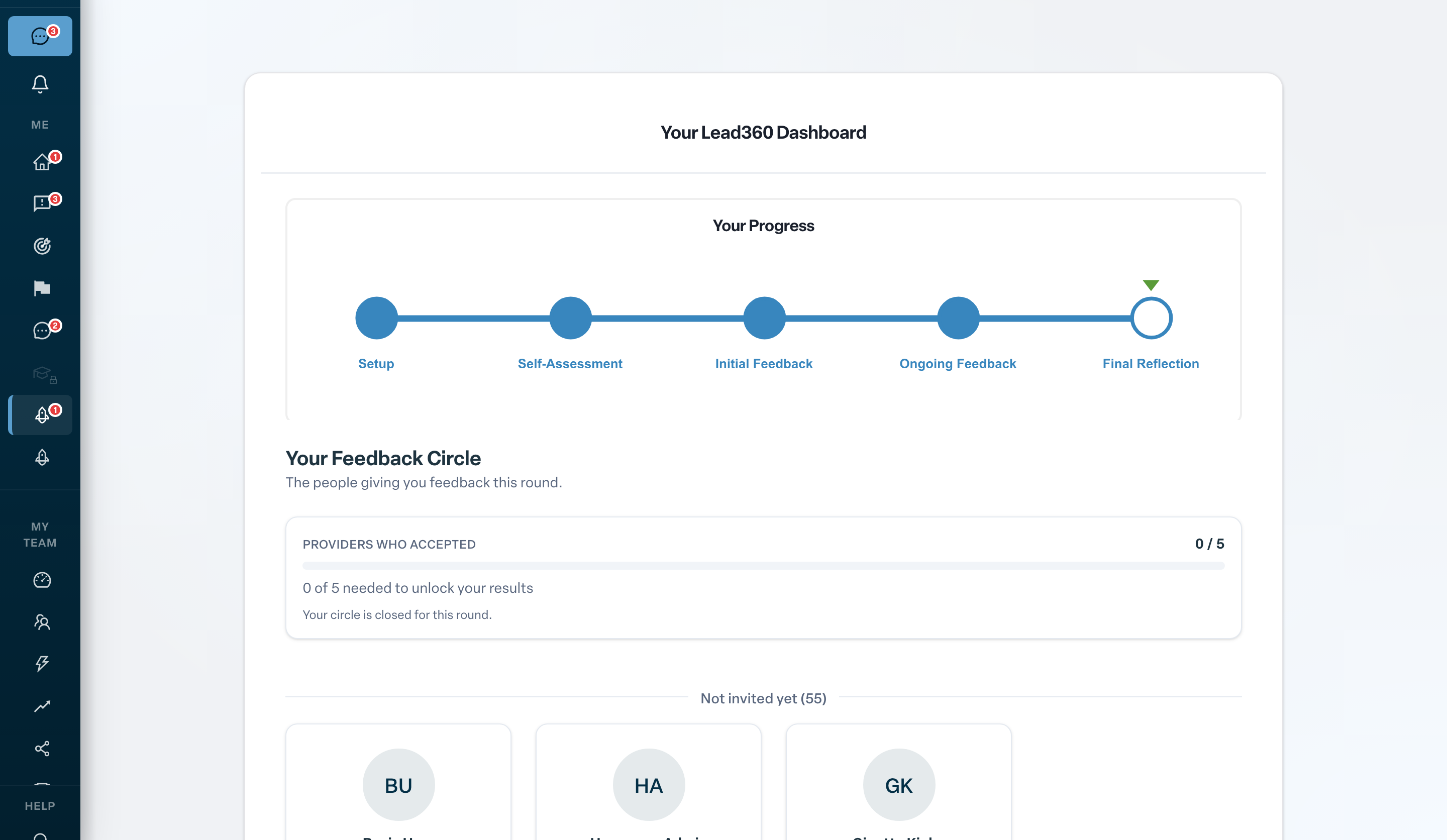
Feature. Our leadership development program now carries its name, Lead360°, everywhere in Engage, with its own Lead360 item in the side menu. A badge on that item tells participants when a step is waiting for them.
Benefit. Participants always know where to go and when to act, so programs stay on track.
Opportunity. Remind your Lead360° participants to watch for the badge in the menu, and check in with anyone whose badge has been showing for a while.
A redesigned habit detail page
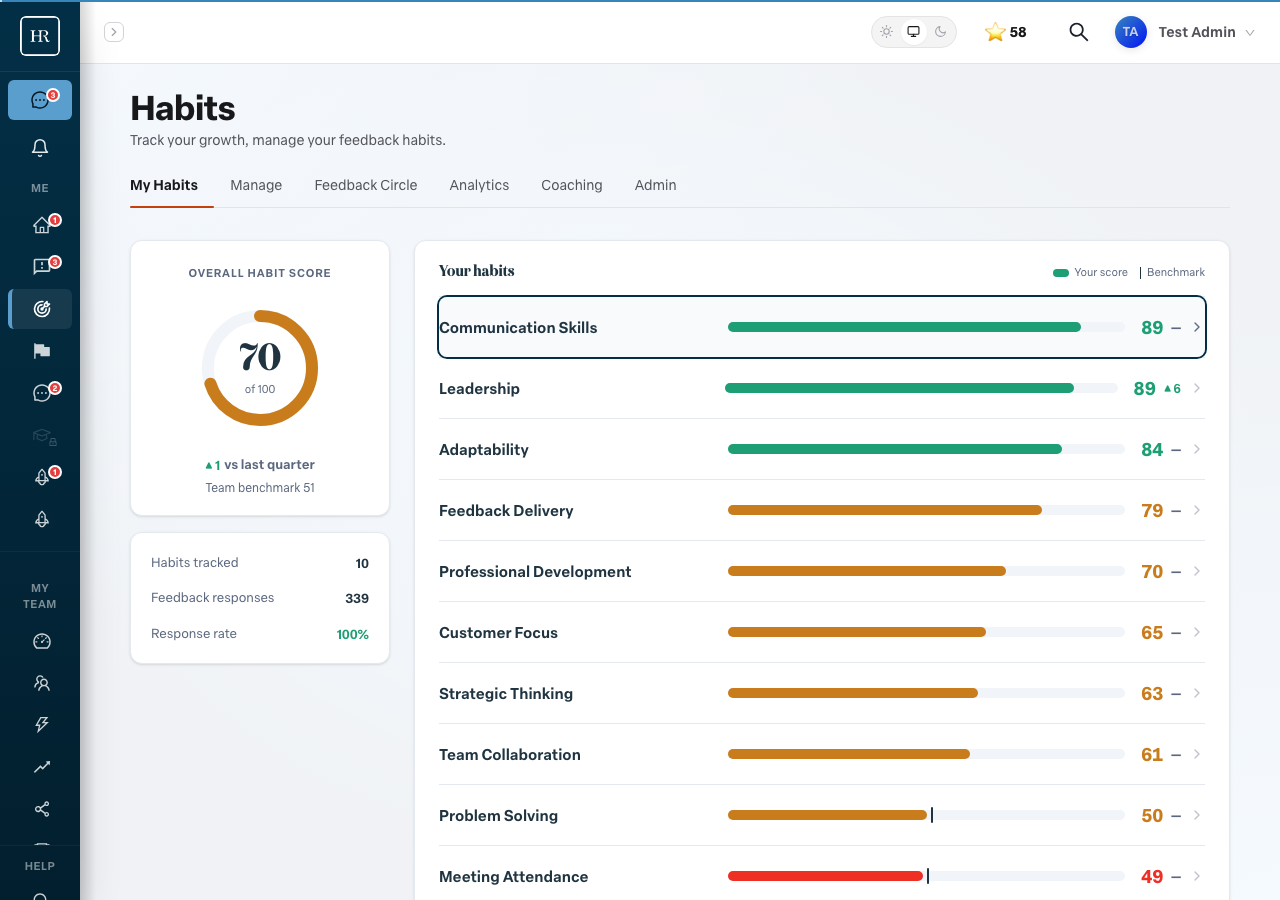
Feature. Open any habit from Habits to see a refreshed detail page with a radar chart that reflects your score, the written feedback people have shared, and a small celebration when you are doing well. Habits now appears in the menu for everyone with assigned habits.
Benefit. Employees understand what their feedback means and where to focus next.
Opportunity. Ask managers to open a habit with each direct report in their next 1:1.
Movers & Shakers email
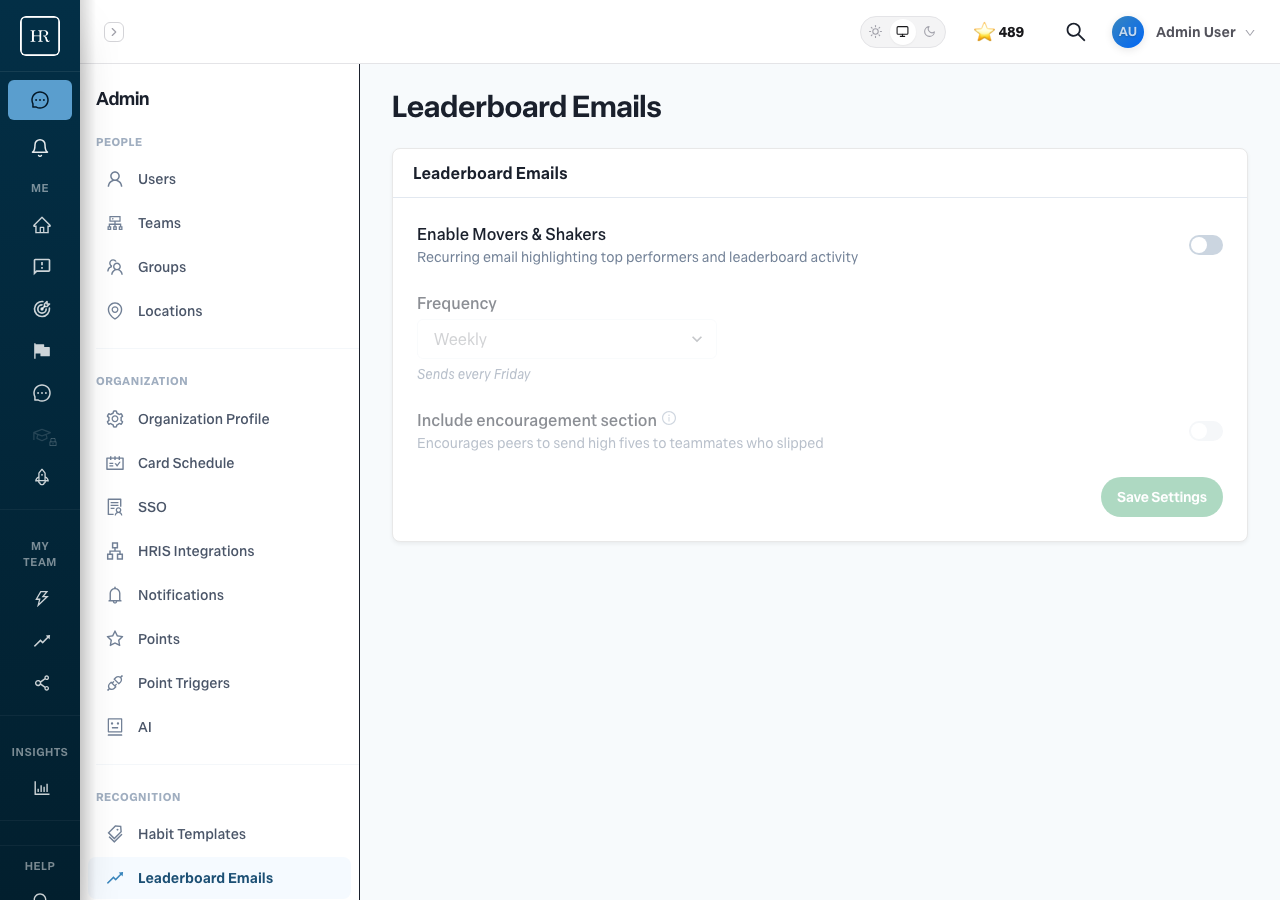
Feature. Movers & Shakers is a recurring email that celebrates top point earners, big moves on the leaderboard, close races and newly unlocked badges. Admins turn it on in Admin > Recognition > Leaderboard Emails with Enable Movers & Shakers, choose a Frequency, and can Include encouragement section to suggest high fives for teammates who slipped. Available when points and the leaderboard are turned on for your organization.
Benefit. Recognition reaches people in their inbox, not only when they log in.
Opportunity. Turn it on with a monthly frequency and see who rises to the top.
1:1 admin tools
Feature. Admins can select several one-on-ones in Admin > Perform > Scheduled 1:1s and choose Edit Selected to update them at once. On an individual 1:1, managers and admins can use Transfer Ownership to hand an unsubmitted 1:1 to a new manager, and admins can Reassign Team Member or Reassign Manager.
Benefit. Reorganizations and manager changes no longer mean recreating 1:1s by hand.
Opportunity. After your next team change, transfer the affected 1:1s instead of starting over.
Pronouns, team ordering and one users page
Feature. Everyone can choose Pronouns in Settings, including No pronouns, separately from the optional Gender identity field. Engage uses your pronouns in feedback and recognition. Admins can drag teams into the order they want, and admins now manage users from one users page (today under Admin > People > Users).
Benefit. Engage refers to people the way they choose, and admins spend less time hunting for the right screen.
Opportunity. Invite your team to set their pronouns in Settings.
Survey Response Viewer
Feature. Admins can open any eNPS survey from Admin > Listening > eNPS Results to see NPS Score, Response Rate and Sentiment Breakdown, then filter responses, switch between Table, Cards and Summary views and export the results.
Benefit. You can move from a single score to what people actually said in a couple of clicks.
Opportunity. Open your latest eNPS survey and read every comment from your detractors.
Emails arrive at your local time
Feature. Engage now sends emails based on your time zone. Set yours in Settings under Language & timezone, and admins can set the organization's default Time zone in Admin > Organization > Organization Profile. Engage picks up your browser's time zone the first time you sign in.
Benefit. Reminders land during the working day wherever your people are.
Opportunity. If you have teams in several time zones, check that your organization default matches where most people work.
Fixes
- Editing an objective saves correctly again, and My Objectives shows sub-objectives owned by teammates.
- Creating a team with a missing field now shows a clear message instead of spinning.
- The additional feedback window now explains its 50 character minimum.
- Dates that showed as "Invalid Date" now display correctly.
- Lead360° participants no longer get stuck after their habits unlock, and returning participants receive feedback cards when invited as feedback providers.
- Sign-in links from email work for every user again.
- The comment box on high fives lines up correctly while you type.