Engage release notes: February 2026
Habits unlock reliably and on time, Notification Audit becomes a full delivery log, and Lead360° participants can save their final report as a PDF.
February was a reliability month with real payoffs. Habits now unlock when they should, admins can follow every notification from send to open, and Lead360° participants can keep their final report.
New features
Notification Audit becomes a full delivery log
Major update
Feature. Notification Audit (today under Admin > Audit & Reporting) now keeps a lasting record of every email and text, updated as each one moves along. Each entry shows its Status: Queued, Scheduled, Sent, Delivered, Opened, Clicked, Failed, Bounced or Skipped. Search by recipient, template or message id, and filter by channel (Email, SMS, Push) or status.
Benefit. You can tell the difference between "not sent", "sent but bounced" and "delivered and opened", so you know whether to fix an address or nudge a person.
Opportunity. Filter by Bounced once a month and update any out-of-date email addresses in your user list.
Save your Lead360° final report as a PDF
Major update
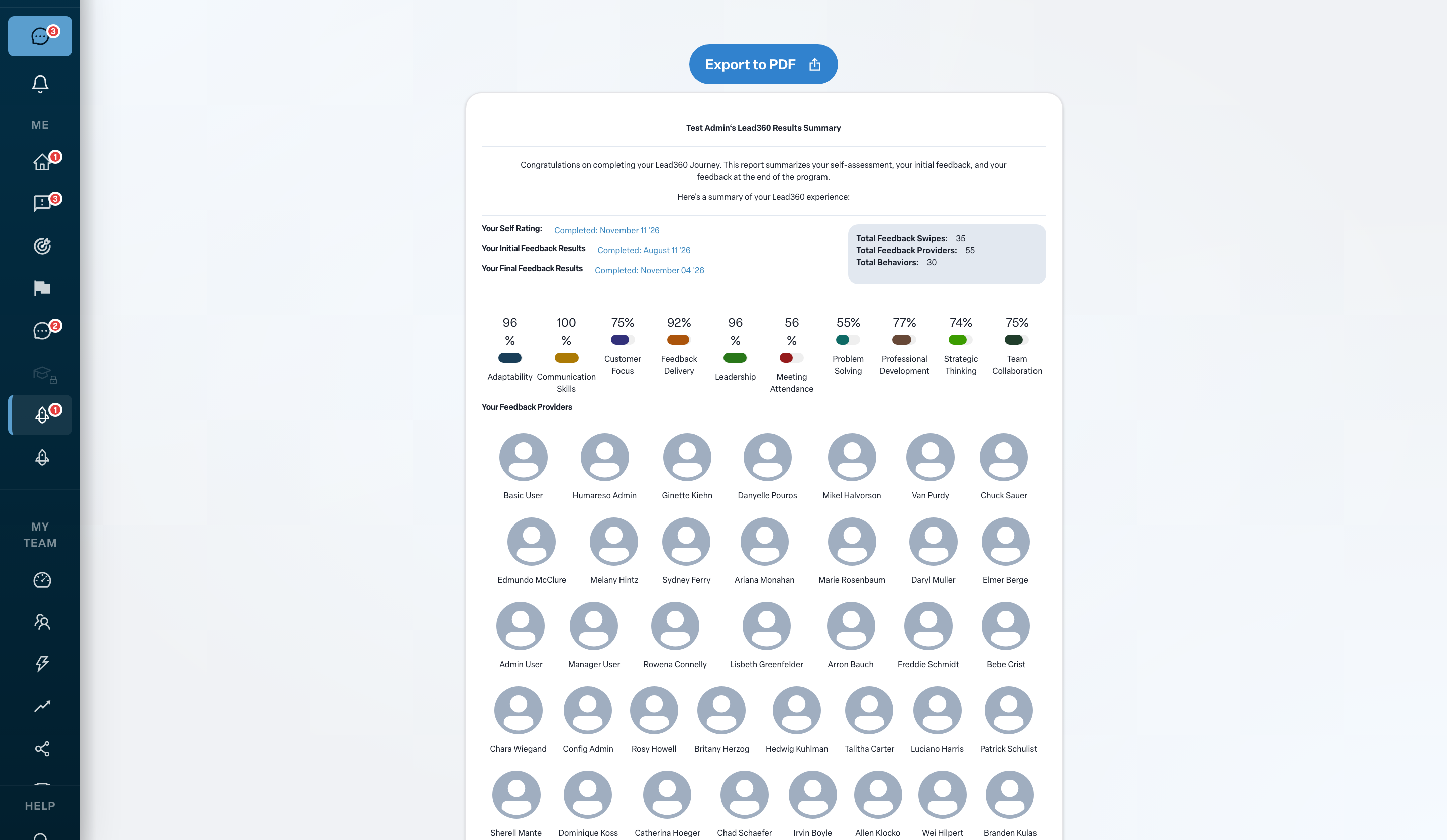
Feature. When a Lead360° program wraps up, participants can open their results summary from Lead360 in the menu and select Export to PDF to download their final report, including their initial and final feedback results.
Benefit. Leaders can keep their results, bring them to a coaching session or development conversation, and look back on their growth long after the program ends.
Opportunity. Ask each Lead360° participant to export their report and bring it to their next 1:1 with their manager.
Improvements
Habits unlock reliably and on time
Major update
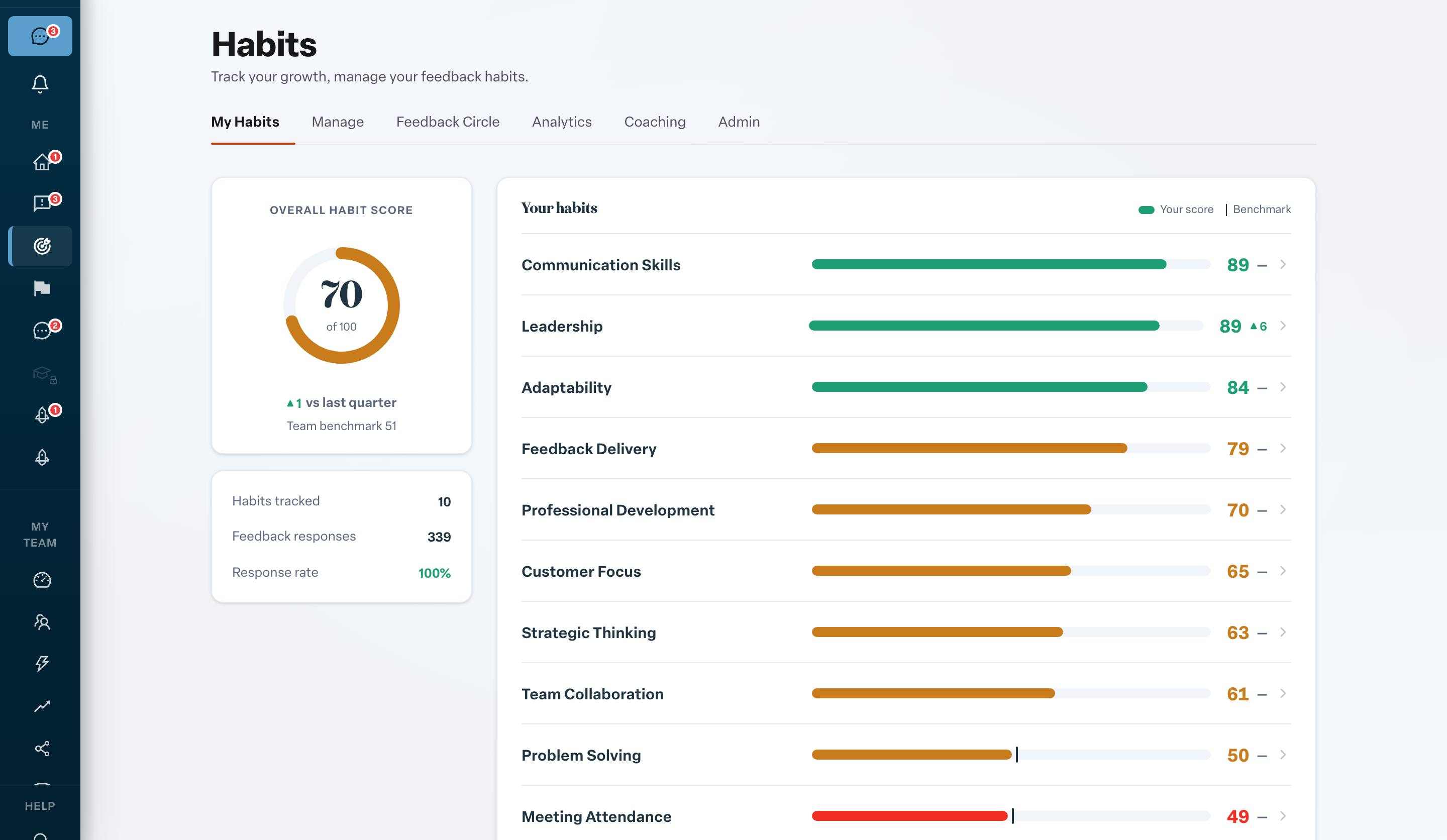
Feature. We rebuilt how Engage checks whether a habit is ready to unlock. Habits that have met their criteria now unlock on schedule, including in large organizations, and Engage no longer counts daily habit scores twice.
Benefit. Employees see steady, accurate progress on the habits they are building, which keeps them motivated to keep going.
Opportunity. Open Habits with your team this week and celebrate the habits people have unlocked.
No more feedback cards about yourself
Feature. The feedback deck never asks you to rate yourself through a regular feedback card.
Benefit. Every card in the deck is about a colleague, so feedback stays honest and useful.
Opportunity. You do not need to do anything; your people will simply see a cleaner deck.
Smoother one-on-ones
Feature. The Scheduled One-on-Ones list on your 1:1s page now always shows the right one-on-ones, and a 1:1 no longer jumps or reloads while it refreshes in the background.
Benefit. Managers can work through a 1:1 without losing their place.
Opportunity. Ask managers to complete their open 1:1s from Scheduled One-on-Ones this week.
Objectives screen fixes
Feature. The objective menu no longer hides behind cards or makes the page jump, Mark Complete and dropdowns are always clickable, and the Edit Objective window scrolls when it has a lot of content.
Benefit. Updating goals is quick and frustration free.
Opportunity. Ask your team to update the status of every open objective before month end.
Fixes
- Signing in again after an error no longer shows the old error message.
- Your session stays active across several open tabs without signing you out.
- Creating an account with an email that already exists no longer spins forever.
- Self-onboarding completes reliably.
- Lead360° programs that ended on time now produce their final report.
- Engage now records text message delivery updates correctly.