How your habit score changes from week to week
On Habits > My Habits, the up or down arrow next to each habit compares your current score with your most recent score from at least a week earlier. Open a habit to see the exact Change and its score history.
Your habit scores move as new feedback comes in. Engage shows you which way each one is heading.
On My Habits
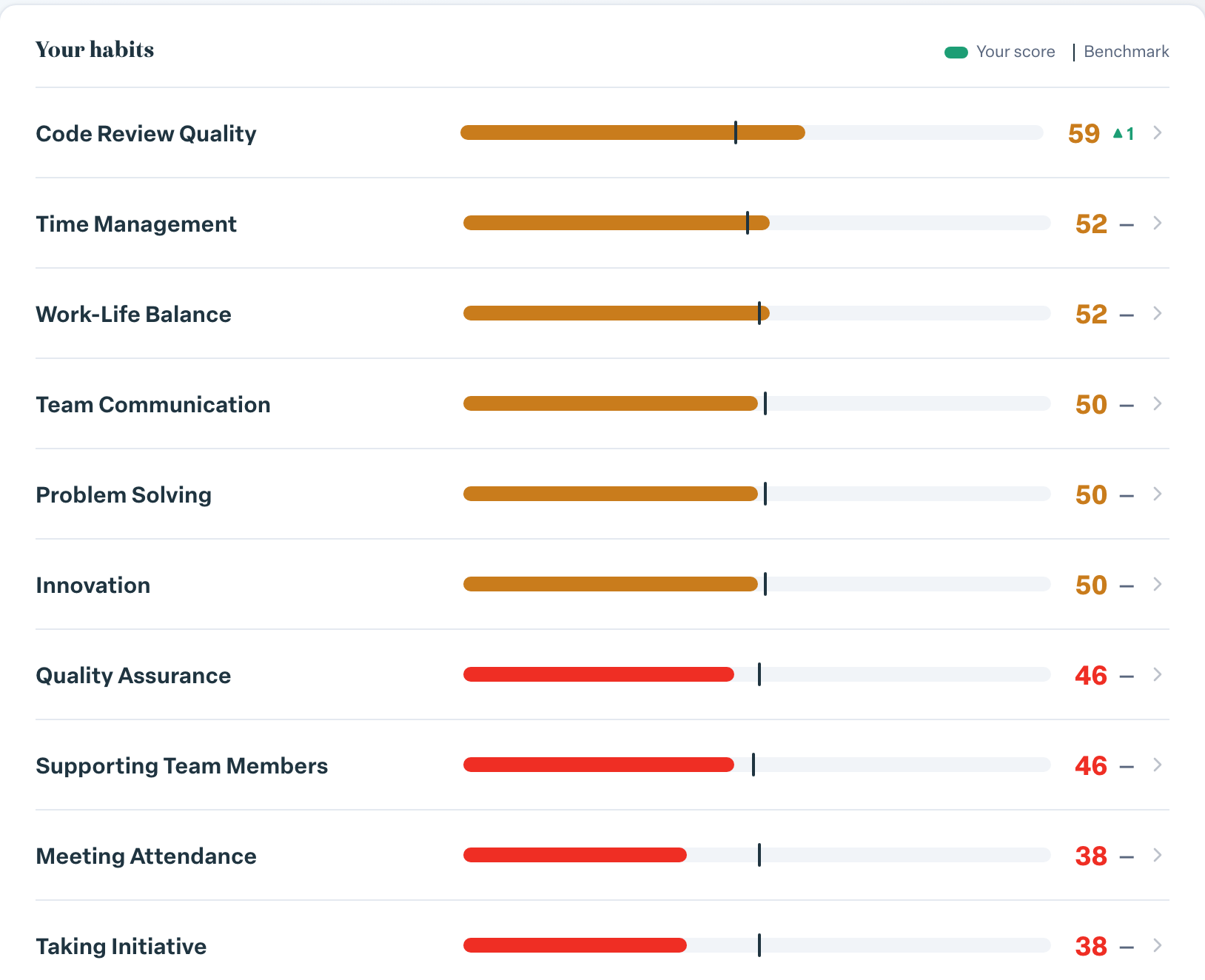
Go to Habits > My Habits. Under Your habits, each habit shows Your score and the Benchmark, with a small arrow and number next to your score:
- ▲ and a number: your score went up by that many points.
- ▼ and a number: it went down.
The arrow compares your current score with your most recent score from at least a week earlier. A habit that has only just received its first score has nothing to compare with yet.
At the top, Overall habit score brings your habits together and shows its own arrow, labeled vs last quarter.
On a habit's page
Select a habit to open it. Next to the score you see:
- Change: the exact difference from your score a week or more ago, for example +4%.
- Company Avg: how your organization scores on the same habit.
- Score history (Weekly snapshots · all time): a chart of your score over time.
How often scores change
- Scores recalculate every night from the answers your raters gave in the last 90 days.
- The trend chart records a snapshot once a week, so the chart can lag the score by a few days.
- Recent answers count fully. Answers older than about six weeks gradually count for less, and by about 90 days they no longer count.
That means one new rating can move a score that rests on only a few answers quite a bit. The habit page tells you how many answers your score is based on, so check that before reading too much into a big jump.