Reading the leaderboard
The leaderboard shows your rank, the top three on the podium, your badges and your points log. Switch between All Time and This Quarter to see long-term and current standings.
The leaderboard is a friendly look at who is earning the most points across your organization. It is just for fun, and it is a quick way to see your rank, your badges and your recent points in one place.
If your organization renames points, the leaderboard uses that name and icon instead.
Open the leaderboard
- Anyone: select the points count with its icon at the top of the page.
- Managers: you also have Leaderboard at the bottom of the My Team section of the left navigation.
If nothing opens, your organization has not turned on the leaderboard.
What you see
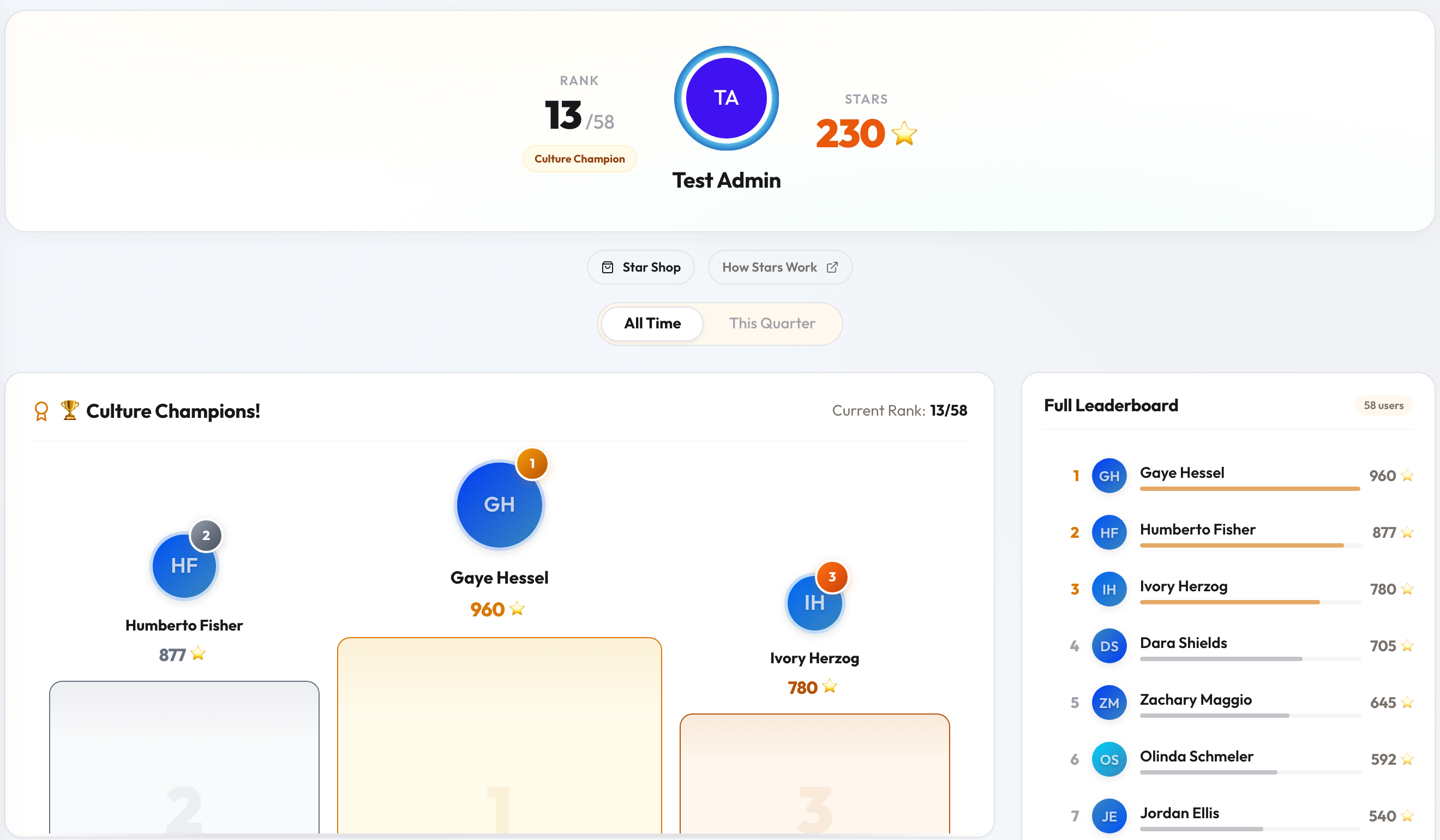
- Your rank. The top of the page shows your Rank, your points, and how many people you are ranked against. If you are in the top 25, you also get a Culture Champion badge.
- All Time and This Quarter. Use the toggle to switch views. All Time ranks everyone by every point they have ever earned. This Quarter ranks by points earned in the current period, which your organization resets on a set schedule.
- Culture Champions. The podium shows the top three, with your Current Rank next to the heading.
- Badges. Your badges, with a One-Time Badges and Quarterly Badges selector and a Completed tally. See How points work in Engage for the full list.
- Your Points Log. Your most recent points activity. Select View full history for everything.
- Full Leaderboard. Everyone in the ranking, with the number of users counted.
When the leaderboard is empty
Until at least three people have earned points, you see Welcome to the Leaderboard! instead of the rankings, with a quick explanation of how to earn badges, climb the ranks and spend in the shop. Select Browse Point Shop to see what you can buy.
Good to know
- Spending points in the shop does not lower your place on the leaderboard. Rank is based on points earned, not your current balance.
- Missing a feedback deck takes 7 points off your total for the current period, so it can move you down the This Quarter view.
- Some organizations also send a recurring leaderboard email that highlights top performers and shows where you stand.
Ready to spend? See Spending points in the shop.