How points work in Engage
You earn points for completing feedback, earning badges and taking part in recognition, then spend them in the Points Shop. Here is how points are earned, what the badges are, and where to see your full history.
Points are Engage's way of saying thanks for showing up. You earn them by giving feedback, earning badges and recognizing your coworkers, and you can spend them in the Points Shop.
Your organization can rename points. You might see them called stars, coins, hearts or carrots, with a matching icon. Everything in this article works the same whatever the name.
How you earn points
- Completing your feedback deck. Each completed deck earns 7 points. Each specific feedback card you answer earns 1 point.
- Earning badges. Every badge carries a point value, listed below.
- Point awards from your organization. Some organizations award points for an MVP win or from other systems they use. These show up in your history with their own description.
- Daily login bonus. If your organization has it turned on, you can earn a small bonus for logging in on days that are not feedback days.
If a feedback deck expires before you finish it, 7 points come off your total for the current period. Your spending balance is not affected.
Badges
Open the Leaderboard and scroll to Badges. Use the selector to switch between One-Time Badges, Quarterly Badges and Bonus Badges. The counter reads like Completed: 4 / 12 and shows how many you have.
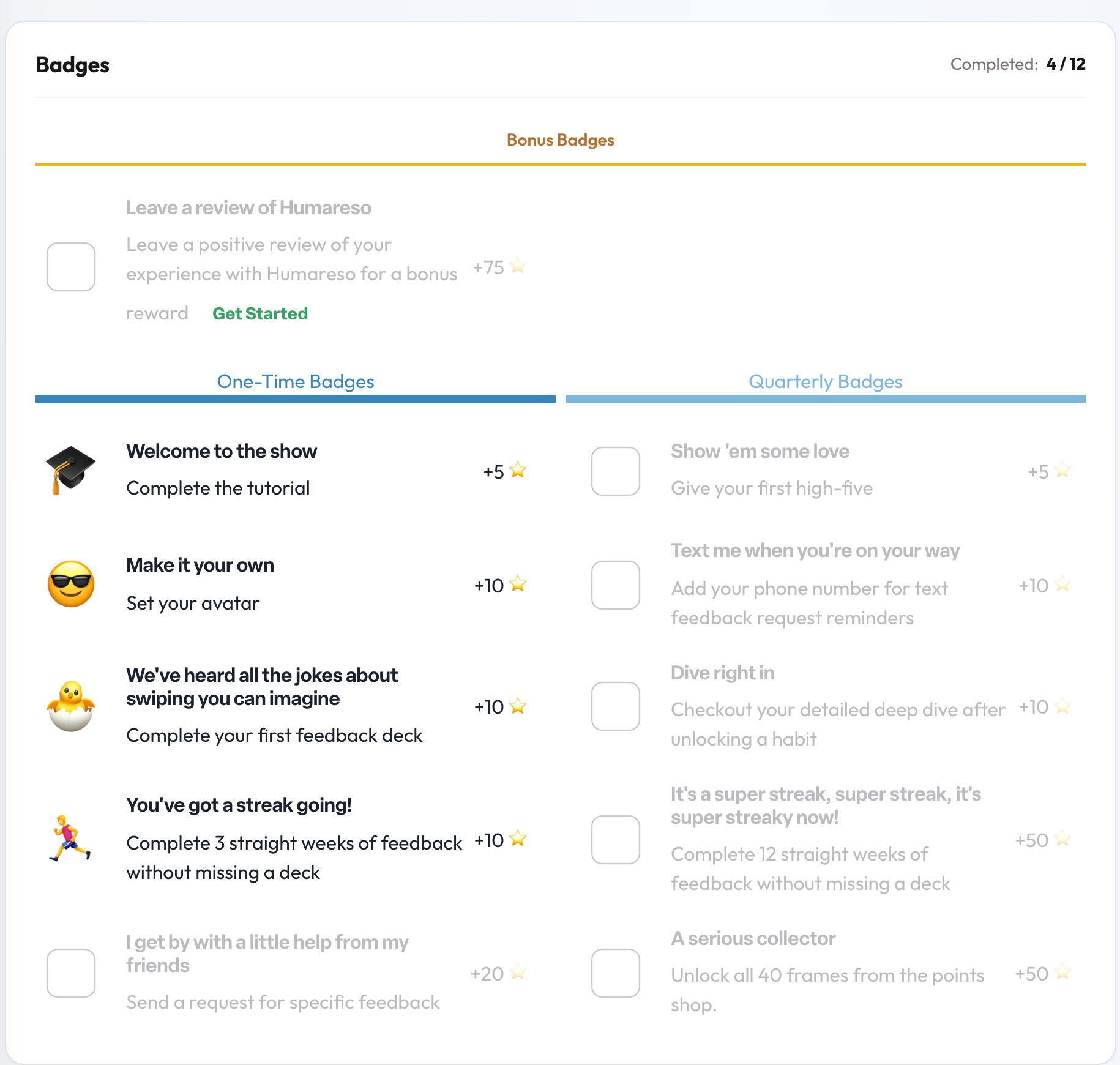
One-time badges can be earned once:
- Complete the tutorial (5)
- Give your first high-five (5)
- Set your avatar (10)
- Add your phone number for text feedback request reminders (10)
- Complete your first feedback deck (10)
- Check out your detailed deep dive after unlocking a habit (10)
- Complete 3 straight weeks of feedback without missing a deck (10)
- Send a request for specific feedback (20)
- Complete 12 straight weeks of feedback without missing a deck (50)
- Unlock all 40 frames from the points shop (50)
- Unlock all available high five frames (50)
Quarterly badges can be earned again each quarter. They include giving 2 high fives in each month of the quarter, visiting your deep dive each month, checking out your feedback circle, opening or acknowledging a 1:1, adding a comment to a 1:1, completing an objective, responding to a specific feedback request, liking or commenting on a high five, visiting the Points Shop, sending your company a suggestion, and giving feedback every week in the quarter without missing a session. Most are worth 10 points; the perfect feedback quarter is worth 25.
The Bonus Badges banner shows one extra: leave a review of Humareso for a bonus of 75 points. There are also a few hidden badges for the curious.
Microcourses
When you open a habit's deep dive, the improvement section offers short courses and articles, such as The Basics of Managing Stress. Opening one earns the quarterly A course of course badge.
See your points history
Your history shows every point you have earned or spent.
- Open the Leaderboard from the points count at the top of the page.
- In Your Points Log, select View full history.
You can also select See history on the points card on your Home page.
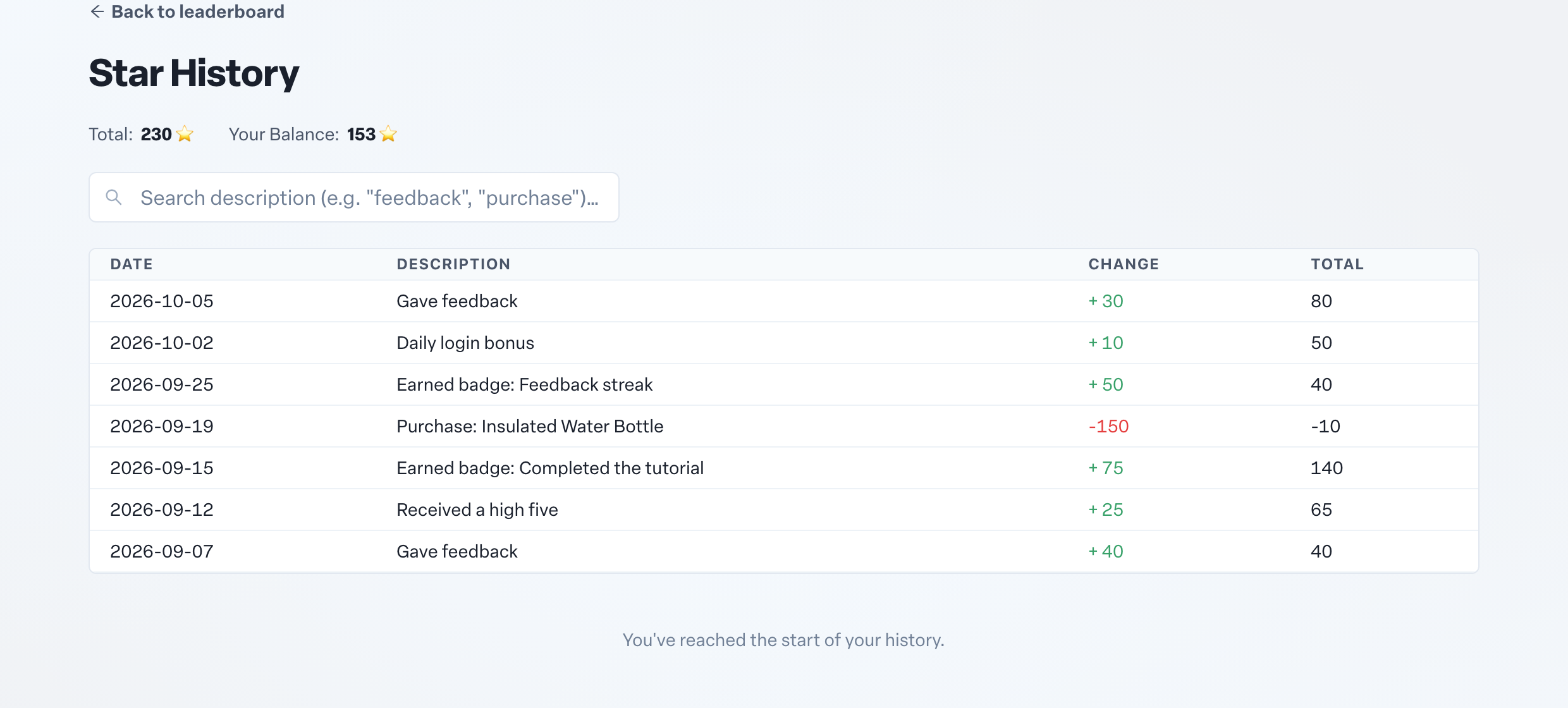
At the top you see your all-time Total and your current Balance, which is what you can spend. Use the search box to find entries such as "feedback" or "purchase". Spending lowers your balance but never your total earned or your place on the leaderboard.