Checking and changing someone's feedback circle
Admins and managers open Circles in the left menu, pick a person and click Manage circle to see who gives them feedback, accept suggestions, and add or remove providers.
A person's feedback circle is everyone who gives them feedback on their habits, and everyone they give feedback to. Admins can manage any circle they can see; managers can manage the circles of the people who report to them.
Find the person
- Click Circles in the left menu.
- Use Search people, or a filter such as Network issues, to find them. Each row shows how healthy the circle is: Forming, Established, Strong or Overloaded.
- Click Manage circle.
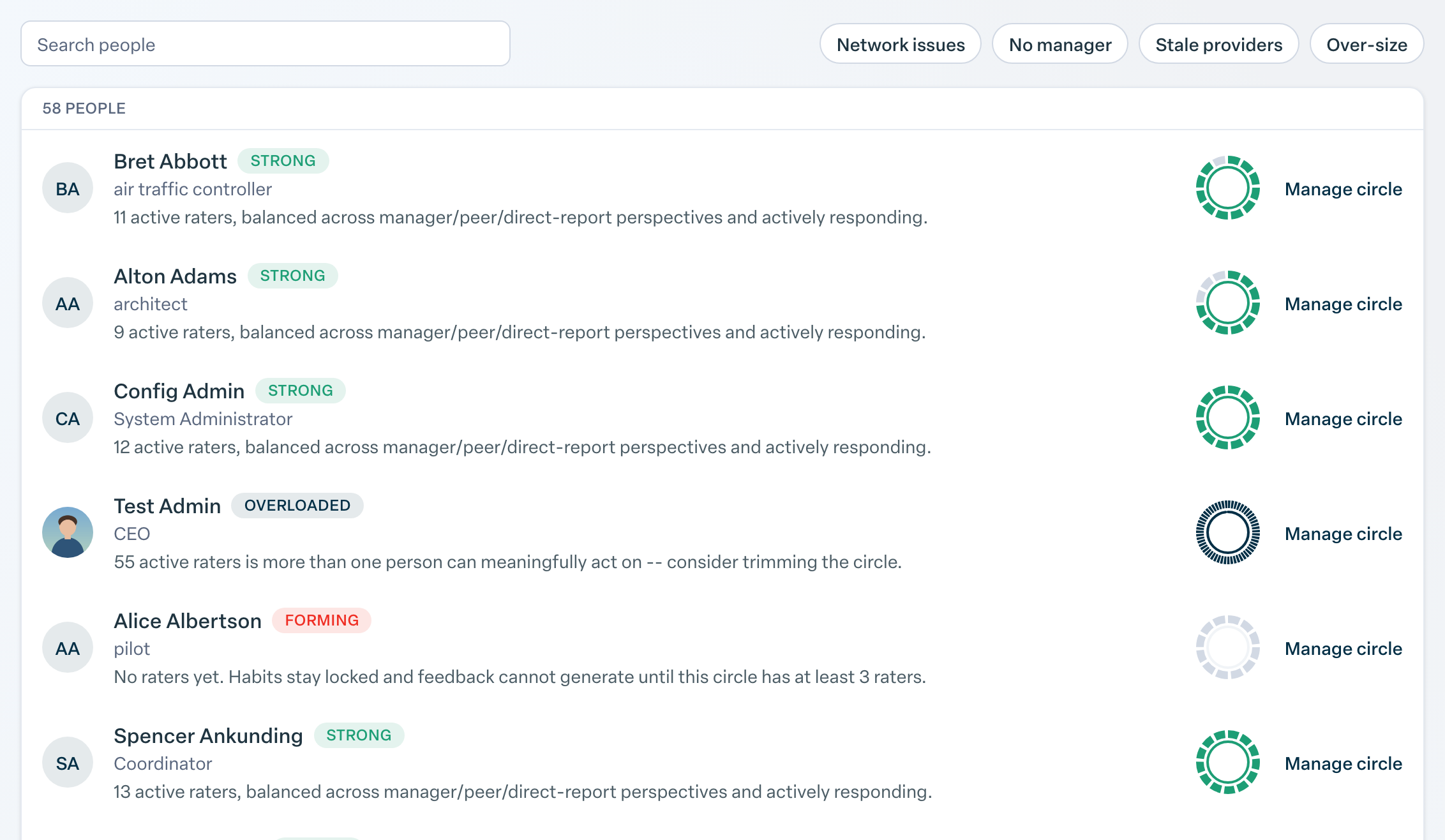
Admins can also get there from Users under People in Admin settings: open the person and click Feedback circle. Managers can open a report's profile and click Manage Feedback Circle.
Read the circle
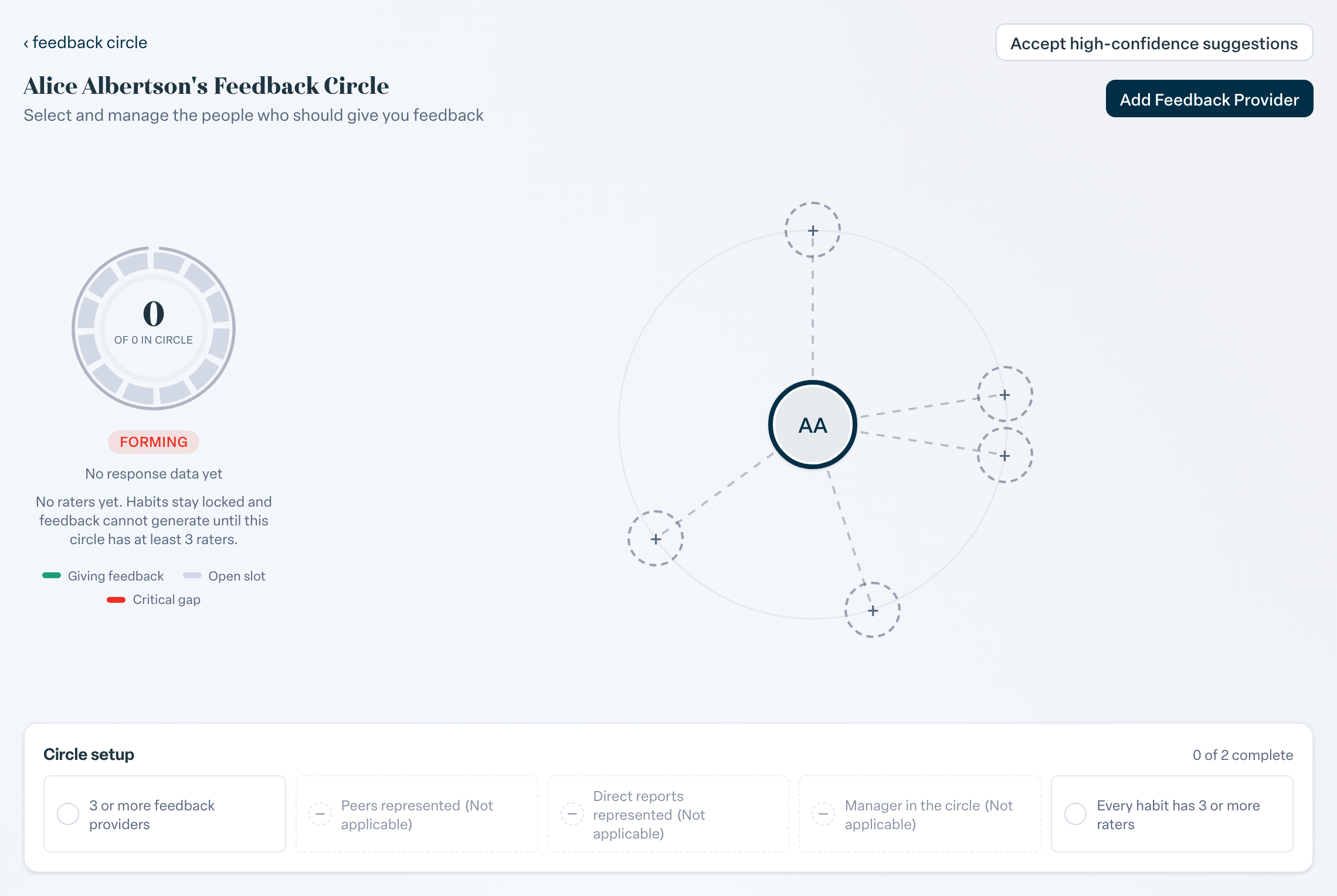
The page shows Circle health and a Circle setup checklist, for example 3 or more feedback providers, Manager in the circle and Every habit has 3 or more raters. Below that, members are split into:
- People Who Give the person Feedback
- People Who Only Receive Feedback
- People Rating No Habits: in the circle, but no feedback cards are generated between them
Each member card shows signals such as when they last responded and their response rate.
Change the circle
- Accept suggestions. Needs attention lists suggested changes with a reason and a confidence level, such as Manager isn't in the circle or Gives feedback but is not rated back. Click Add to circle, Rate them back or Remove to accept one, or Dismiss to ignore it. Accept high-confidence suggestions applies all of the high confidence ones at once.
- Add someone. Click Add Feedback Provider and choose a colleague.
- Remove someone. Use the delete button on their card and confirm. The two of them will no longer give feedback to each other.
Change the habits
The circle decides who gives feedback; the habits decide what they give feedback on. To change those, use Manage Habits on the person's admin detail page, or on their profile if your organization lets managers pick habits.
Aim for three or more raters per habit and five or more providers overall.