Sending and finding high fives
A high five is a quick public or private thank you to a coworker. Send one from your Home page or the High fives feed, add images, and browse every high five across your team.
A high five is a quick way to say thank you or good job to a coworker. High fives are public by default, so the whole team can celebrate with you, but you can also send one privately.
Send a high five
- Select Send High-five below the activity feed on your Home page, or Send a high five on the High fives page.
- Under Choose high-five recipients, pick one or more coworkers.
- Type Your high-five message.
- Optional: select the image button to add up to 10 images.
- Optional: check Make high-five private.
- Select Send High-five. You see High-five Sent! when it goes through.
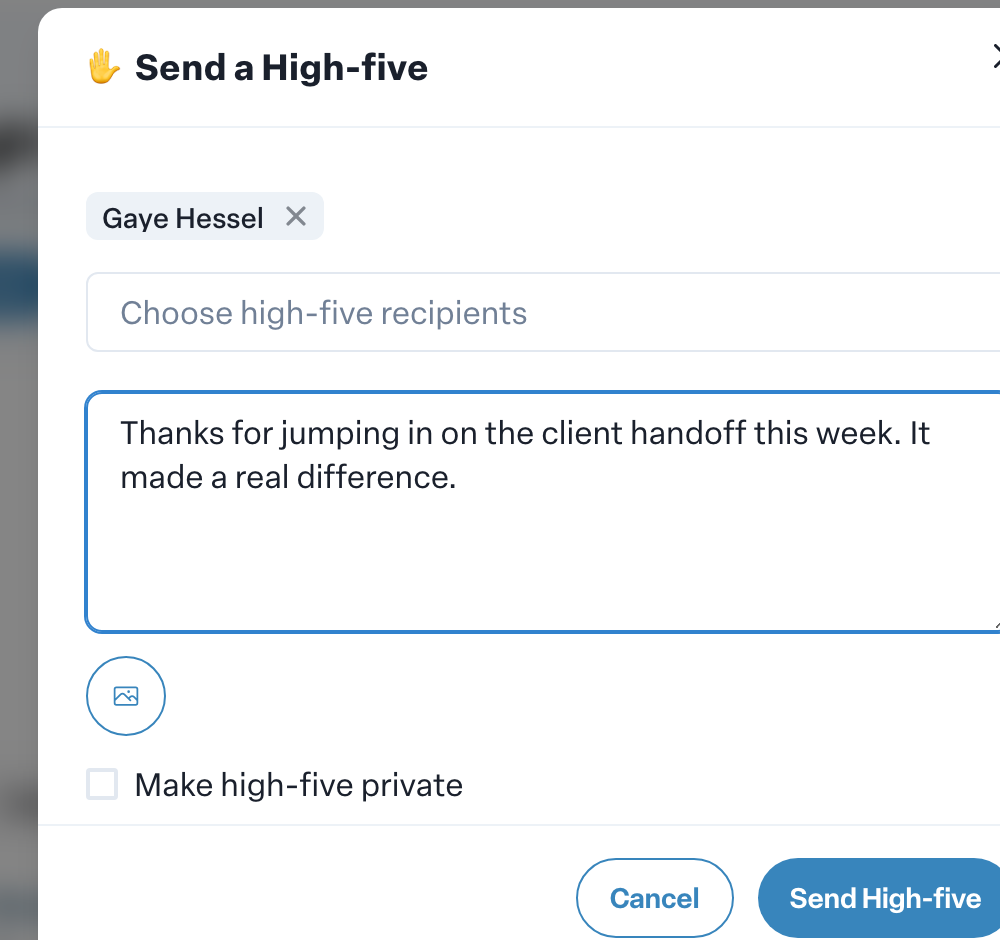
You need a message or an image; a blank high five cannot be sent.
Public or private
- Public high fives appear in the feed for your team to see, like and comment on.
- Private high fives are shown only to the people you send them to. They do not appear in anyone else's feed.
Recipients are notified when you send them a high five, and when someone comments on one. Each person can choose how they hear about these in their notification settings.
Browse every high five
The Recognition card on your Home page shows recent high fives. Select View all to open the full High fives page.
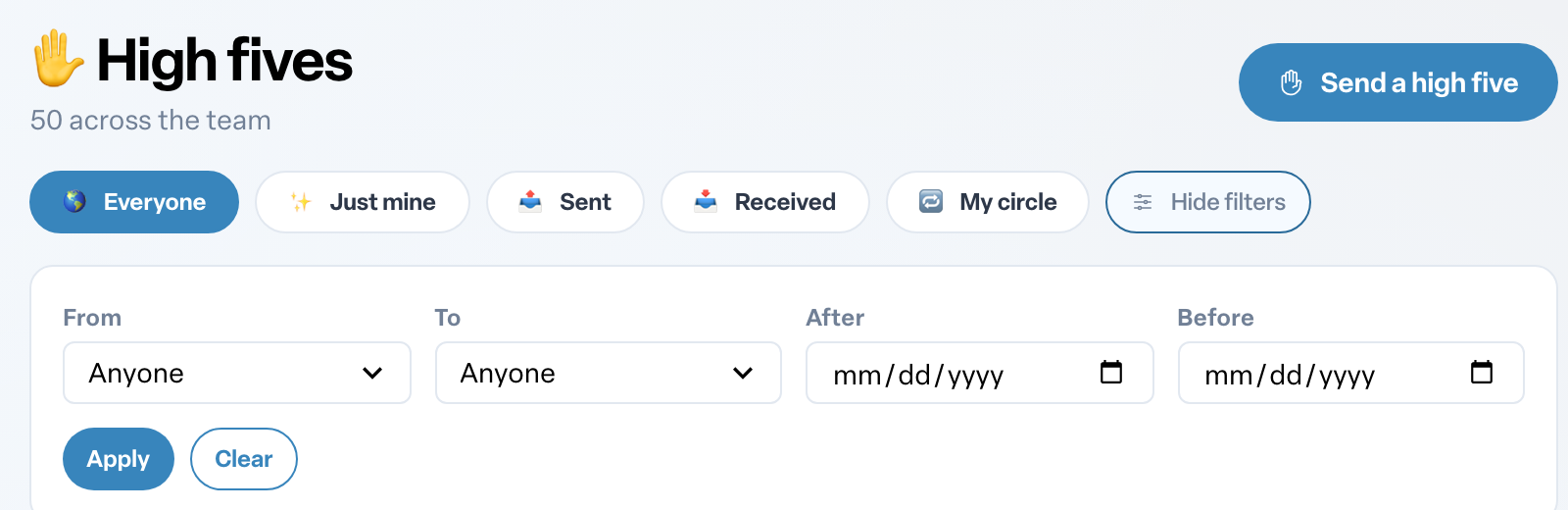
Narrow the list with From, To, After and Before, then select Apply. Select Clear to reset. Scroll down to keep loading older high fives until you see You've reached the end.
Delete a high five you sent
Only the person who sent a high five can delete it.
- Select the three-dot menu next to the time on your high five.
- Select Delete.
- Confirm with Delete. This cannot be undone.
High fives and points
Your first high five earns a badge, and giving 2 high fives in each month of the quarter earns quarterly badges. Liking and commenting on high fives count too. If your organization uses the shop, you can also buy new high-five styles to send. See How points work in Engage and Spending points in the shop.