\"We Couldn't Find Your Records\": What It Means
Understand the "We couldn't find your records" notice in Leave, why it appears, and how to get your account reconnected.
Nothing has happened to your leave. If you sign in and see We couldn't find your records, your case and its history are safe. Leave just cannot connect them to the account you signed in with, and the Humareso leave team can fix that quickly.
What the Notice Means
The notice appears when you sign in successfully but Leave cannot match your account to your employee record. It covers the whole page, so you do not see an empty dashboard that looks like your case is gone.
This usually happens after an email address on your account changes. For example, your sign-in address was switched from a work email to a personal email. It is a problem on our side, not something you did.
What to Do
- Note the email address you signed in with.
- Email leave@humareso.com from any address you can open.
- Tell us your name, your employer, and the address you signed in with.
- Wait for the team to confirm your account is reconnected, then sign in again.
You do not need to submit a new leave request. Your existing case is still there.
What You'll See
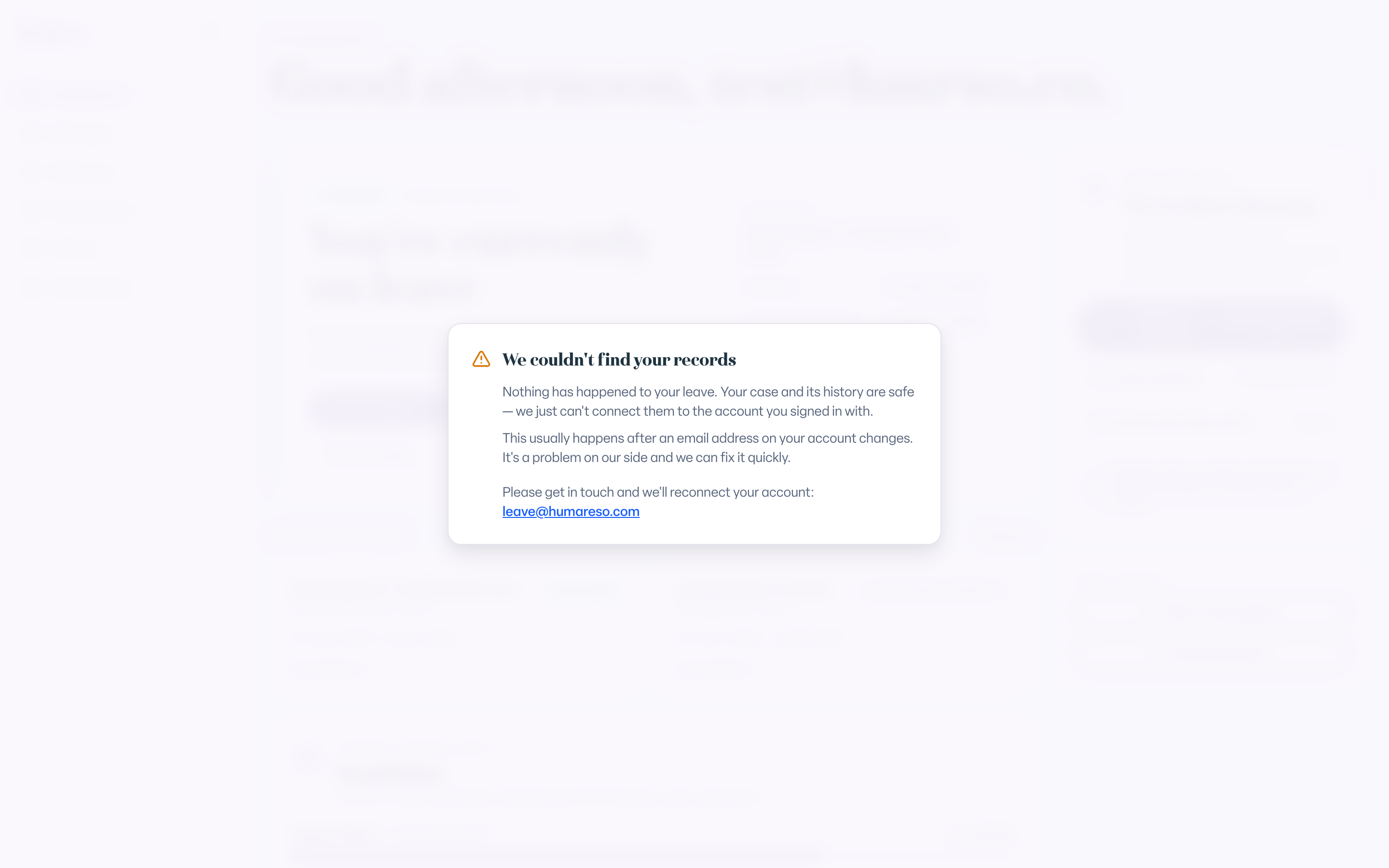
- The heading We couldn't find your records.
- A line that says Nothing has happened to your leave.
- A short explanation and a link to leave@humareso.com.
A Different Notice for Case Contacts
If you see You're a contact on a leave case instead, this article does not apply. Your account is working; you were added to someone else's case for email updates. See Why Leave Says You Are a Contact With No Case to Open.
Common Scenarios
- Your work email was turned off during leave. You signed in with a personal address that is not yet linked to your record. Email the team and they will reconnect it.
- You just changed your sign-in email. The new address is not linked yet. Email the team.
- You signed in with a second account. Sign out and sign in with the address you used when you requested leave. If that does not work, email the team.
- You worry your request was deleted. It was not. The notice is about the account link only.
Troubleshooting
I filed a new request because I thought my case was gone. Tell the team in your email. They will connect your account and sort out any duplicate request.
I can't email from my work address anymore. Email from any address you can open. Include your full name and employer so the team can find your record.
See How to Fix "Sign In Failed" or "Access Denied" in Leave for other sign-in problems.