How to Find Your Cases: My Leave vs Supporting
Find your own leave cases and the cases you support, and understand how Leave sorts them.
Leave sorts cases by your connection to them. Your own leave is in one place, and cases you help with as a manager or HR contact are in another. This guide shows where each one lives.
Find Your Cases
- Sign in to leave.humareso.com.
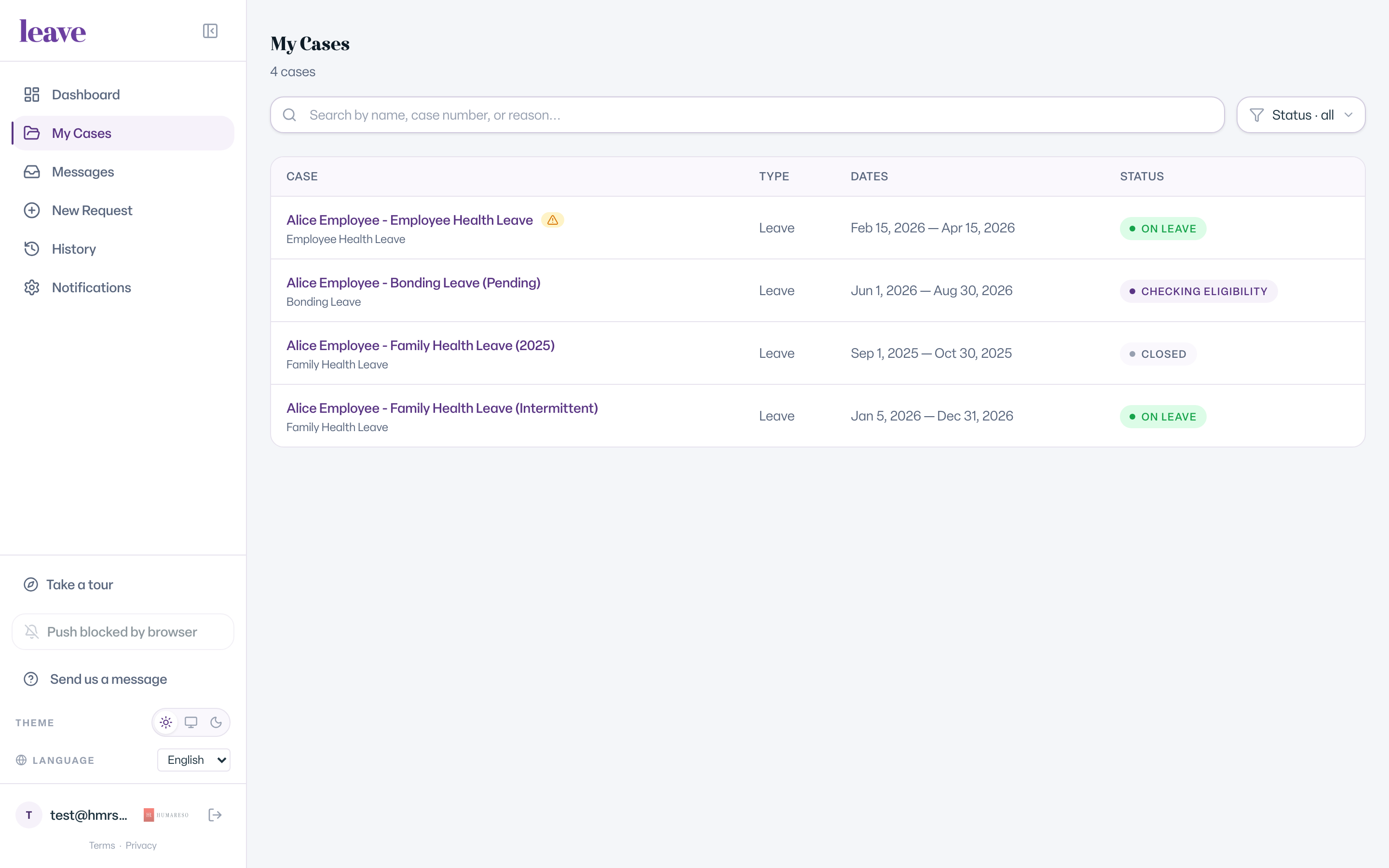
- Select My Cases in the menu.
- Use the search box, Search by name, case number, or reason..., to find a specific case.
- Use the status filter to narrow the list.
- Select a case to open it.
For past leaves, select History. It lists Past and completed leave cases.
How Cases Are Grouped
When you have more than one kind of case, My Cases splits them into sections:
- My Leave. Cases where you are the employee on leave.
- Cases I'm Supporting. Cases where you help someone else, for example as their manager, the person who requested leave for them, or a contact on the case.
- Organizations I Support. Cases you can see because you were given access to a whole organization.
If you have only one kind, the list shows without section headings.
On Your Dashboard
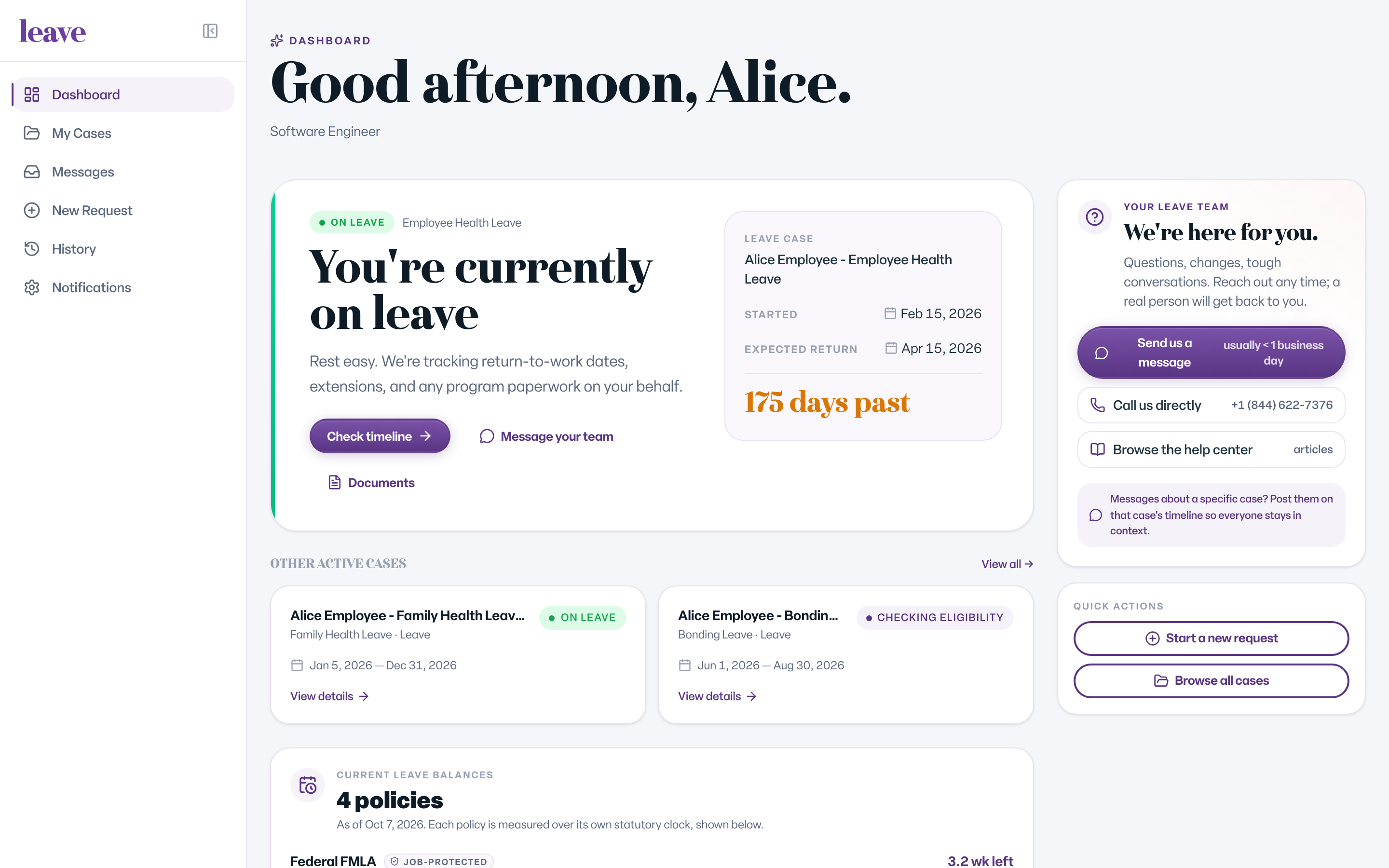
- Your own active leave appears at the top, with View case, Message your team, and Documents.
- Cases You're Supporting lists the cases you support. Select View all → for the full list.
- If you are a company manager, a Your company section shows leave activity across your company. Cases it does not cover appear under Also Supporting.
What You Can Open on a Supporting Case
What you see depends on your role on the case:
- Contact and Manager see case basics: dates, status, and approvals. They do not see documents, notes, messages, or medical detail.
- HR Admin sees the full case, including medical detail.
- The case's designated HR Partner (Client) also sees the full case.
Being a contact on one case does not show you other cases at your company. Company-wide access comes from company manager access.
What You'll See
Common Scenarios
- You are on leave and also a manager. Your leave is under My Leave and your team's cases are under Cases I'm Supporting.
- You can't find a closed case. Select History.
- You were emailed that you were added to a case. It appears under Cases I'm Supporting. See I got an email that I am on a case. What does that mean?
- No cases appear. The page says No leave cases found. If you expected one, see "We Couldn't Find Your Records": What It Means.
Troubleshooting
I see a case count but can't open a coworker's case. See I can see case counts but cannot open a coworker's case. Why?