Leave & PTO
Beginner
Check the Status of Your Leave
Find where your leave case stands and whether anything is waiting on you.
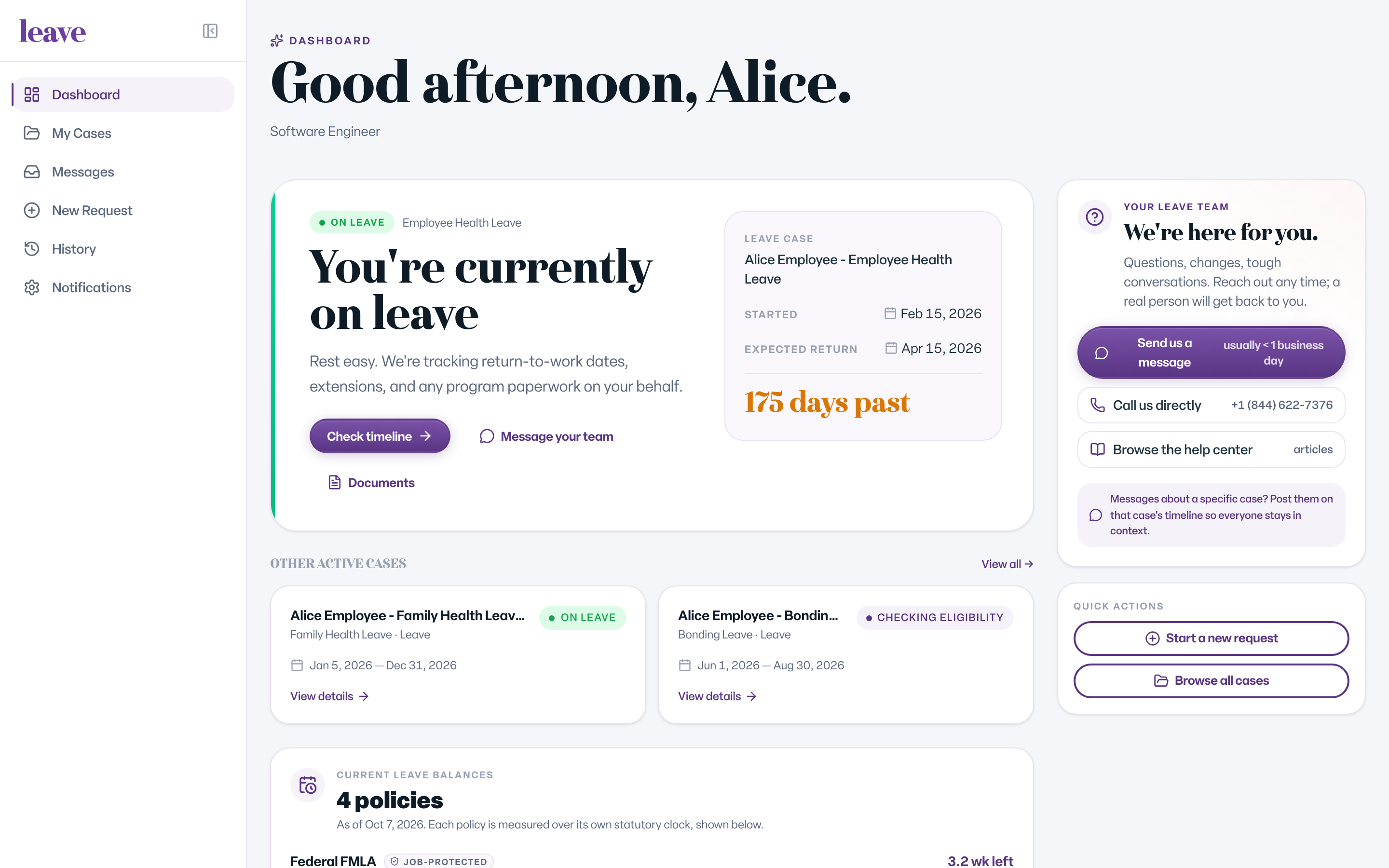
Sign in at leave.humareso.com. Your dashboard shows your active case, its current stage in plain language, and a clear next step when something needs you.
Where to Look
- Dashboard. Your case status, your leave balances, and an action items card when something is waiting on you.
- My Cases. Every case you have. It shows all statuses by default, and you can filter by status.
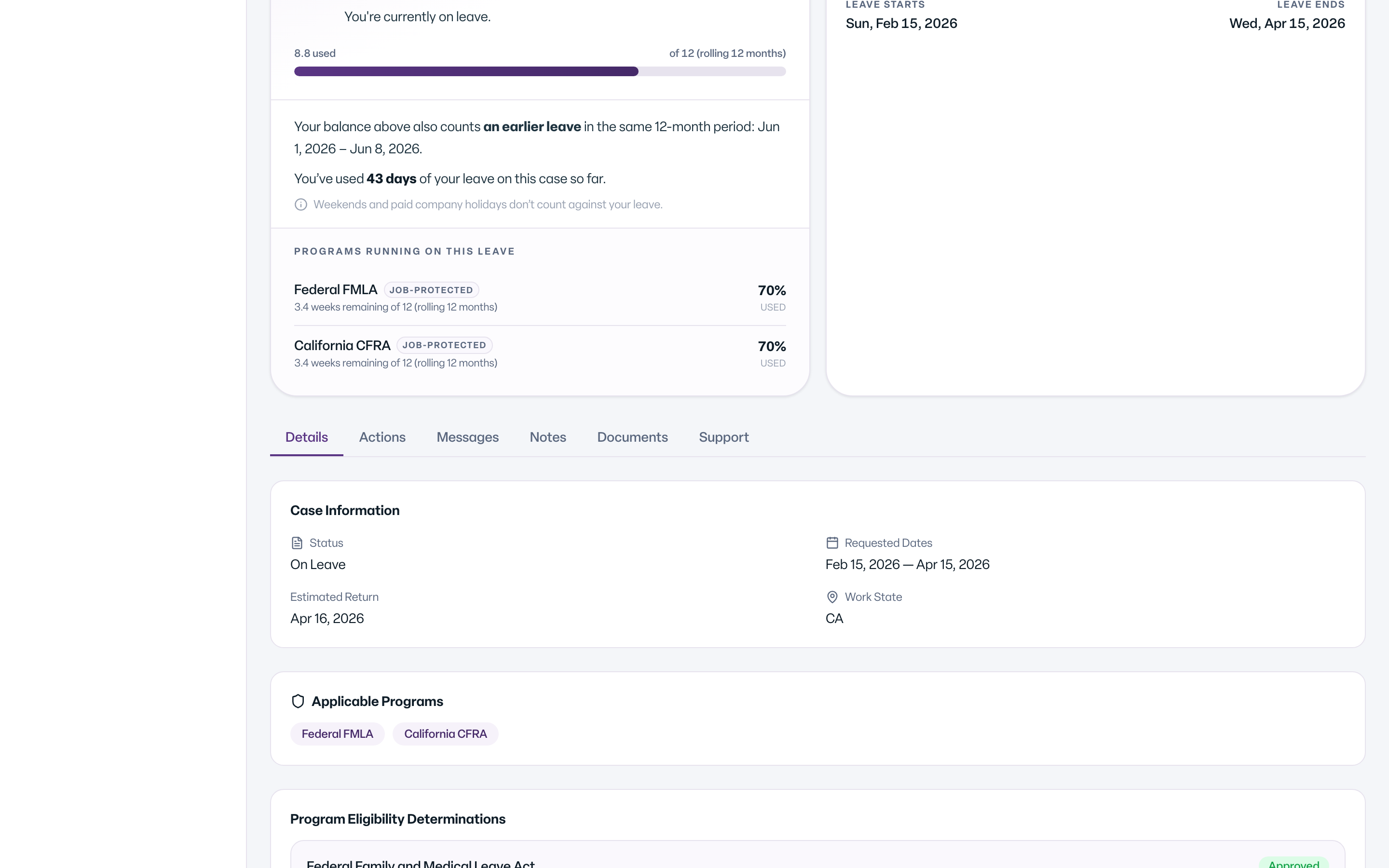
- Your case page. The case's stage, dates and tabs: Details, Actions, Messages, Notes, Documents and Support.
- History. Your finished cases, with letters and documents kept.
The Notes tab shows notes your leave team has shared with you about the case.
Reading the Status
Stages like Gathering Case Info and Determining Eligibility mean the leave team is working; nothing is needed from you. Awaiting Paperwork means the next step is yours. See Case Statuses, Explained for the full list.
The New Case Page
Your case page may show a banner: Try the new case page. It is the same case and the same tools in a simpler layout, marked Beta. Select Try the new page to use it, or Back to the classic page to return.
What You'll See
Common Scenarios
- Nothing is waiting on you. Leave emails you when something changes, so you do not need to check in just in case.
- Your status says Awaiting Paperwork. Open the Actions or Documents tab to see what is needed.
- You do not see your case. See I submitted a request but do not see it in my portal.