Leave & PTO
Beginner
Case Statuses, Explained
Learn what each Leave case status means and whose move it is at every stage.
Every leave case moves through one set of stages. The most useful way to read a status is to ask: whose move is it? This guide lists every status you can see in Leave and what it means for you.
The Case Statuses
- Draft. The request was started but not submitted. Your move: finish and submit it.
- Gathering info (shown in full as Gathering Case Information). Your Leave Associate is setting up the case. No action is needed from you yet.
- Need details (shown in full as Gathering Employee Information). We need a few details about the employee or their job, such as hire date or hours. Your move, or your HR team's.
- Checking eligibility (shown in full as Determining Eligibility). The leave team is comparing the situation against federal and state leave programs. This usually takes a couple of business days.
- Awaiting paperwork (shown in full as Awaiting Paperwork). Medical certification or other documents are due. Your move: upload signed forms to your case.
- Final decision (shown in full as Final Decision). Paperwork is in and your Leave Associate is preparing a written determination.
- Pending ADA (shown in full as Pending ADA Approval). The request is being reviewed through the ADA accommodations process.
- Approved (shown in full as Leave Approved). The leave is approved. Return-to-work details follow as the date approaches.
- On leave (shown in full as On Leave). The employee is out. The leave team tracks return dates, extensions, and paperwork.
- Closed. The leave is complete and the case is archived for your records.
- Declined (shown in full as Leave Declined). The request was not approved. The written determination is in the case documents.
- Cancelled. The request was withdrawn. You can start a new request any time.
- Merged. This case was combined with another case for the same leave. Use the other case going forward. See My Case Says "Merged".
Friendlier Labels for Employees
Employees see some stages with plainer wording on their case cards:
- Gathering info appears as Pending review.
- Need details appears as Needs your input.
- Checking eligibility appears as Under review.
- Final decision appears as Final review.
- Pending ADA appears as Accommodations review.
- Declined appears as Not approved.
The dashboard also shows a short message for the current stage and, when there is something to do, a next step such as Upload documents or Share details.
What You'll See
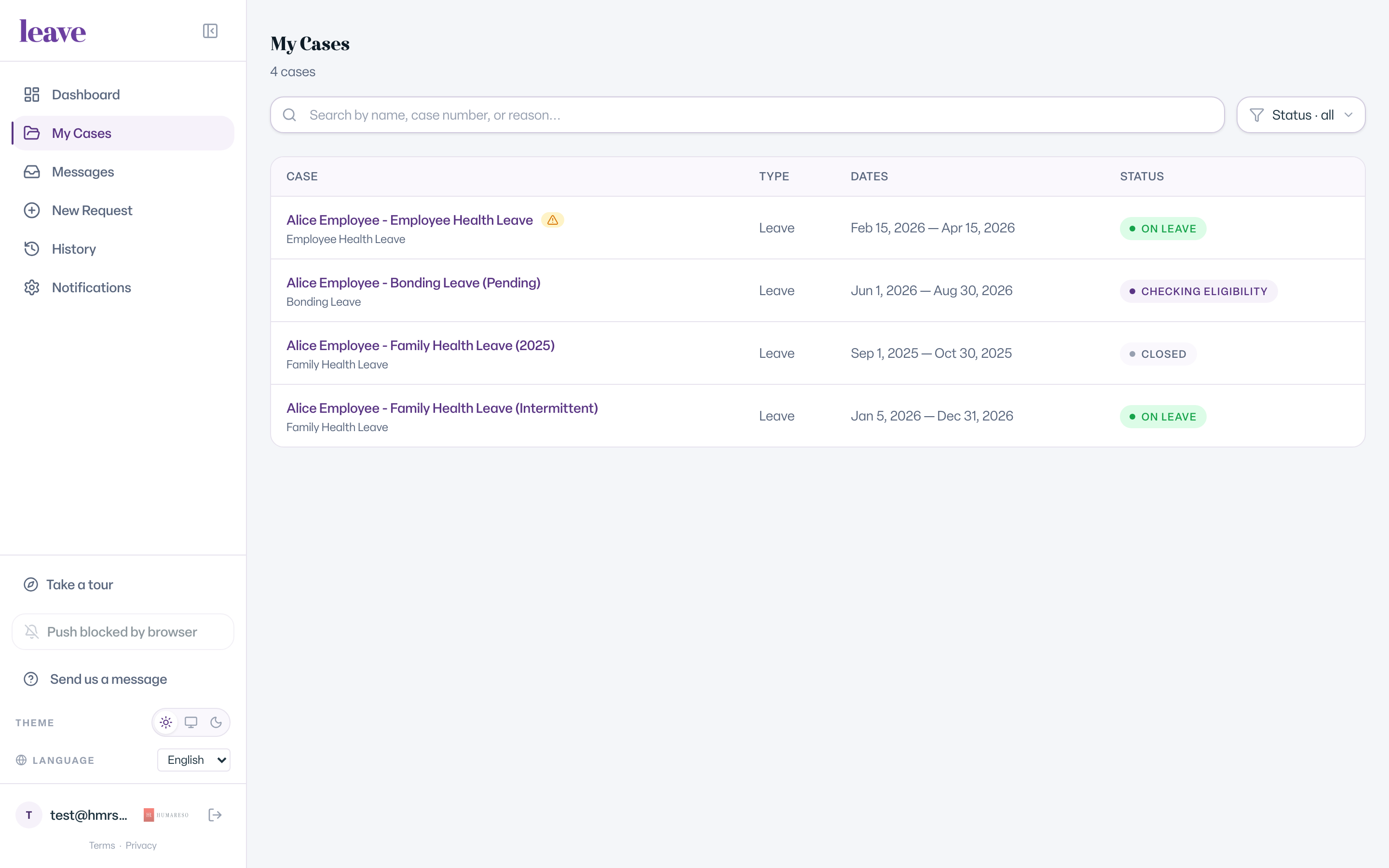
The status appears as a colored chip on each case card in My Cases and at the top of the case page.
Common Scenarios
- Your case says Needs your input. Open the case and answer the questions. That moves it to the next stage.
- Your case says Awaiting paperwork. Check your email for forms, then upload the signed copies on the Documents tab.
- Your case says Not approved. Read the determination in your documents. If something looks wrong, message your Leave Associate.
- Your case says Cancelled and you still need leave. Start a new request from New Request.
- Your case says Merged. Open the other case for the same leave. All work continues there.