Leave & PTO
Beginner
How to Ask for Help with the Support Form
Send a question to your leave team from anywhere in Leave, or from a specific case's Support tab.
The support form sends a question straight to your leave team. A real person replies by email, usually within one business day.
Send a General Question
- In the left sidebar, select Send us a message. On a phone, select More first. You can also use the Your leave team card on your dashboard.
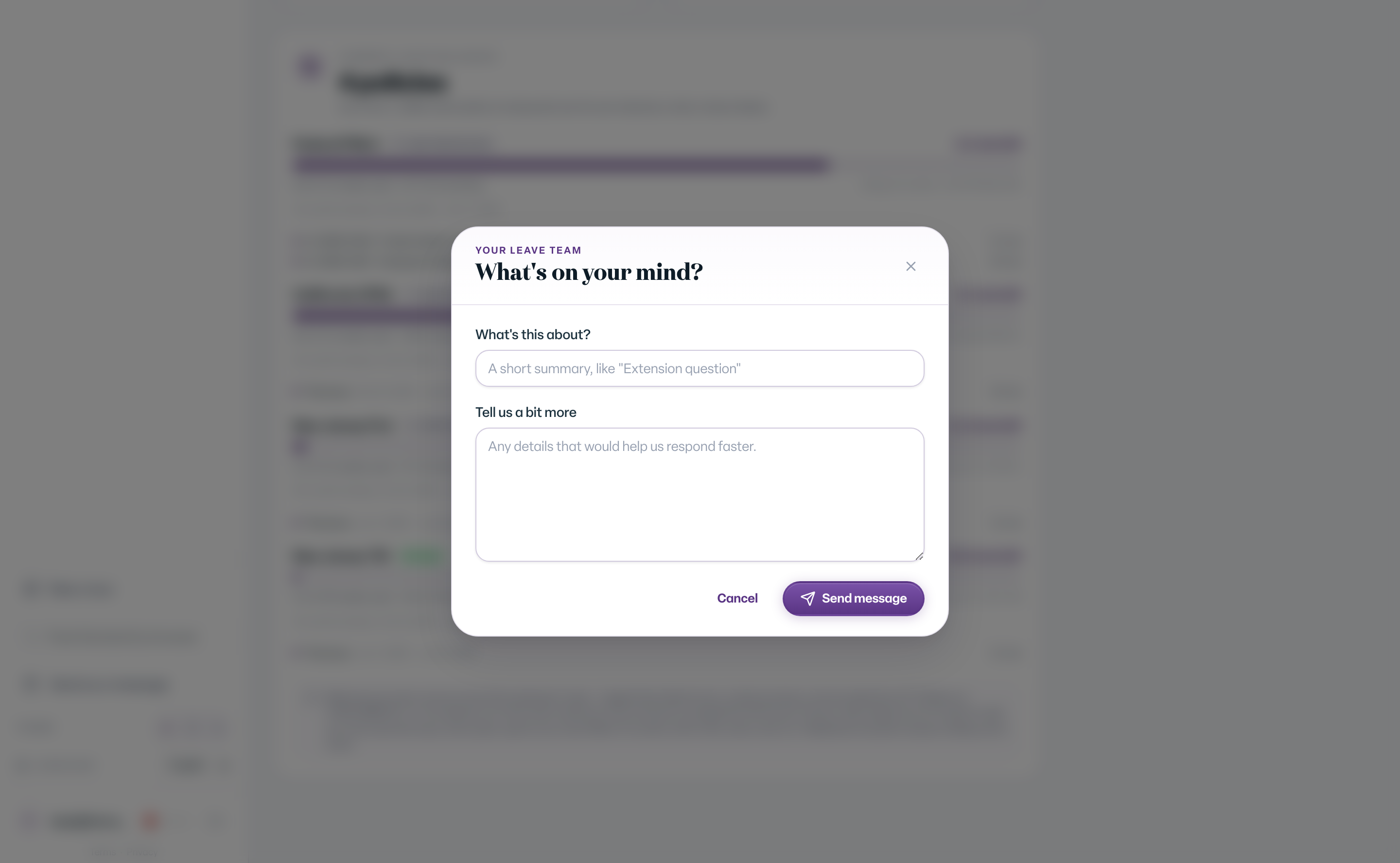
- The What's on your mind? dialog opens.
- Under What's this about?, type a short summary, like "Extension question".
- Under Tell us a bit more, add any details that help us respond faster.
- Select Send message.
Ask About a Specific Case
- Open the case.
- Select the Support tab.
- Select New request.
- Fill in What's this about? and Tell us a bit more. The dialog shows Linked to case with the case number.
- Select Send message.
What You'll See
After you send, you see We got it. The team replies by email. For a case request, updates also appear on that case so everything stays in one place. Past requests on a case are listed under Support Requests on the Support tab.
Common Scenarios
- You have a quick question about your own case. Use Message us on the case, or the Support tab.
- You see Network error. Please try again. Check your connection and select Send message again.
- You do not see a Support tab. Your role on the case does not include it. Use Send us a message in the sidebar instead.
Tips
- Keep medical details out of the subject line. Put only what is needed in the message.