How to Update Your Email, Phone or Address
Get your contact details changed in Leave so notices and updates keep reaching you during your leave.
Leave does not have a profile page where you edit your own email, phone, or mailing address. To change them, you tell your leave team and they update your record. You can add a phone number to your account yourself.
Before You Begin
Have the new details ready, and know whether a new email is a work or personal address. Personal addresses matter during leave, because employers often switch off work accounts while you are out.
Ask Your Leave Team to Update Your Details
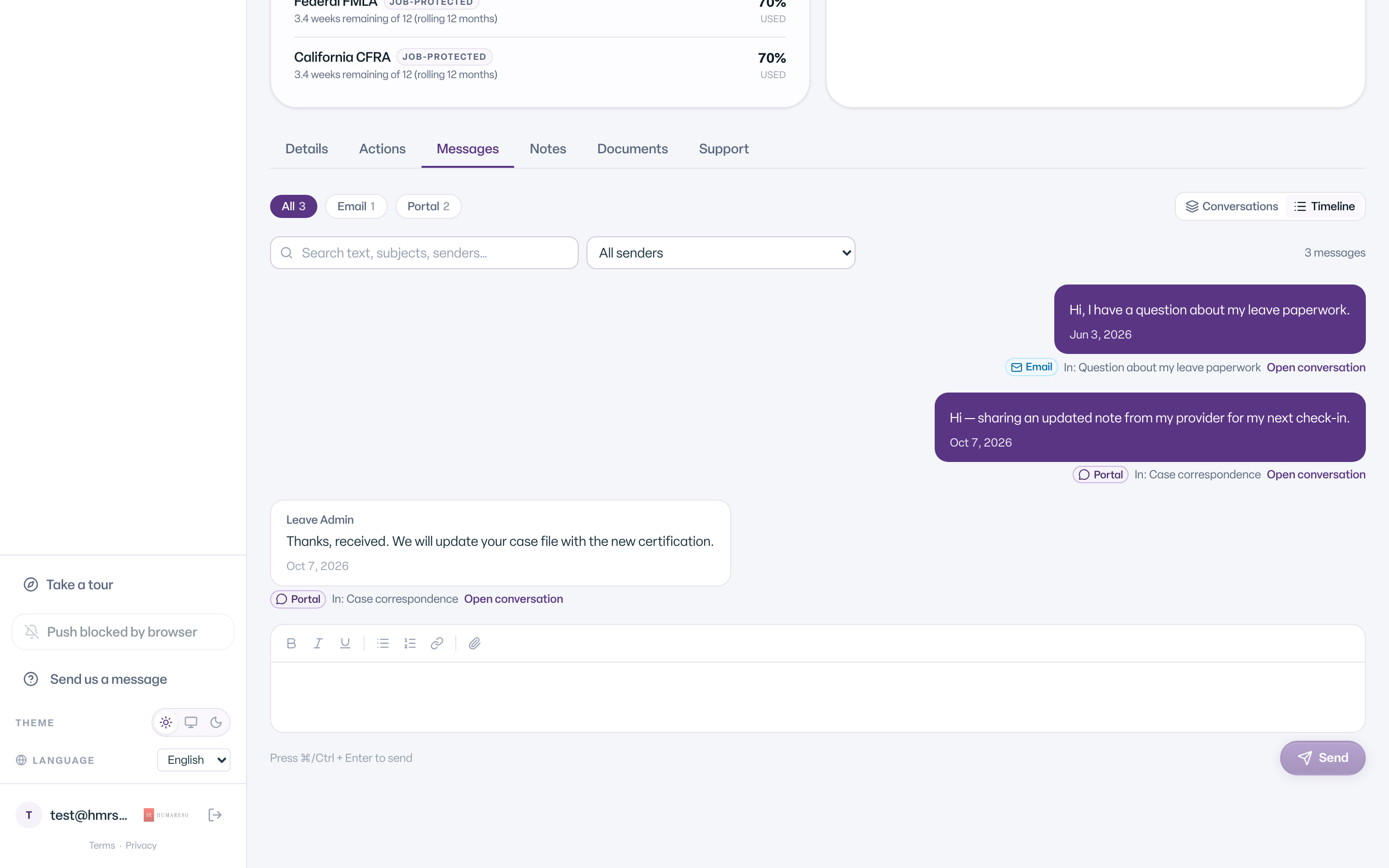
- Open your case, or go to Messages.
- Select Message us.
- If you have more than one case, choose it under About a case (optional).
- In the message, list what changed: your new email, phone, or mailing address. Say whether a new email is personal or work.
- Select Send.
The team updates your record and replies in the same conversation.
If you cannot sign in, email leave@humareso.com from any address you can open instead.
Add a Phone Number for Text Messages
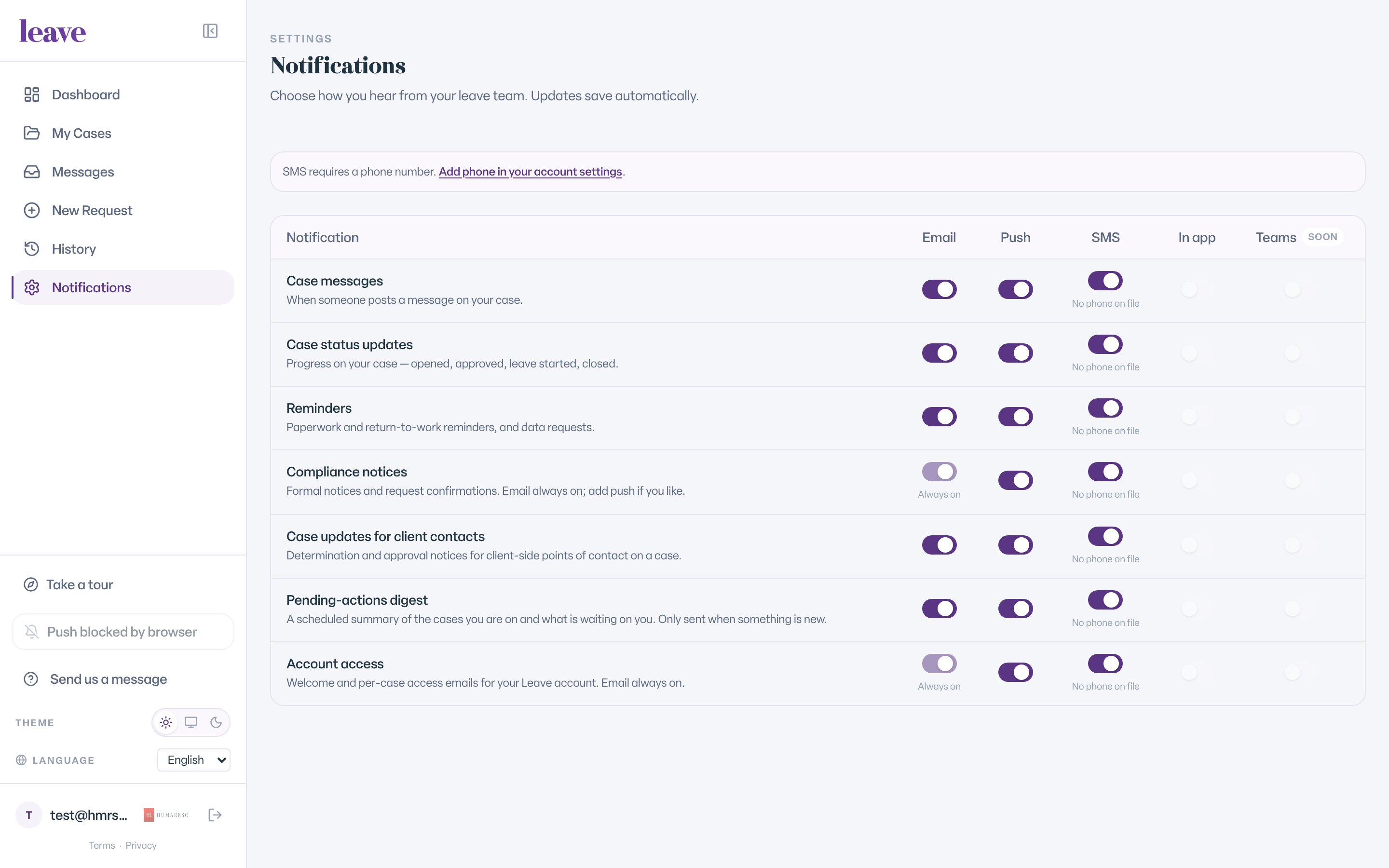
- Select Notifications in the menu.
- If you have no phone on file, you see SMS requires a phone number.
- Select Add phone in your account settings.
- Add your number on your Humareso account page and save it.
- Return to Notifications and turn on SMS for the updates you want.
What You'll See
How Personal Emails Are Handled
- A personal email you give on your leave request is recorded as unconfirmed at first. Nobody has proved yet that it is yours.
- Leave keeps sending your case updates to your main address until a personal address is confirmed.
- To make a personal address your sign-in address, ask your leave team. They check with you before switching it.
This protects you. It stops someone else from adding their address to your record and reading your case.
Common Scenarios
- Your work email will be switched off during leave. Send your team a personal email now, while you can still sign in.
- You moved. Message your team with your new mailing address so mailed notices reach you.
- You got a new phone number. Update it on your account page, then tell your team so their records match.
- You want to sign in with a different email. Ask your team. Changing your sign-in email can disconnect your case if it is not done carefully. See "We Couldn't Find Your Records": What It Means.
Troubleshooting
I changed my email and now my case is gone. Your case is safe. Email leave@humareso.com and the team will reconnect your account.