Setting up your new Engage organization
Start a free Engage account and walk through a short setup. Tell us about your company and Engage tailors your starter habits and pulse questions, then invite your team and set a first goal.
You can start your own Engage organization in a few minutes. After you create your account, Engage opens a short setup that shapes your workspace around your team. It takes about five minutes, and you can skip anything.
Create your account
- Go to app.humareso.com/new. You are taken to the Humareso sign-up form.
- Enter your details and create your account.
- Open the verification email and follow the link. You land in Engage with the setup already open.
If you sign in with an email that has no Engage workspace, you will also see a Start a free account button.
Walk through the setup
- Welcome. See what the setup covers, then select Let's get started. If you are on a trial, this screen shows how many days of full access you have.
- Tell us about your company. Enter your Company name, Industry, Team size and Time zone. Under What do you most want to improve?, describe the one thing you care about most, such as recognition or manager check-ins.
- Your Profile. Add your Job Title and Pronouns. Your team sees these on your profile.
- Turn good work into points. Decide whether to Use points in Engage. If you do, pick a name for them from the suggestions or make your own.
- Invite Your Team. Enter email addresses, separated by commas, and select Add. Each person gets an invitation to join.
- Your starter habits. Review the habits your team will give each other feedback on. Keep the ones that fit.
- Create Your First Objective. Optionally set a goal for this quarter with key results.
- You're all set! Review your setup summary and select Go to your dashboard.
Use Skip for now on most steps to come back to them later, or Finish later to leave the setup.
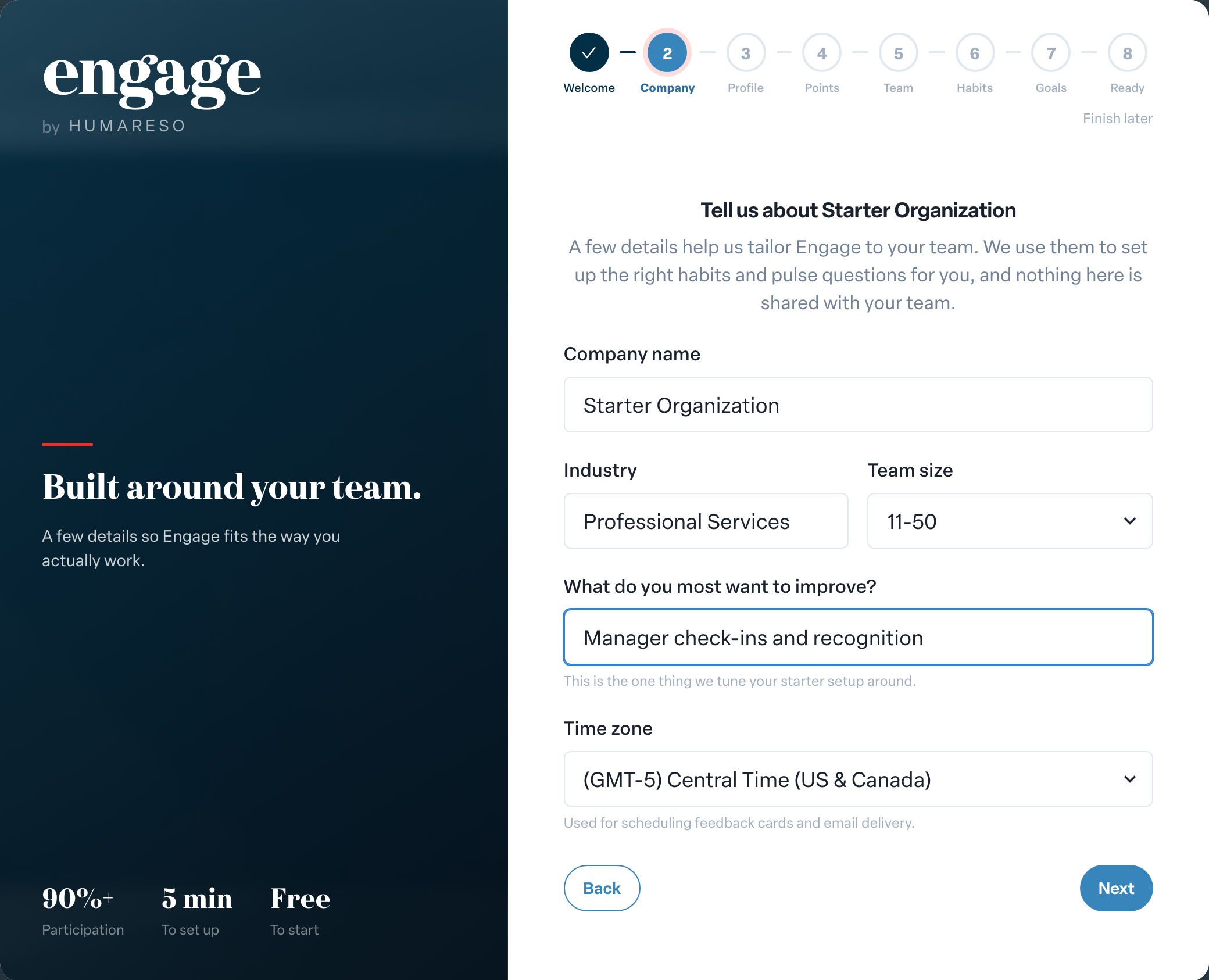
How Engage tailors your workspace
Once you have told us about your company and your role, Engage uses that information to tailor your starter habits and pulse questions in the background. If they are still being prepared when you reach the habits step, you will see We're still tailoring your habits. You can skip the step and choose habits later. If tailoring is not possible, you keep a general starter set.
Nothing you enter about your company is shared with your team.
What happens next
Recurring feedback is turned on for you. Your team gets feedback cards and engagement check-ins each week, and you can adjust the schedule any time from Admin.
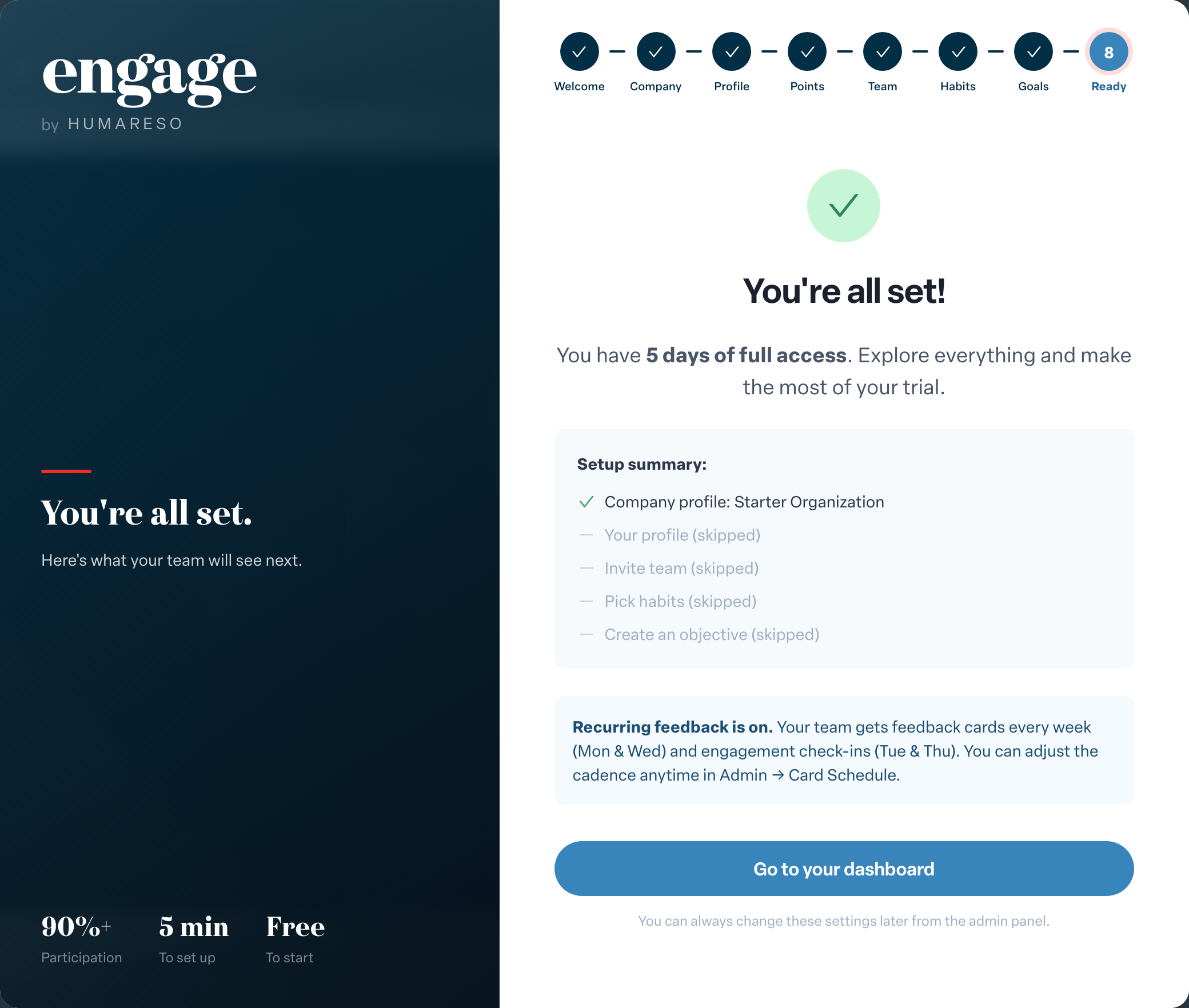
On Home, a Getting started checklist helps you finish the most important first steps. See Using the Getting started checklist.
The free plan has limits on team size, habits and objectives, and the setup shows how many spots you have used. See Upgrading your Engage plan or starting a Pro trial.