How to Read and Acknowledge Your Leave Notice
Open a leave notice your team sent you, read it, and record that you received it.
Your leave team may send you formal notices about your leave, such as an eligibility notice or a designation notice. You can read each notice in Leave and confirm that you received it in a few clicks.
Before You Begin
- You need to be signed in to Leave as the employee on the case. Only the employee can acknowledge a notice.
- Notices arrive by email with a link to open them in Leave.
Open and Acknowledge a Notice
- Select the link in the notice email. Sign in if Leave asks you to.
- Read the notice. It shows its title and the date it was issued, for example Issued followed by a date.
- Scroll to the bottom of the notice.
- Check I acknowledge that I have received and reviewed this notice.
- Select Acknowledge receipt.
Leave shows Acknowledgment recorded. with the date. No further action is needed.
Acknowledging records only that you received the notice. It is not a signature and does not waive or affect any of your rights.
Notice Types You Might See
- Notice of Eligibility & Rights and Responsibilities (WH-381). Tells you whether you are eligible for FMLA leave and what is expected of you.
- Designation Notice (WH-382). Tells you whether your leave is designated as FMLA leave.
- Key-Employee Notice. Sent only in specific situations.
See What is an eligibility notice? and What is a designation notice? for more detail.
What You'll See
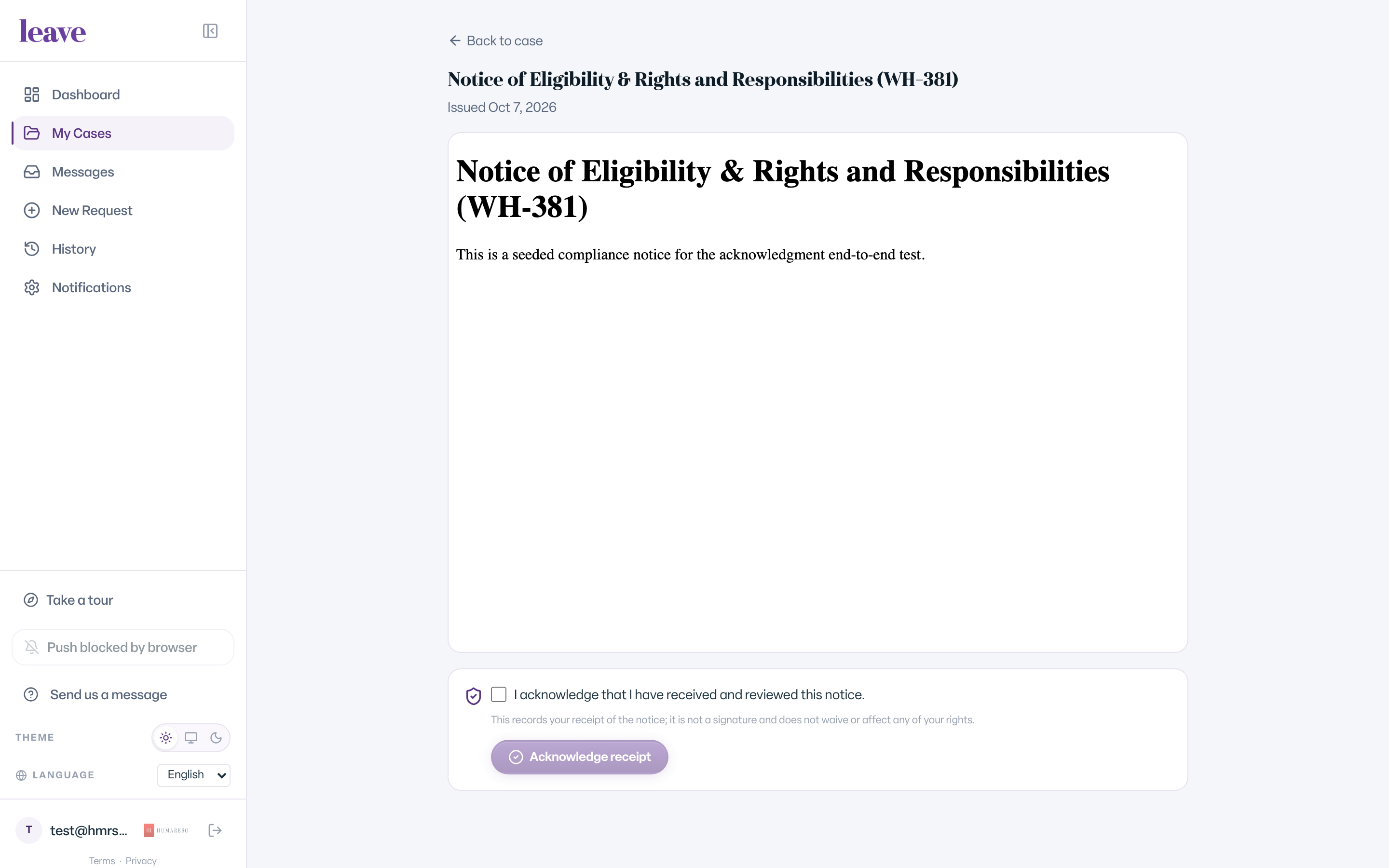
- Back to case at the top, which returns you to your case.
- The full notice document.
- The acknowledgment checkbox and the Acknowledge receipt button. The button stays disabled until you check the box.
Common Scenarios
- You already acknowledged it. The page shows Acknowledgment recorded. and the date. There is nothing more to do.
- The notice was corrected. The page says This notice was corrected. and that an updated version replaces it. Go to your case to read the current notice.
- The notice was rescinded. The page says This notice was rescinded. and that it is no longer in effect. Select Go to my case to see the current status of your leave.
- Someone else opens the link. Only the employee on the case can acknowledge. An HR contact can read the notice but cannot acknowledge it for you.
Troubleshooting
I see "Failed to load the notice." Refresh the page. If it still fails, sign out and select the email link again.
I see "Network error" when I select Acknowledge receipt. Check your connection and select Acknowledge receipt again.
I have a question about what the notice says. Message your leave team from your case. See How do I message my leave team?