Documents and Paperwork for Your Leave
How to upload documents on your leave case, follow paperwork reminders, and reach the leave team when you need help.
Most leave cases involve a little paperwork. Leave keeps your documents in one secure place on your case, so you always know what has been received and what is still needed. This article explains how to upload documents, how reminders work, and how to reach the leave team.
Uploading Documents to Your Case
- Open your case from your dashboard or My Cases.
- Go to the Documents tab.
- Choose the file the team asked for and upload it.
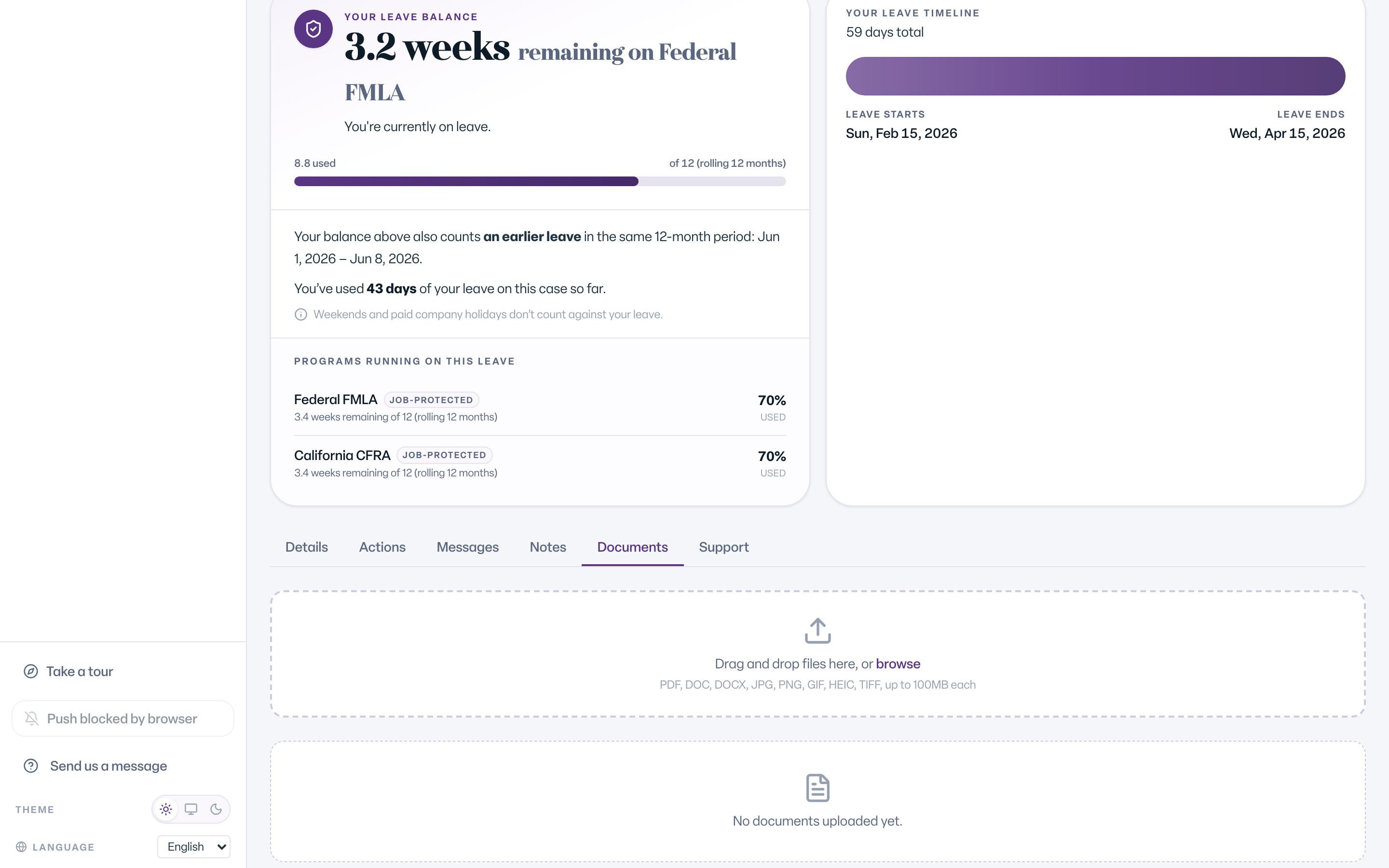
You can download any document on your case from the same tab. Once a file is uploaded, it stays on your case. If you uploaded the wrong file, message your leave team and they will sort it out. For accepted file types, size limits and combining pages, see Send Us Your Medical Certification & Documents and Why Did My Upload Fail?
Following Paperwork Reminders
You do not have to remember every form on your own. Your dashboard lists anything that needs your attention, including document uploads and paperwork reminders, and your case shows the next step. You also get reminders by email before a paperwork deadline.
Secure Document Links
When the team asks for a document, you get a notification that brings you back to your case. Always upload sensitive files on your case in Leave rather than sending them another way. Your documents stay attached to your record, where only the right people can see them.
Contacting the Leave Team
If you have a question about a form or anything else, the leave team is ready to help:
- Message us from your dashboard or your case.
- Email: leave@humareso.com
- Phone: +1 (844) 622-7376
- Fax: 1-888-448-6914
Leave is available in English and Spanish.
What You'll See
After an upload, the file appears in the list on your case's Documents tab. If it is listed there, the team has it.
Common Scenarios
- You uploaded the wrong file. Message your leave team. You cannot remove a file yourself once it is on your case.
- Your doctor's form has several pages. Upload them together and combine them into one PDF. See How to Combine a Multi-Page Form into One PDF.
- You are not sure what is needed. Check your dashboard for open items, or message the team.