Running a Talent Review Cycle
How to create a talent review cycle in Engage and work through each participant, from grid placement to development plan and recap.
A talent review cycle is how Engage organizes a round of reviews. You create a cycle for a group of people over a defined period, then work through each participant one by one: placing them on the 9-box grid, recording their readiness and retention risk, and writing their development plan.
This article walks through creating a cycle, finding it again on the All reviews page, and assessing each person.
Creating a cycle
Creating a cycle is an admin and HR task. To set one up:
- Start a new review cycle.
- Give the cycle a name.
- Set the period the cycle covers.
- Select the cohort members who will be reviewed.
Once the cycle exists, it becomes available for reviewers to work through.
Finding cycles on the All reviews page
The All reviews page lists every cycle, newest first. Each cycle shows its progress so you always know where it stands.
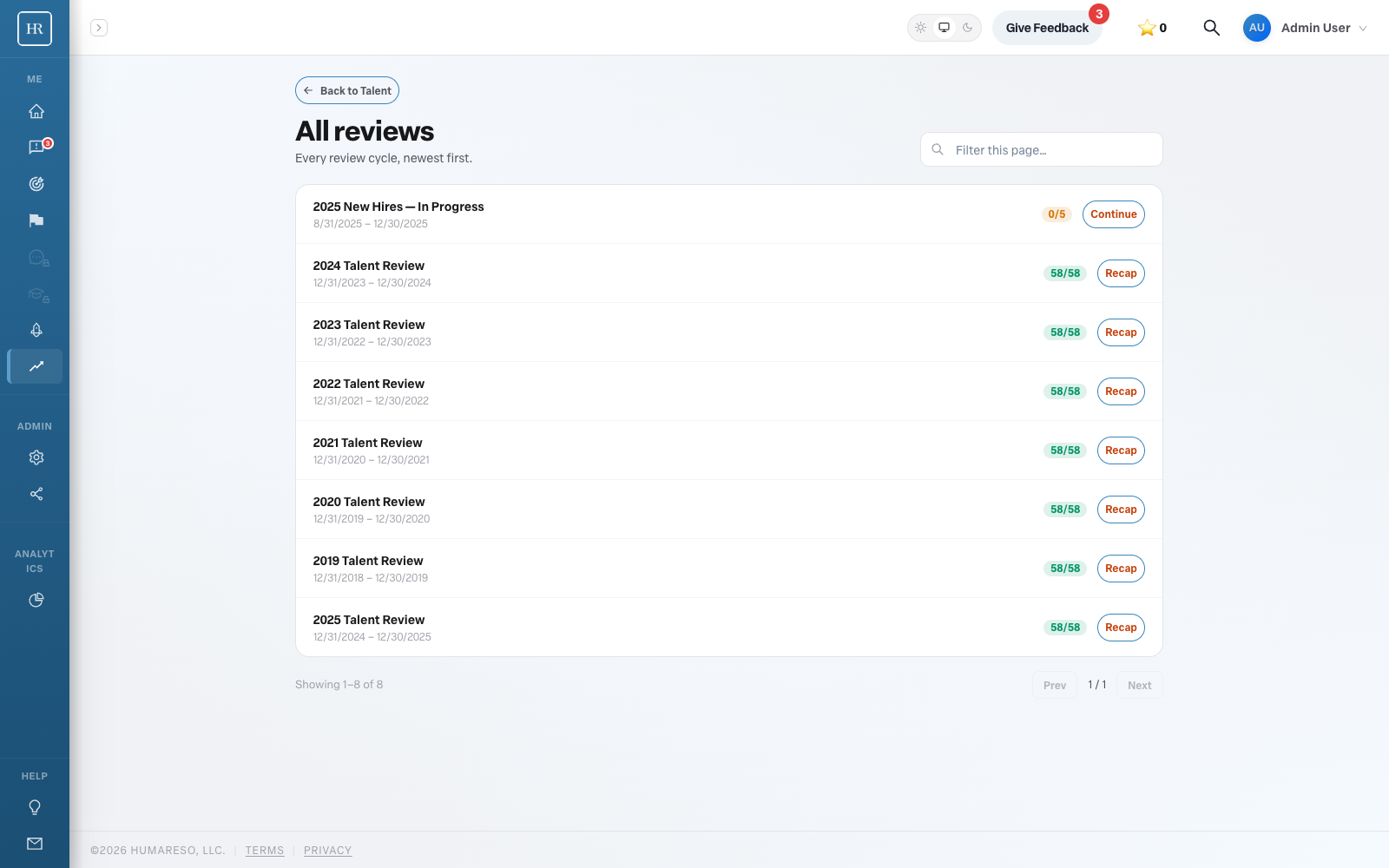
A cycle in progress shows how many participants are complete, for example 0/5, along with a Continue action to pick up where you left off. A completed cycle, for example 58/58, offers a Recap so you can revisit the finished results.
Working through participants
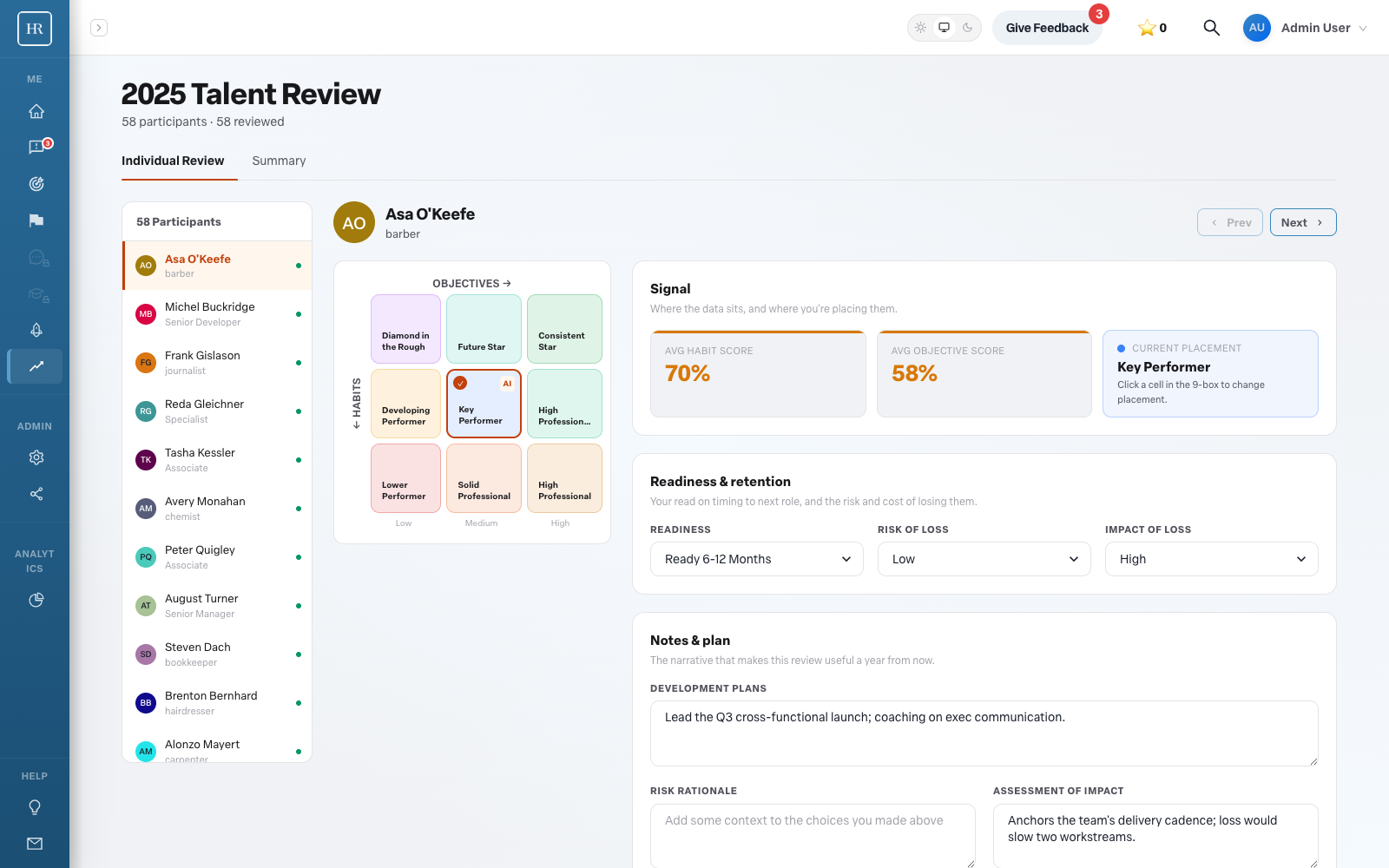
Open a cycle to reach the review detail view. The participant list sits at the left, and you move between people with Prev and Next. Each person has an Individual Review tab and a Summary tab.
For each participant, you assess a few things:
- Plot them on the grid. Drag the person to their spot on the 9-box. Engage auto-suggests a placement from their objectives and habits scores, shown for reference, and you can move it.
- Read the signal. The signal shows the overall objective score and overall habit score as percentages, along with the resulting box label, such as Key Performer.
- Set readiness. Choose from Ready Now, Ready 3 to 6 Months, Ready 6 to 12 Months, Ready 1 Year Out, or Suitably Placed.
- Record retention risk. Set the Risk of loss (Low, Medium, or High) and the Impact of loss (Low, Medium, or High).
- Write it up. Use the text fields to capture the development plan, a reason for leaving in a flight-risk scenario, your assessment of impact, and any comment.
Work through each participant this way, moving forward with Next until the cohort is complete.
Recap
When a cycle is finished, the Recap on the All reviews page lets you revisit the completed results. This is where the cycle pays off: you can review who landed where, see who is ready to move, and identify your retention risks as a group.
Who can create a cycle?
Creating a cycle is limited to admin and HR users. Managers participate by reviewing their own reports once a cycle is set up.
Do I have to accept the auto-suggested grid placement?
No. The suggested position is drawn from objectives and habits scores and is shown only for reference. You are free to drag the person to a different box based on your judgment.
What is the difference between risk of loss and impact of loss?
Risk of loss is how likely the person is to leave. Impact of loss is how much it would hurt if they did. Recording both helps you focus retention effort where it matters most.