Getting Started with Talent in Engage
An overview of the Talent module in Engage: what it shows you about your people and who can see it.
Talent is the talent-review module in Engage. It gives you a true read on your people: where they sit on performance and potential, who is a retention risk, who is ready to move up, and how all of that is shifting over time. When you are ready to act, you open a review to plot someone and write their plan.
The Talent page is your front door. It pulls everything together so you can see the shape of your workforce at a glance before you dive into any single person.
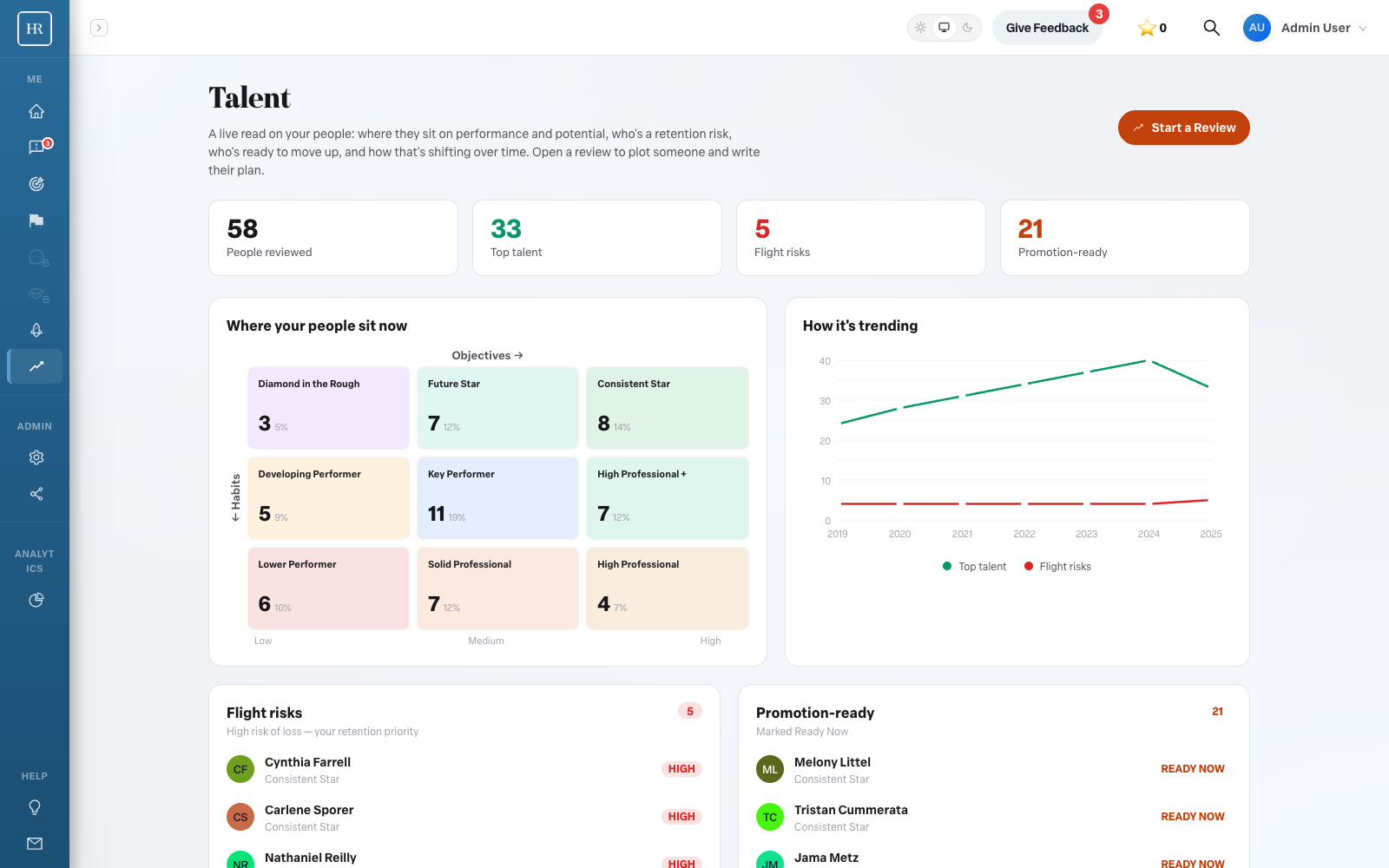
What the front door shows
At the top of the page is a stats row that summarizes your organization at a glance. It tracks the number of people reviewed, the number of reviews, your top talent, your flight risks, and who is promotion-ready.
Below the stats, the page is organized into a few focused sections:
- Where your people sit now. A view of how your people are distributed across the 9-box grid of performance and potential.
- How it's trending. A look at top talent and flight risks over time, so you can see whether your bench is strengthening or thinning.
- Flight risks. A list of the people most at risk of leaving.
- Promotion-ready. A list of people who are ready for a next step, with Ready Now badges for those who can move immediately.
Plotting and reviews
Talent organizes its work into review cycles. Admins can begin a cycle with the Start a Review button on the front door. From there you open a review to plot each person on the grid and write their development plan. The day-to-day mechanics of running a cycle are covered in a separate article.
Who can see Talent
What you see in Talent depends on your role.
- Admins and can-configure (tenant admin) users can view and plot the entire organization, and they can create review cycles.
- Managers can view and plot only their own reports.
- Non-managers do not see the Talent tab at all.
If you are not an admin, you will see a note that your admin sets up review cycles. That is expected; your administrator owns the setup, and you participate once a cycle is underway.
What Talent helps you do
Used over several cycles, Talent supports a handful of important people decisions. It helps you identify who is ready for a next role, flag retention risk before it becomes a resignation, spot gaps in your succession plan, and watch how your bench trends from one cycle to the next.
Do I need to be an admin to use Talent?
No. Admins and tenant admins work across the whole organization, and managers work with their own reports. Only non-managers are left out of the Talent tab.
Where does the performance and potential data come from?
Talent draws on your objectives and habits data in Engage to suggest where each person sits. You will see more on how that works in the articles on running a cycle and reading the 9-box.
How often should we run Talent?
Talent is built around review cycles, and the trending views are most useful once you have run more than one. A regular cadence lets you see how top talent and flight risks change over time.