Related objectives: parents and sub-objectives
Link an objective to the bigger one it supports by choosing a Parent Objective, or add a sub-objective straight from the parent's card.
Most objectives exist to move a bigger one. Engage lets you say so: a parent objective is the larger goal, and every objective that supports it is a sub-objective. Linking them lets everyone see how their work rolls up, and lets admins see how much of the organization is aligned.
Choose a parent when you create or edit
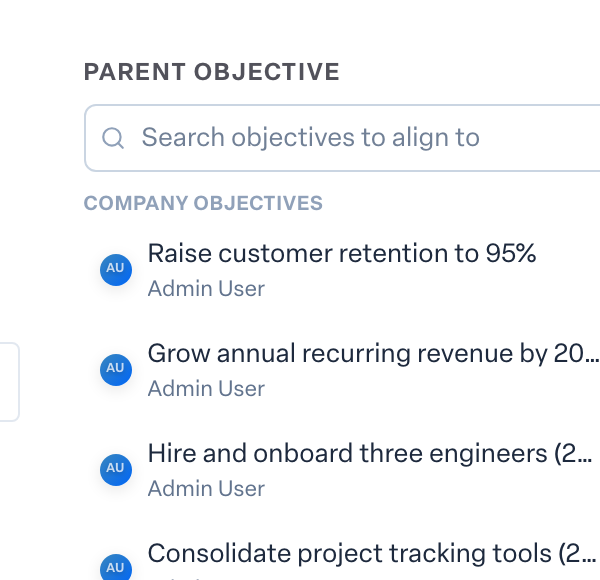
- In Objectives, press New Objective, or open an existing objective and press Edit.
- Find Parent Objective near the bottom of the dialog.
- The picker opens with the objectives most worth aligning to, grouped as Company objectives, Your teams, Your manager, Your teammates and Your own.
- To find anything else, type in Search objectives to align to. Results from outside those groups are tagged Elsewhere.
- Pick one, then save.
To unlink, open the picker again and choose Clear parent objective.
Add a sub-objective from the parent
On the board, open the menu on an in-progress objective's card and choose Add Sub-Objective. The New Objective dialog opens with that objective already set as the parent. You see this option on objectives you are allowed to edit.
See what supports an objective
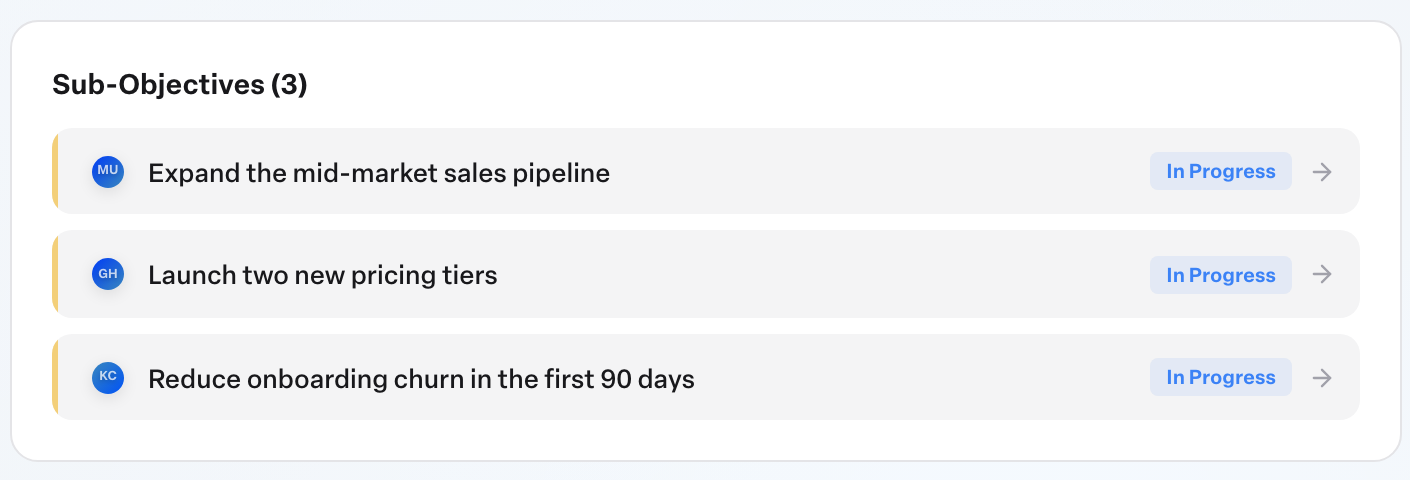
Open the parent objective. The Sub-Objectives panel lists every objective linked to it, with a count in the heading. Press one to open it.
Draft sub-objectives for each team
If your organization has AI features turned on, the owner of an objective and admins see Draft team objectives on the objective page. Pick the teams, and Engage drafts one aligned sub-objective per team for you to review before anything is added. See Using AI to draft objectives.
Why alignment matters
Admins see an Aligned share on the OKR health strip: the proportion of objectives attached to a company objective. See Administering OKRs in Engage.
More in Objectives
- Using AI to draft objectivesBeginner
- Reading the completed objectives heatmap on your Team DashboardBeginner
- Using your Objectives board day to dayBeginner
- How do I see who changed a key result?Beginner
- Why can't I type a value into a key result?Beginner
- Does a milestone count toward the objective's completion?Beginner