Your Engage home page
Home is where Engage shows what needs you today. Work through your action items, check your habits and goals, and catch up on recognition from one page.
Home is the first page you see after you sign in. It pulls together the things that need you today, so you do not have to go looking for them. You can get back to it at any time by selecting Home in the left navigation.
What you will find on Home
Your organization decides which features it uses, so your Home page may not show every section below.
- Action items. Real to-dos that need you, such as accepting or rejecting an objective someone assigned to you, reviewing a completed objective, or giving specific feedback a colleague asked for. The card title shows how many are waiting.
- Habits. Your habit scores, with a link into each habit for the detail.
- Objectives. The goals you are working on, if your organization uses objectives.
- Recognition. The latest high-fives from across your company, with View all to open the full feed and a button to send your own.
- Points, streaks and badges. A quick look at what you have earned, if your organization uses points and recognition.
- Suggestion box. A place to share an idea with your organization.
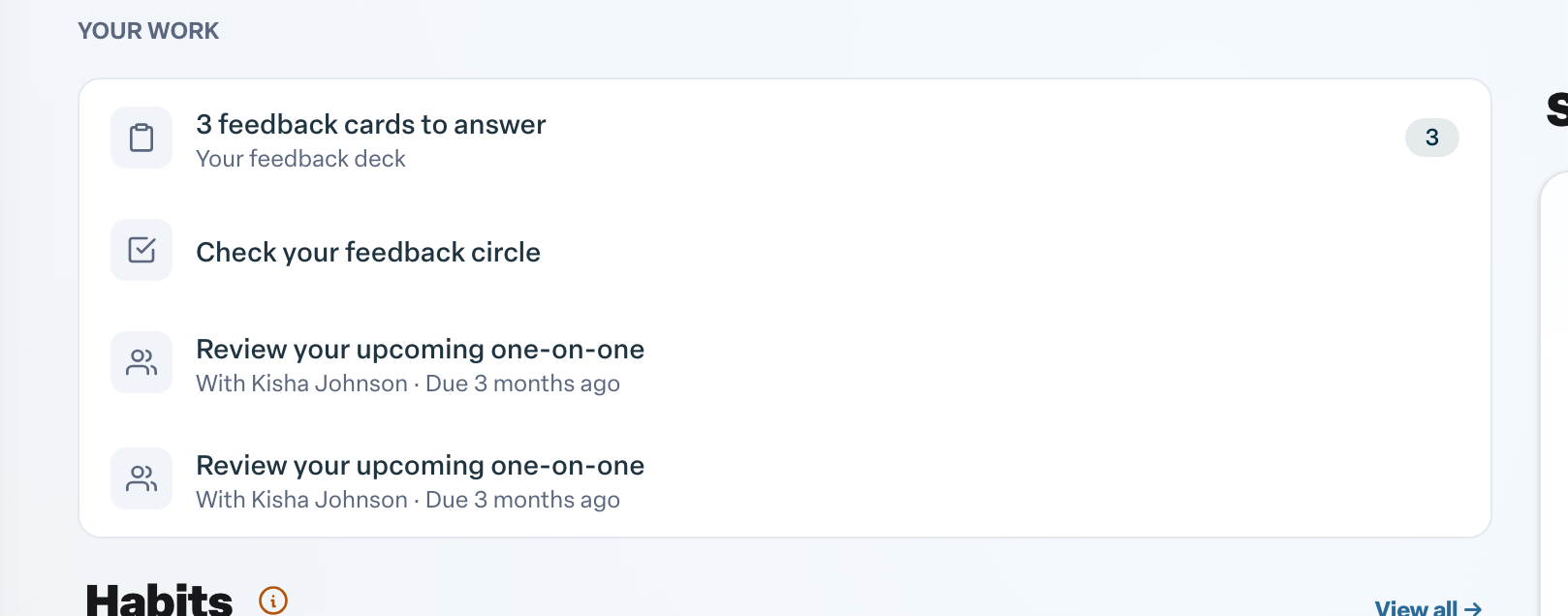
Work through your action items
- Open Home.
- Find your action items. On the newer Home layout they are listed under Your work, with a count beside your feedback cards. On the classic layout they sit in the Action Items card; when you have more than one item, use the arrows on either side to move between them.
- Use the button on the item to act on it. For example, choose Accept or Reject on an objective assigned to you, or Provide Specific Feedback when a colleague asks for it.
- Some items, like a prompt to add a profile picture, can simply be dismissed.
Only items that need you to do something are counted. Updates that are just for your information do not add to the number.
When you are all caught up
When nothing is waiting for you, Home shows You're all caught up in place of your action items. If your organization uses the newer Home layout, this message also tells you when you finished your last feedback cards and when the next ones are expected.
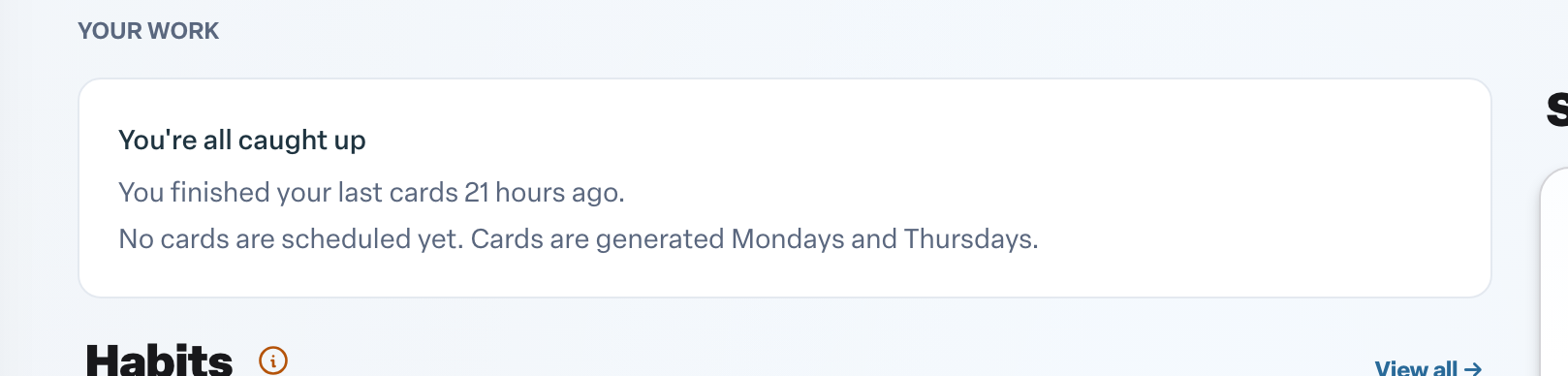
This is good news, not an error. New items appear on their own as soon as someone assigns you something or your next cards arrive.
Managers and admins
If you manage a team, Home may also show a Your team section with a snapshot of your team's activity. Admins may see an Admin section with an overview of feedback delivery for the organization.