Administering OKRs: Health, Seasons, Rollover and Summaries
The administrator view of objectives: the OKR health strip, season settings, what happens at a season boundary, the frozen season summary, and exports.
This guide is for organization administrators. It covers the Admin tab under Objectives and the Seasons settings under Admin, Organization, Objectives. For the method itself, download Administering OKRs in Engage, the long-form guide.
The OKR health strip
Open Objectives and choose the Admin tab. The strip at the top reads the organization's in-progress objectives for the selected season:
- Measurable. The share of objectives whose key results are all metrics with targets or milestones. Anything else cannot be scored.
- Updated in 14 days. The share with a check-in answer or a key result update in the last two weeks.
- Stale. How many have gone quiet for two check-in intervals. Press the tile to list them, with the owner and the last progress date.
- Aligned. The share attached to a company objective. Shown once company objectives exist.
- Owners over limit. How many people own more than five in-progress objectives.
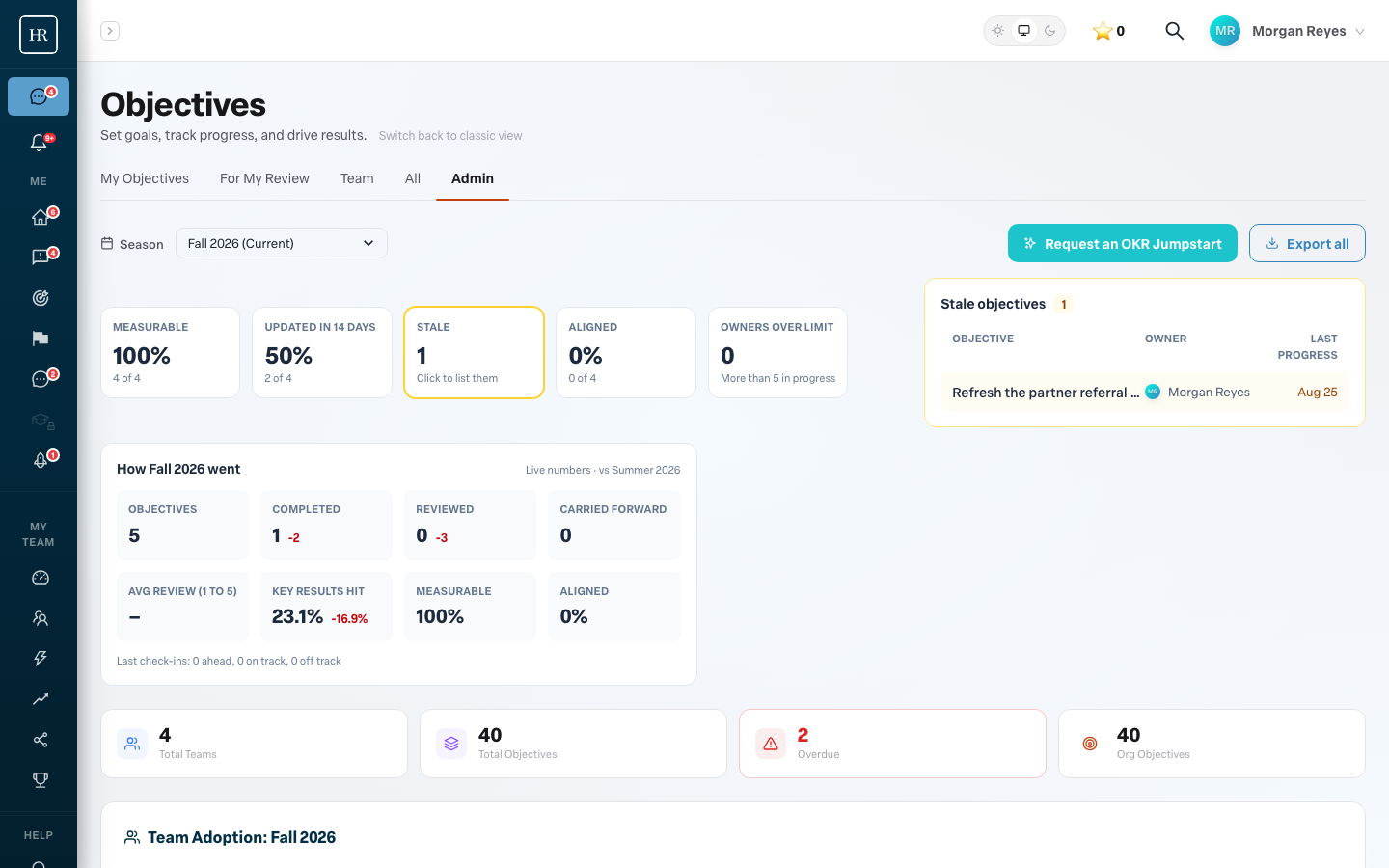
Below the strip, a per-team table shows the same measures by group, then the overdue objectives and team adoption. The Export all menu produces a CSV of every objective or a PDF with comments, filtered to the selected season.
Seasons
Objectives run in seasons. Under Admin, Organization, Objectives you set how long a season lasts (one, two, three, four or six months), when the first season started, what each season is called, and what happens at the end. The panel shows the current season and the next one. Changes apply at the next boundary; the running season is never cut short.
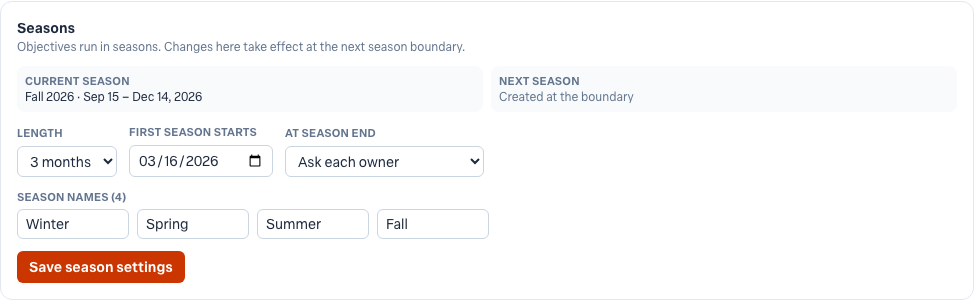
What happens at the end of a season
Every morning Engage checks for seasons that have just ended. For each one it freezes a summary: how many objectives ran, how many completed, the average key result completion, and the same figures per team. The summary appears on the Admin tab with the change against the previous season, and it never changes afterwards, even if someone edits an old objective.
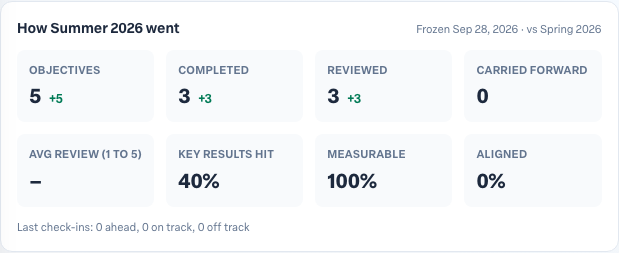
Objectives that are still in progress when their season ends are handled by the At season end setting:
- Ask each owner. Owners see a banner on their Objectives page listing each open objective with three choices. Carry forward copies the objective into the new season, with each key result's current value as its new starting value and the delivery date moved to the end of the new season, and sends the original for review. Mark complete closes it and sends it for review. Abandon drops it.
- Carry forward automatically. Engage carries every open objective into the new season on the morning after the boundary, the same way an owner would.
- Do nothing. Open objectives stay where they are.

A carried-forward objective shows where it came from, so a reader can follow a multi-season objective back through each cycle.
A short operating rhythm
- Week one of a season. Check the Measurable tile. Anything below 100% means an objective was written with task-shaped key results; ask the owner to fix it while it is fresh.
- Every week. Check Stale and Updated in 14 days. Press the Stale tile and follow up with the owners it lists.
- Last week of a season. Remind owners the rollover banner is coming, and decide whether any objective should be completed early.
- First week after. Read the frozen summary and the change against last season. Share it.
More in Objectives
- Using AI to draft objectivesBeginner
- Related objectives: parents and sub-objectivesBeginner
- Reading the completed objectives heatmap on your Team DashboardBeginner
- Using your Objectives board day to dayBeginner
- How do I see who changed a key result?Beginner
- Why can't I type a value into a key result?Beginner