What Is a Feedback Circle
A feedback circle is a group of colleagues, called raters, who observe your day-to-day behavior and provide structured feedback on your professional habits. Each rater answers behavioral questions using a simple scale: Yes, Sometimes, No, or Don't Know.
Your organization requires a minimum of 3 raters in your circle before feedback collection begins. Your admin may have configured a different minimum for your organization. The more raters you invite, the richer and more reliable your feedback will be.
Selecting Your Habits
Habits are the professional behaviors you want feedback on. You choose which habits to track, and your raters provide feedback on those specific behaviors.
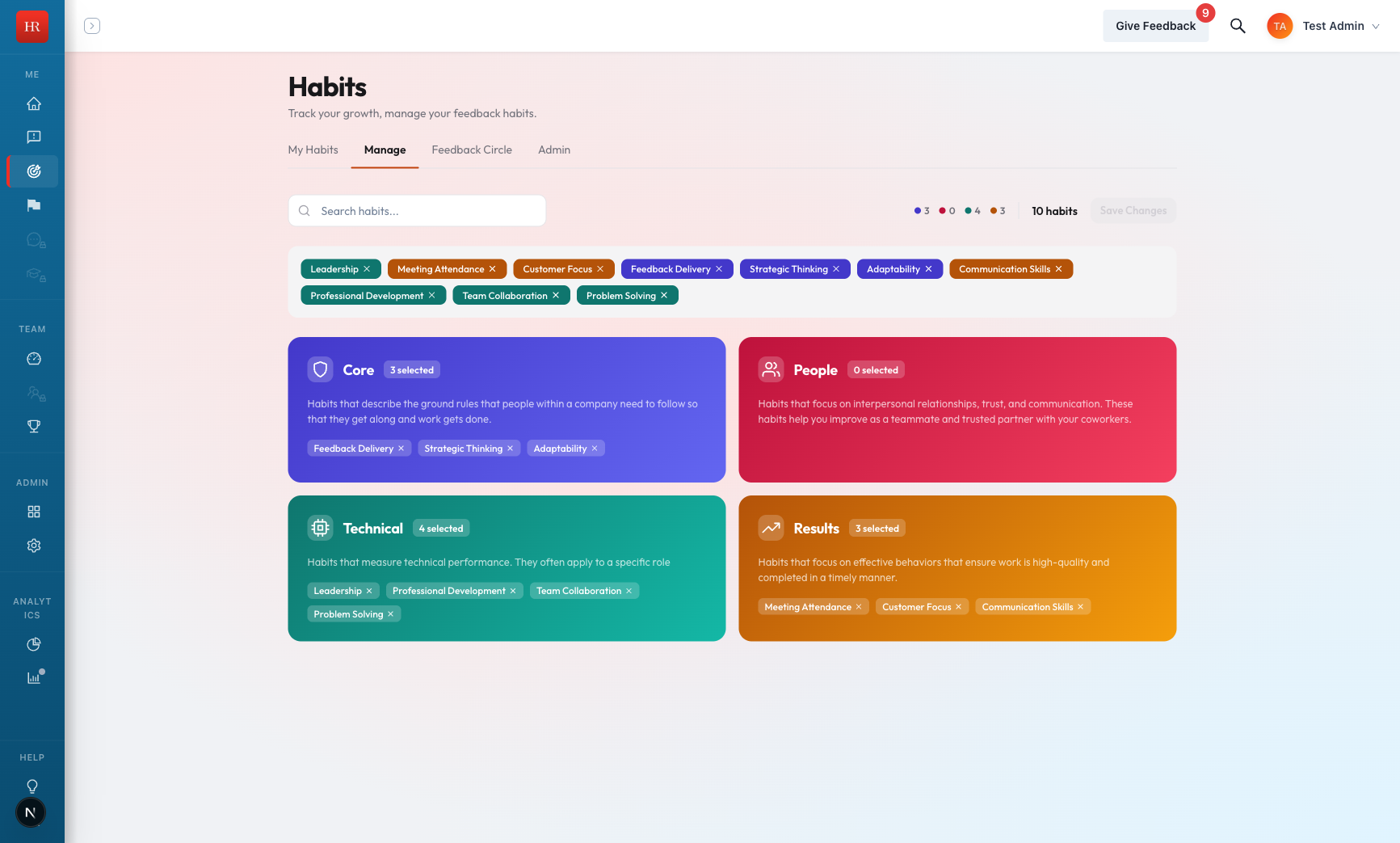
- Navigate to Habits in the main navigation.
- Select the Manage tab.
- Browse the available habits. They are organized into groups such as Core, People, Technical, and Results.
- Click a habit to add it to your active list. Click it again to remove it.
Some habits may be assigned by your admin and cannot be removed. These appear with a lock icon on the Manage tab.
Viewing Your Feedback Circle
Your feedback circle is the list of colleagues who have been invited to rate your habits.
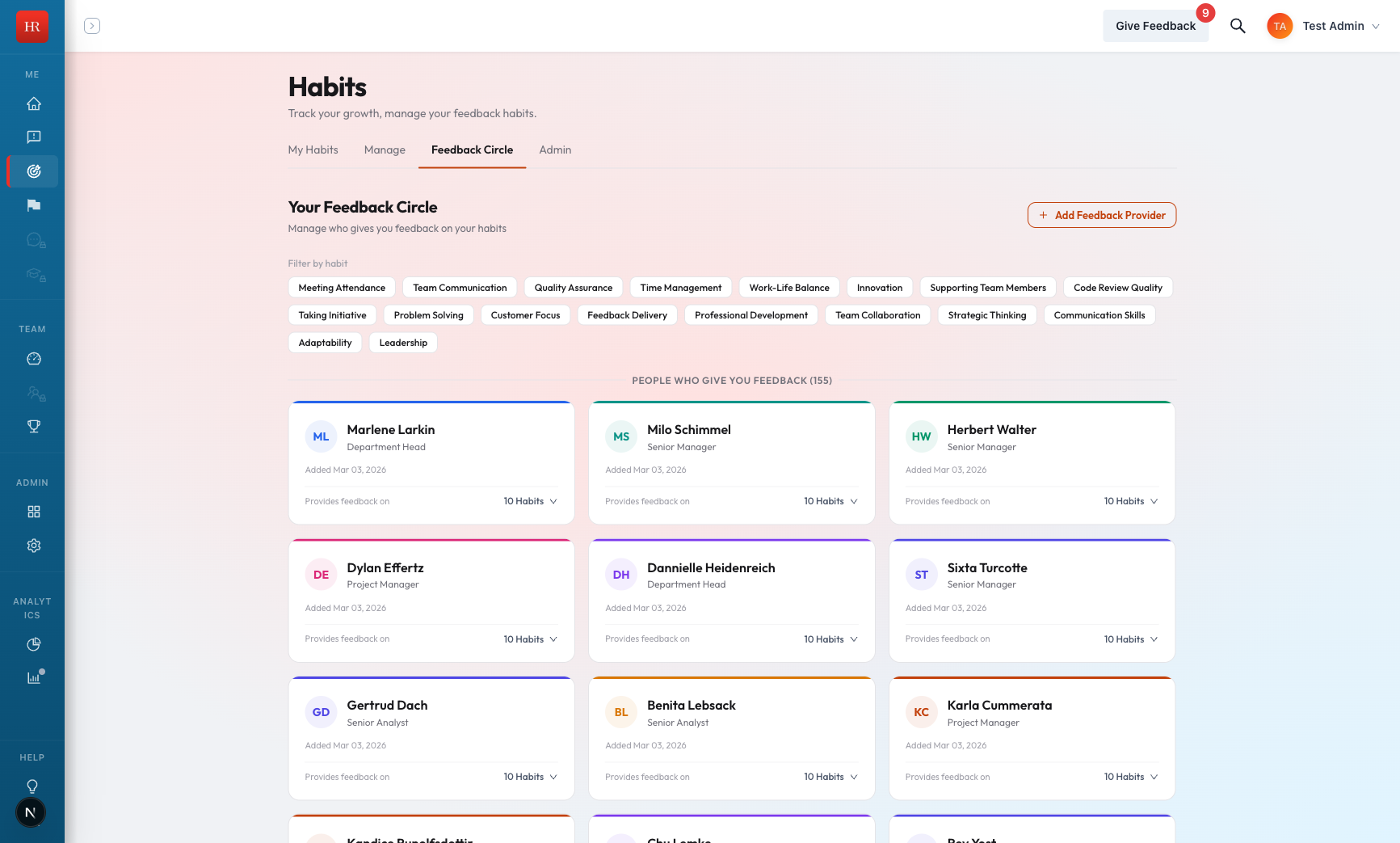
- Navigate to Habits in the main navigation.
- Select the Circle tab.
- Review the list of raters. Each rater shows their current invitation status (pending, accepted, or declined).
- Click on any rater to see which habits they provide feedback on.
How Raters Provide Feedback
Once a rater accepts your invitation, they receive behavioral questions on a recurring basis. Here is how the process works:
- Acceptance required. A rater must accept your invitation before they can provide feedback. Pending invitations do not generate questions.
- Behavioral questions. Raters answer each question with Yes, Sometimes, No, or Don't Know.
- Expiration. Unanswered feedback requests expire after 2 weeks. Expired questions are not counted toward your scores.
- "Don't Know" responses. When a rater selects Don't Know, that response is excluded from your habit score. This ensures your scores reflect only observed behavior.
Reading Additional Feedback
In addition to structured ratings, raters can provide narrative text feedback with their responses. This written feedback gives you specific context about the behaviors your colleagues observe.
- Look for a notification badge on the habit card. This indicates new, unseen feedback.
- Click the habit card to open the feedback detail view.
- Read the narrative feedback listed below the score summary.
- Viewing the feedback automatically marks it as seen and removes the notification badge.
Tips for a Strong Feedback Circle
- Invite people you work with regularly. The best raters are colleagues who directly observe your behavior. Choose people from your immediate team, cross-functional partners, or anyone you collaborate with frequently.
- More raters means more stable scores. With only the minimum number of raters, a single response can shift your score significantly. Adding more raters smooths out individual variation and gives you a more accurate picture.
- Check the Circle tab periodically. Make sure your raters are still active. If someone has left the organization, you should replace them to maintain your minimum rater count.
- Vacation and leave. If a rater goes on vacation or extended leave, their feedback capacity is automatically paused. They will resume receiving questions when they return. You do not need to remove them from your circle.