Contributors are additional people who can view and provide input on a 1:1 review — such as a previous manager, a mentor, or a project lead. Normally, only the manager who owns the 1:1 can add or remove contributors. As an admin, you now have the ability to manage contributors on any 1:1 in your organization.
Finding the 1:1
- Go to Settings from the admin menu.
- Open the One-on-Ones section to see the full list of 1:1s.
- Click View on the 1:1 you want to update.
Adding a Contributor
On the 1:1 detail page, click the Add Contributors button (the blue button with a + icon). This opens the same contributor modal that managers use.
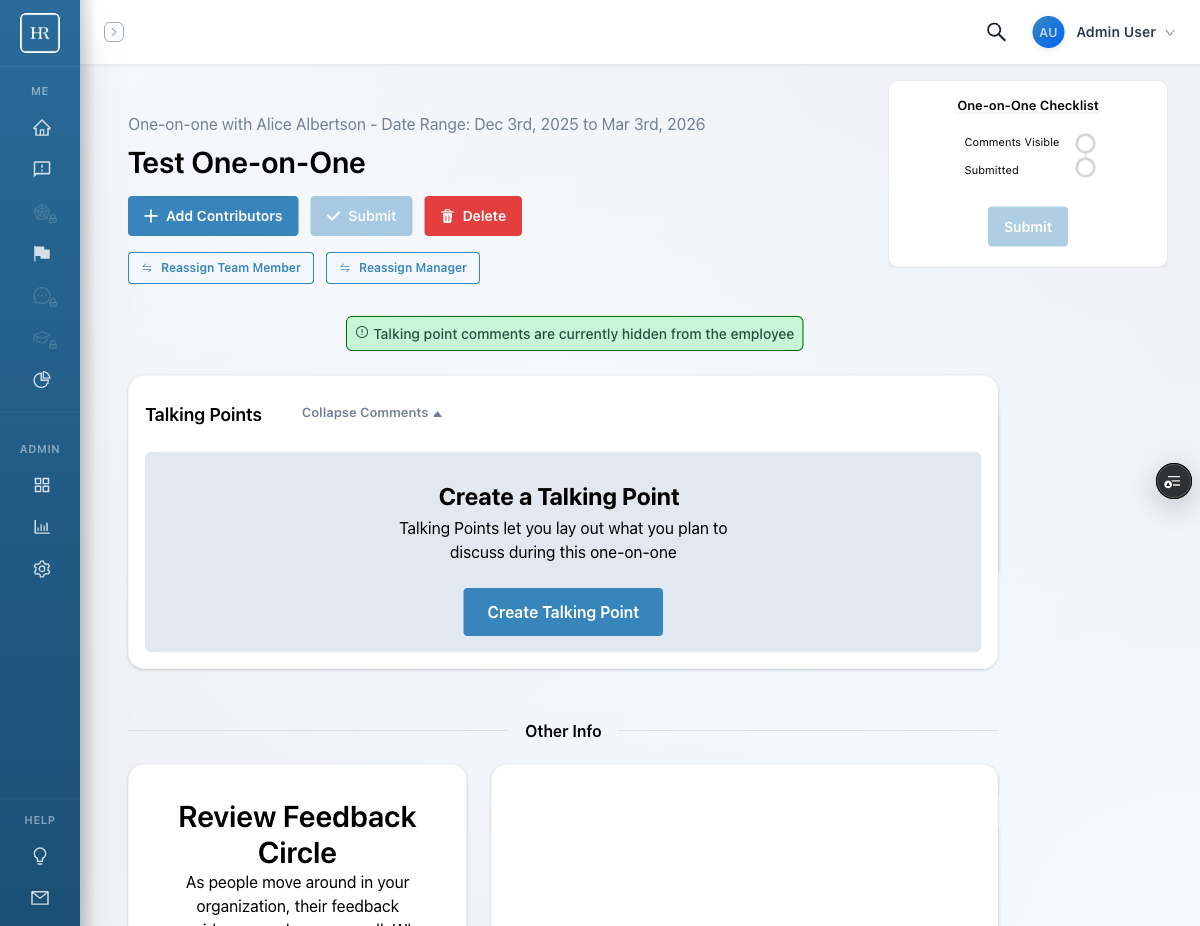
- Click Add Contributors.
- Search for the person you want to add.
- Select them from the results and confirm.
- The contributor will receive a notification email letting them know they have been added.
Removing a Contributor
To remove a contributor, scroll down on the 1:1 detail page to the contributor list. Click the remove button next to the contributor you want to remove. They will no longer have access to the 1:1.
Important Notes
- Only tenant admins and the 1:1 manager can manage contributors. Regular users and the team member on the 1:1 cannot add or remove contributors.
- Contributors have read-only access to the 1:1 — they can view talking points and feedback but cannot edit them.
- Notification emails are sent automatically when a contributor is added, regardless of whether it was done by the manager or an admin.
Common Use Cases
- A previous manager should provide input on an ongoing review after a team change
- A project lead needs visibility into a 1:1 to give context on performance
- A mentor has been paired with an employee and should have access to the review
- HR needs to add themselves as a contributor for documentation purposes