Engage lets you control how often feedback cards are generated for your organization. By default, new feedback cards appear every week, but you can switch to biweekly or monthly cycles to match your team's pace.
Where to Find It
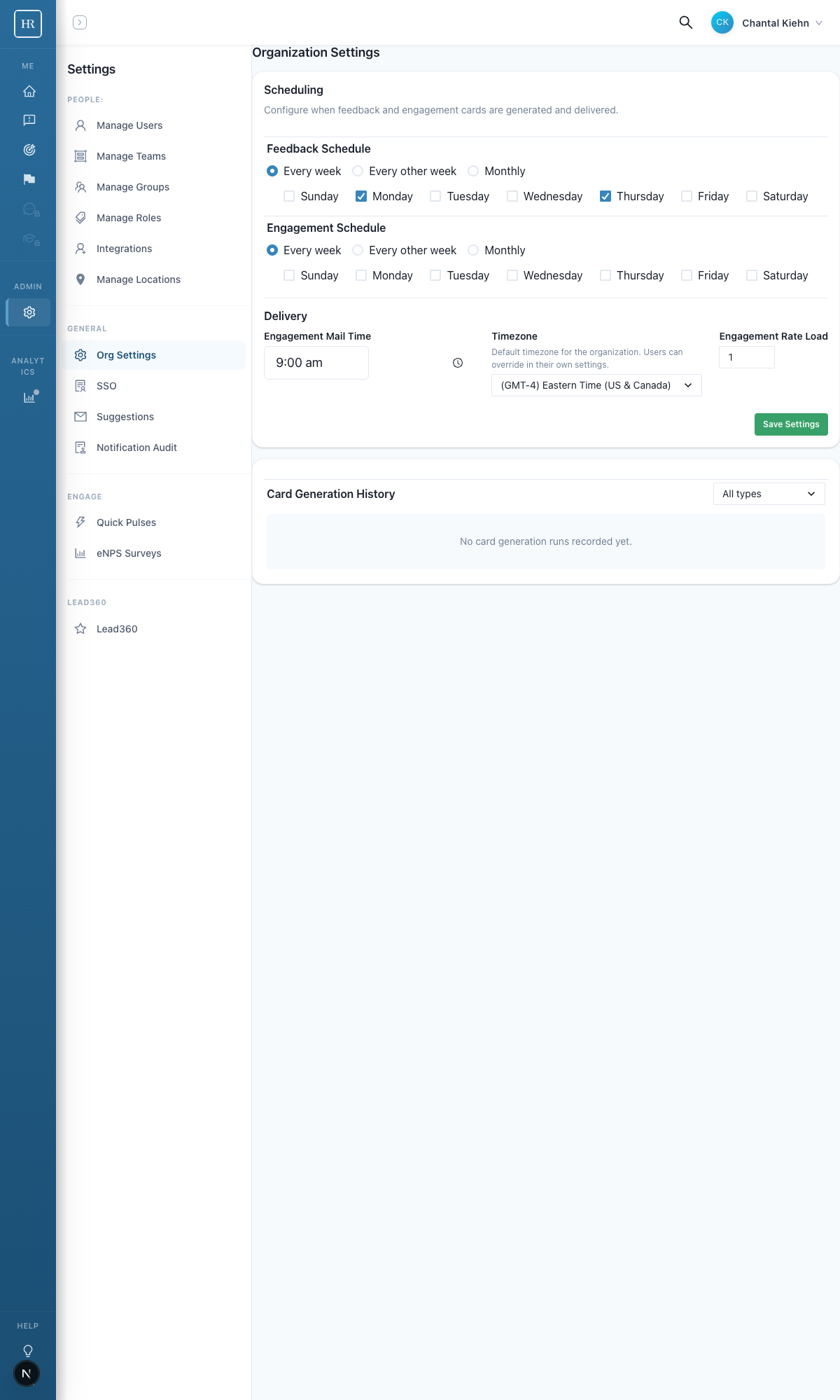
Navigate to Settings > Org Settings. The Feedback Scheduling section is in the Scheduling card on the left side of the page.
Frequency Options
Three scheduling frequencies are available:
- Every week — New feedback cards are generated each week. This is the default and works well for most organizations.
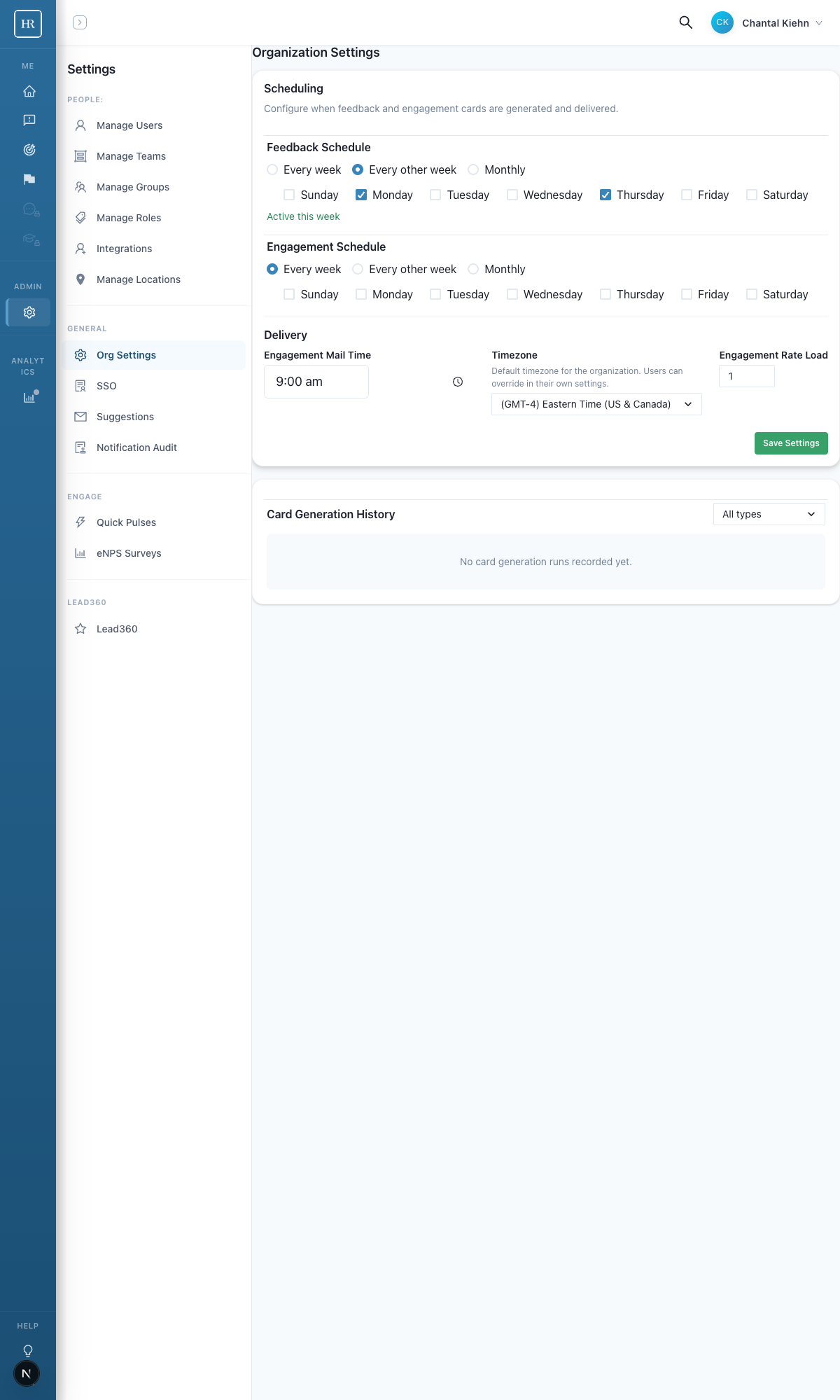
- Every other week — Cards are generated on alternating weeks. An "Active this week" or "Off this week" indicator shows whether the current week is a feedback week.
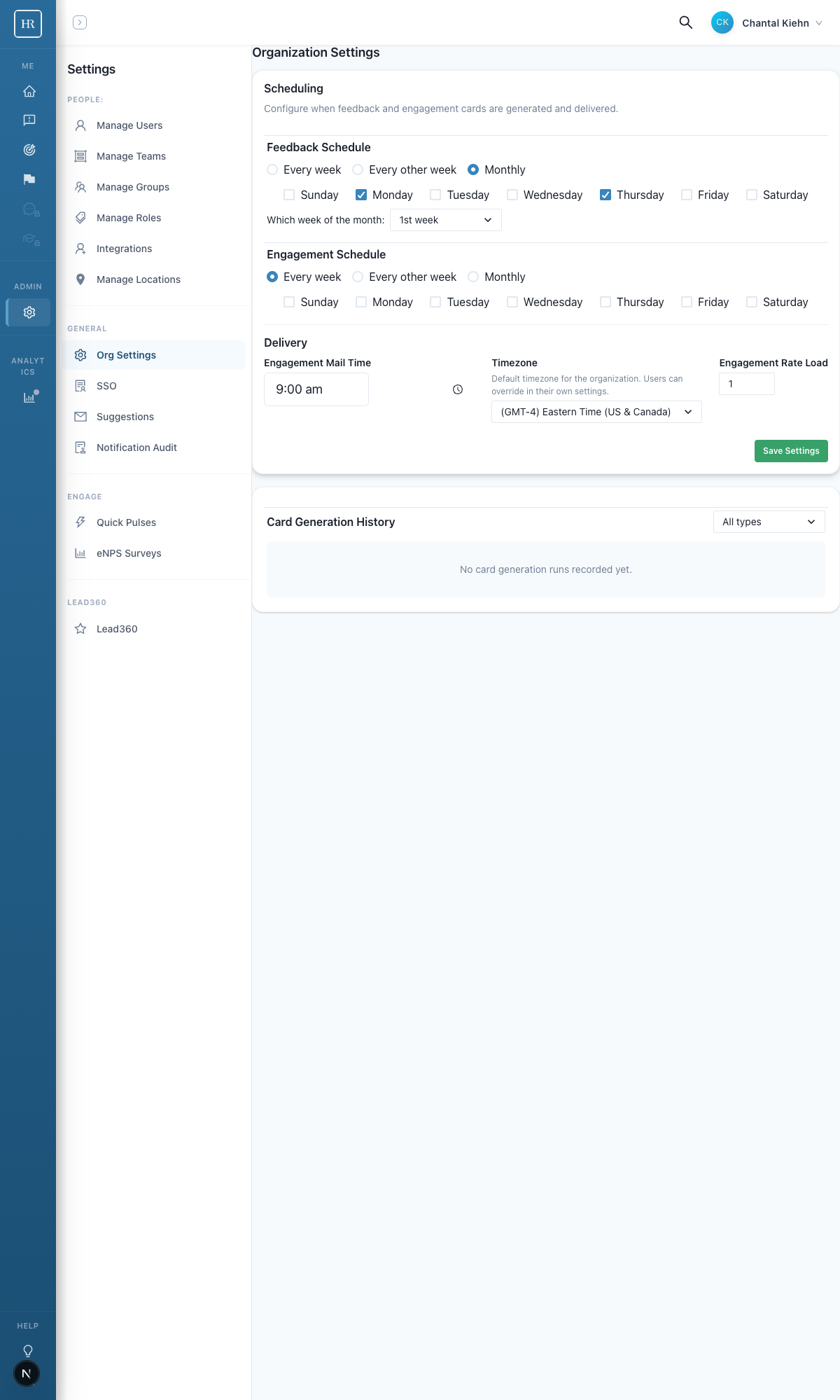
- Monthly — Cards are generated during one specific week each month. Use the "Which week of the month" dropdown to choose the 1st, 2nd, 3rd, or 4th week.
How to Change the Schedule
- Go to Settings > Org Settings.
- Find the Scheduling card.
- Open the Feedback Frequency dropdown and select your preferred option.
- If you choose Monthly, select which week of the month feedback should be active.
- Click Save. The change takes effect immediately.
What Happens During Off Weeks
When feedback is set to biweekly or monthly, users will not see new feedback cards during off weeks. Any existing in-progress cards remain accessible until they expire, but no new cards are created.
The "Active this week" / "Off this week" indicator in Org Settings lets admins quickly confirm the current status without having to count weeks.
Tips
- Start with weekly feedback if you are just getting started. You can always scale back later once your team has a rhythm.
- Biweekly works well for smaller teams where the same peers are reviewed frequently. It prevents feedback fatigue.
- Monthly suits executive or leadership feedback where deep, thoughtful responses matter more than frequency.
If you have questions about feedback scheduling, reach out to your Humareso support contact or visit our help center.